We’d like to remind Forumites to please avoid political debate on the Forum.
This is to keep it a safe and useful space for MoneySaving discussions. Threads that are – or become – political in nature may be removed in line with the Forum’s rules. Thank you for your understanding.
The New Top Easy Access Savings Discussion Area
Comments
-
no - once you have chosen the interest term, it cannot be changed.. annual will always be annual, monthly will always be monthly… only way around it would be to open a new account with the interest term of your choice.
2 -
And we're only allowed one joint account of each issue, so I guess I should just wait for the next issue and hope it's not punitive....
0 -
are you getting confused with the Sunny Day Saver terms? it's the SDS that has the "supposed" one single, one joint limit - there are no such limits or terms mentioned, and never have been, with Simple Savers.
if you feel the need to limit yourself to one, you could always open a new joint account - it should open immediately - transfer balance from existing joint to new joint - close old joint account.
2 -
Yes I was! Thank you very much
1 -
The 5% interest for 6months is tempting but I tend to avoid savings organisations that only operate through a smart phone app: Customer support can be lacking.
Trust Pilot shows Lemfi get a 1-star rating from 8% of reviews but then Coventry BS only gets 1-star from 27% so that's not much of an indication.
====
My previous experience with Oxbury Bank was so bad I vowed never to use them again. Here is my Trust Pilot review from Nov 2025:-
==
I have been an Oxbury Bank customer for over a year. During that time I have held 5 different accounts.
To login using a PC, you are forced to install the Oxbury App on a smartphone and register it. When I originally did this I never had a problem. However a few days ago, I needed to complete my Tax Self Assessment. I needed to check the amount of interest paid into a couple of closed accounts.When I tried to use the Oxbury app to login, it displayed a message telling me I needed to re-register my phone. Apparently Oxbury have changed their user verification process. It now uses Experian.
At the start of the process, when you try to login (using a PC browser), the system asks for username and password. A text box is displayed that asks if you have a new phone or if you need to reconnect your phone. To
proceed, you click ‘Yes’, followed by ‘Device recovery’. You are then asked to re-enter your Username and Password for revalidation. That sends an email to your existing email address. The email contains a ‘Verify’ button. When you click on that a QR code is displayed.
A message says ‘Please scan the below QR code using your smartphone camera to complete your ID verification’.
I was unsure if that meant using the Oxbury app or the camera app. The Oxbury app failed to read the QR code so then I tried using the Camera app. I was unable to get that to recognise the QR code either.
After trying a few things, I eventually installed a separate QR code scanning app on my phone.The scanning app displayed the destination URL held in the QR code. When I tried to visit the URL on my phone using Firefox (my default browser), the system displayed a message telling me that I could not use Firefox.
Instead it launched Google Chrome – a browser I have never used before. I had to spend some time configuring Chrome.Eventually the Experian ID verification system was launched. You need either a passport or photo driving license to continue.It took some time to find my passport and figure out a way to hold it flat. Then I had to work out how to avoid specular reflections from the shiny page surface. No instructions were given to explain how to frame
the image. Does it just need the face photo or the whole page? I wrongly assumed the former. After taking the photo, the system displayed a bunch of data fields that it should have auto filled from the passport.
Because I had not framed the whole page, most of these were either blank or incorrect. I then had to correct the fields manually.The system then tried to get me to take a selfie video by displaying an oval frame on the screen for alignment. Despite feeling really angry at this stage due to the amount of time spent, an annoying audio message then tells
you to ‘smile’. At this point the software crashed and all the data already entered was lost.When I tried to contact Customer Services I discovered Oxbury do not publish a phone number on their website. I ended up sending an email and gave up.
The following day after I had calmed down, I managed to find a phone number using Google. I was told that despite being an existing customer there was no alternative way to re-register my phone and I ended up having to go
through the entire painful process from scratch.A worrying aspect of all this is that Experian now have a photo of my passport and a video clip. Experian is not exactly secure: They have been hacked at least twice in the last few years. In 2013 100M+ records were exposed.
In 2015 15M customer records were breached.This isn’t the end of the story. After I eventually managed to re-register my phone and logon to the Oxbury website, I began viewing and downloading some closed account statements so I could check the interest received. That worked initially. However I then began to receive an error message whenever I tried to select an account. The message just read ‘Error’ with no explanation. I reported this using Chat but the only advice was to logout and log back in again.
The following day I logged on again because I wanted to change the maturity instructions for my existing 6
month bond account. The website provides no way do this. It does not even support secure messaging. I tried to use Chat but was unable to get an answer and I gave up.==
2 -
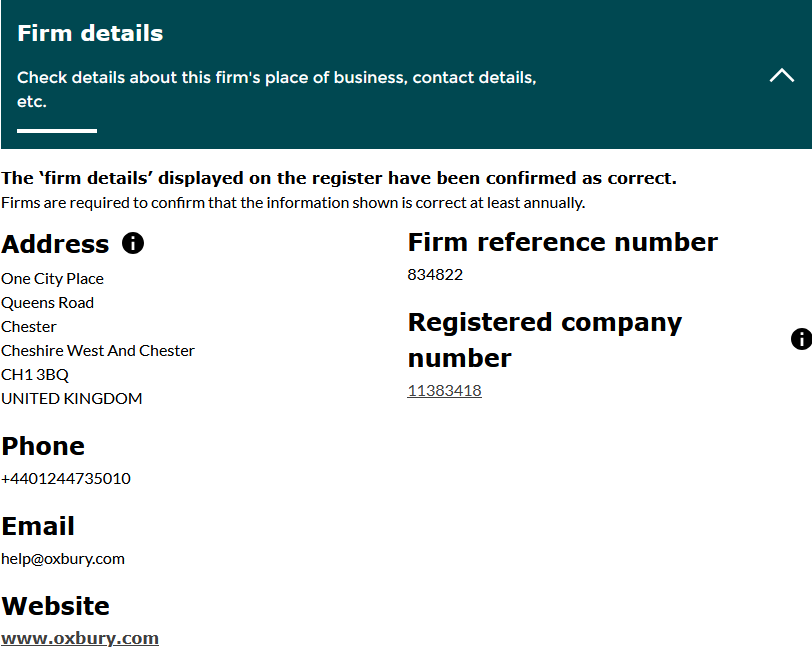
It does seem odd that their phone number is not displayed anywhere obvious on their web site.
Although there is a fraud number listed 01244 735030 at
They claim to have web chat on online banking, and iOS version of their app (but presumably not for the Android version, I can't see one anyway).
0 -
Oxbury
Agreed. If you get a new phone, the registration process is quite complex.
This is their guide:
2 -
Starling are offering 4% variable rate inclusive of a 1.5% bonus for 12 months on an easy access savings account. Good if you bank with them and want all of your money in the same place.
Can be beaten though
3 -
must be limited to selected customers. I am a longstanding Starling customer, and this account is not available to me. No sweat, as you say, the rate can be beaten
3













Confirm your email address to Create Threads and Reply

Categories
- All Categories
- 355.7K Banking & Borrowing
- 254.9K Reduce Debt & Boost Income
- 456.1K Spending & Discounts
- 248.3K Work, Benefits & Business
- 605.8K Mortgages, Homes & Bills
- 179K Life & Family
- 263.6K Travel & Transport
- 1.5M Hobbies & Leisure
- 16.2K Discuss & Feedback
- 37.7K Read-Only Boards