We’d like to remind Forumites to please avoid political debate on the Forum.
This is to keep it a safe and useful space for MoneySaving discussions. Threads that are – or become – political in nature may be removed in line with the Forum’s rules. Thank you for your understanding.
📨 Have you signed up to the Forum's new Email Digest yet? Get a selection of trending threads sent straight to your inbox daily, weekly or monthly!
The New Top Easy Access Savings Discussion Area
Comments
-
Does anyone know a way to access Cahoot via app alongside Santander on an Android phone?
1 -
Install a second copy into Secure Folder.pecunianonolet said:Does anyone know a way to access Cahoot via app alongside Santander on an Android phone?4 -
With regards to Cahoot. Apologies if this feature has been there a while and I've just failed to notice it but I seem to have the option to upgrade an existing account as well as the option to apply for a new account.
This could be a useful one potentially for those wishing to ``refresh" the Sunny Day Saver as well as those who have maturing accounts they'd like to replace without having to set up new payees.
Additionally I've just had a bit of a play around with it and it's let me upgrade two old easy access accounts I hadn't got round to closing to sunny day savers so I've ended up with three sunny day saver issue 5s at 5%.18 -
for me, the "Open A New Account" link just goes to their Products page in a new tab; and their "Upgrade" link goes to a landing page... now possibly, this is because I don't have any upgradable accounts (but i'm pretty sure those links have always been that)... and on those newly opened pages, i'm not logged in - hence why application details have to be entered again,Bridlington1 said:With regards to Cahoot. Apologies if this feature has been there a while and I've just failed to notice it but I seem to have the option to upgrade an existing account as well as the option to apply for a new account.
This could be a useful one potentially for those wishing to ``refresh" the Sunny Day Saver as well as those who have maturing accounts they'd like to replace without having to set up new payees.
Additionally I've just had a bit of a play around with it and it's let me upgrade two old easy access accounts I hadn't got round to closing to sunny day savers so I've ended up with three sunny day saver issue 5s at 5%.
however, I have an old Simple Saver maturing on Thursday, so I would be interested to hear more about the method used to upgrade the old accounts - I wouldn't mind having another Sunny Day Saver @ 5%.0 -
If I go to the Sunny Day Saver Page from there I get this button towards the bottom of my screen:janusdesign said:
for me, the "Open A New Account" link just goes to their Products page in a new tab; and their "Upgrade" link goes to a landing page... now possibly, this is because I don't have any upgradable accounts (but i'm pretty sure those links have always been that)... and on those newly opened pages, i'm not logged in - hence why application details have to be entered again,Bridlington1 said:With regards to Cahoot. Apologies if this feature has been there a while and I've just failed to notice it but I seem to have the option to upgrade an existing account as well as the option to apply for a new account.
This could be a useful one potentially for those wishing to ``refresh" the Sunny Day Saver as well as those who have maturing accounts they'd like to replace without having to set up new payees.
Additionally I've just had a bit of a play around with it and it's let me upgrade two old easy access accounts I hadn't got round to closing to sunny day savers so I've ended up with three sunny day saver issue 5s at 5%.
however, I have an old Simple Saver maturing on Thursday, so I would be interested to hear more about the method used to upgrade the old accounts - I wouldn't mind having another Sunny Day Saver @ 5%.
The pages for their individual products appear to've changed too. The Sunny Day Saver Page has these options: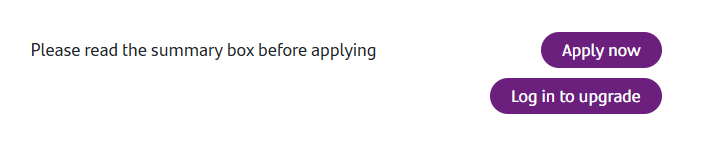
Previously it only had the Apply now button, as late as 28th July according to the wayback machine:
https://web.archive.org/web/20250728123518/https://www.cahoot.com/products-and-services/cahoot-sunny-day-saver4 -
Thank you @Bridlington1, great information, now have three sunny day savers at 5% too 😊Bridlington1 said:With regards to Cahoot. Apologies if this feature has been there a while and I've just failed to notice it but I seem to have the option to upgrade an existing account as well as the option to apply for a new account.
This could be a useful one potentially for those wishing to ``refresh" the Sunny Day Saver as well as those who have maturing accounts they'd like to replace without having to set up new payees.
Additionally I've just had a bit of a play around with it and it's let me upgrade two old easy access accounts I hadn't got round to closing to sunny day savers so I've ended up with three sunny day saver issue 5s at 5%.1 -
you little beauty - I see those links now!Bridlington1 said:
If I go to the Sunny Day Saver Page from there I get this button towards the bottom of my screen:janusdesign said:
for me, the "Open A New Account" link just goes to their Products page in a new tab; and their "Upgrade" link goes to a landing page... now possibly, this is because I don't have any upgradable accounts (but i'm pretty sure those links have always been that)... and on those newly opened pages, i'm not logged in - hence why application details have to be entered again,Bridlington1 said:With regards to Cahoot. Apologies if this feature has been there a while and I've just failed to notice it but I seem to have the option to upgrade an existing account as well as the option to apply for a new account.
This could be a useful one potentially for those wishing to ``refresh" the Sunny Day Saver as well as those who have maturing accounts they'd like to replace without having to set up new payees.
Additionally I've just had a bit of a play around with it and it's let me upgrade two old easy access accounts I hadn't got round to closing to sunny day savers so I've ended up with three sunny day saver issue 5s at 5%.
however, I have an old Simple Saver maturing on Thursday, so I would be interested to hear more about the method used to upgrade the old accounts - I wouldn't mind having another Sunny Day Saver @ 5%.
The pages for their individual products appear to've changed too. The Sunny Day Saver Page has these options:
Previously it only had the Apply now button, as late as 28th July according to the wayback machine:
https://web.archive.org/web/20250728123518/https://www.cahoot.com/products-and-services/cahoot-sunny-day-saver
no point trying it today (though I think it would work) - i'll wait until the Simple Saver (Issue 4) matures on Thursday, starts paying 1% and then see if I can upgrade it to another Sunny Saver - will let you know what happens.2 -
out of interest, do the account numbers stay the same (with just a change of account name/type) or is a "new" Sunny Day Saver opened with a new account number?RosieRooBear said:
Thank you @Bridlington1, great information, now have three sunny day savers at 5% too 😊Bridlington1 said:With regards to Cahoot. Apologies if this feature has been there a while and I've just failed to notice it but I seem to have the option to upgrade an existing account as well as the option to apply for a new account.
This could be a useful one potentially for those wishing to ``refresh" the Sunny Day Saver as well as those who have maturing accounts they'd like to replace without having to set up new payees.
Additionally I've just had a bit of a play around with it and it's let me upgrade two old easy access accounts I hadn't got round to closing to sunny day savers so I've ended up with three sunny day saver issue 5s at 5%.0 -
Account numbers stay the same, it's just the account type and interest rate that changes.janusdesign said:
out of interest, do the account numbers stay the same (with just a change of account name/type) or is a "new" Sunny Day Saver opened with a new account number?RosieRooBear said:
Thank you @Bridlington1, great information, now have three sunny day savers at 5% too 😊Bridlington1 said:With regards to Cahoot. Apologies if this feature has been there a while and I've just failed to notice it but I seem to have the option to upgrade an existing account as well as the option to apply for a new account.
This could be a useful one potentially for those wishing to ``refresh" the Sunny Day Saver as well as those who have maturing accounts they'd like to replace without having to set up new payees.
Additionally I've just had a bit of a play around with it and it's let me upgrade two old easy access accounts I hadn't got round to closing to sunny day savers so I've ended up with three sunny day saver issue 5s at 5%.
If you go to upgrade it should ask you to select which account you want to upgrade. I had the option to upgrade any account that isn't the same account and issue as the one I'm upgrading to.2 -
Thank you @Bridlington1 I now have 4 fully funded Sunny Day Saver accounts thanks to your tip

I’m actually glad Cahoot’s account deletion process is so rubbish or I wouldn’t have this luxury!6










Confirm your email address to Create Threads and Reply

Categories
- All Categories
- 355.7K Banking & Borrowing
- 254.9K Reduce Debt & Boost Income
- 456.1K Spending & Discounts
- 248.3K Work, Benefits & Business
- 605.9K Mortgages, Homes & Bills
- 179K Life & Family
- 263.7K Travel & Transport
- 1.5M Hobbies & Leisure
- 16.2K Discuss & Feedback
- 37.7K Read-Only Boards