We’d like to remind Forumites to please avoid political debate on the Forum.
This is to keep it a safe and useful space for MoneySaving discussions. Threads that are – or become – political in nature may be removed in line with the Forum’s rules. Thank you for your understanding.
📨 Have you signed up to the Forum's new Email Digest yet? Get a selection of trending threads sent straight to your inbox daily, weekly or monthly!
The Forum now has a brand new text editor, adding a bunch of handy features to use when creating posts. Read more in our how-to guide
Help needed - trying to create a recovery disc
Comments
-
Need to get to bed, going to have to admit defeat for the time being, have another go tomorrow.0
-
Oh er - just put cd in drive again to see if it said anything was on it, and a screen came up asking if I wanted to install Windows.
Think I'll try putting it in laptop, see what happens, although the disc says there's nothing on it - how odd!!
You have place the CD in the laptop drive, restart and hit Enter when you see 'Boot from CD'.0 -
It wasn't coming up with 'Boot from CD', but solved that one by pressing the 'Fn' key
Going to try to get a proper Windows disc as I don't think this copy is any good, either that, or try burning it again on an ordinary CD-R like you said.
Appreciate your help.0 -
Change the Boot Order in the BIOS.0
-
Tried burning the image again to a cd-r, but got the same error near the end of the burn - Write error - incompatible medium.
Don't know what to do now except leave it until tomorrow.0 -
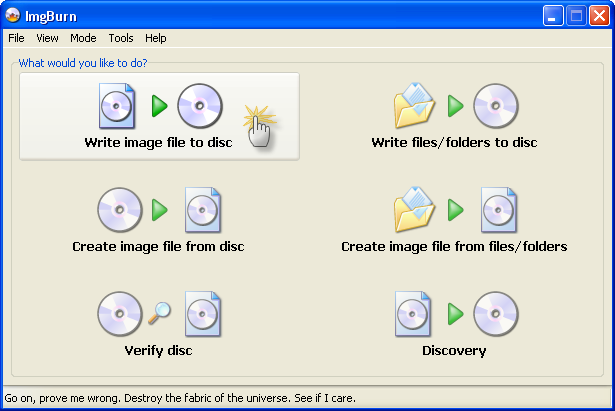
Try imgburn!!
> . !!!! ----> .0 -
Hi providing you live in mainland uk i can ship a disk out to you free of charge.0



This discussion has been closed.
Confirm your email address to Create Threads and Reply

Categories
- All Categories
- 353.9K Banking & Borrowing
- 254.3K Reduce Debt & Boost Income
- 455.2K Spending & Discounts
- 246.9K Work, Benefits & Business
- 603.5K Mortgages, Homes & Bills
- 178.3K Life & Family
- 261.1K Travel & Transport
- 1.5M Hobbies & Leisure
- 16.1K Discuss & Feedback
- 37.7K Read-Only Boards