We’d like to remind Forumites to please avoid political debate on the Forum.
This is to keep it a safe and useful space for MoneySaving discussions. Threads that are – or become – political in nature may be removed in line with the Forum’s rules. Thank you for your understanding.
📨 Have you signed up to the Forum's new Email Digest yet? Get a selection of trending threads sent straight to your inbox daily, weekly or monthly!
The Forum now has a brand new text editor, adding a bunch of handy features to use when creating posts. Read more in our how-to guide
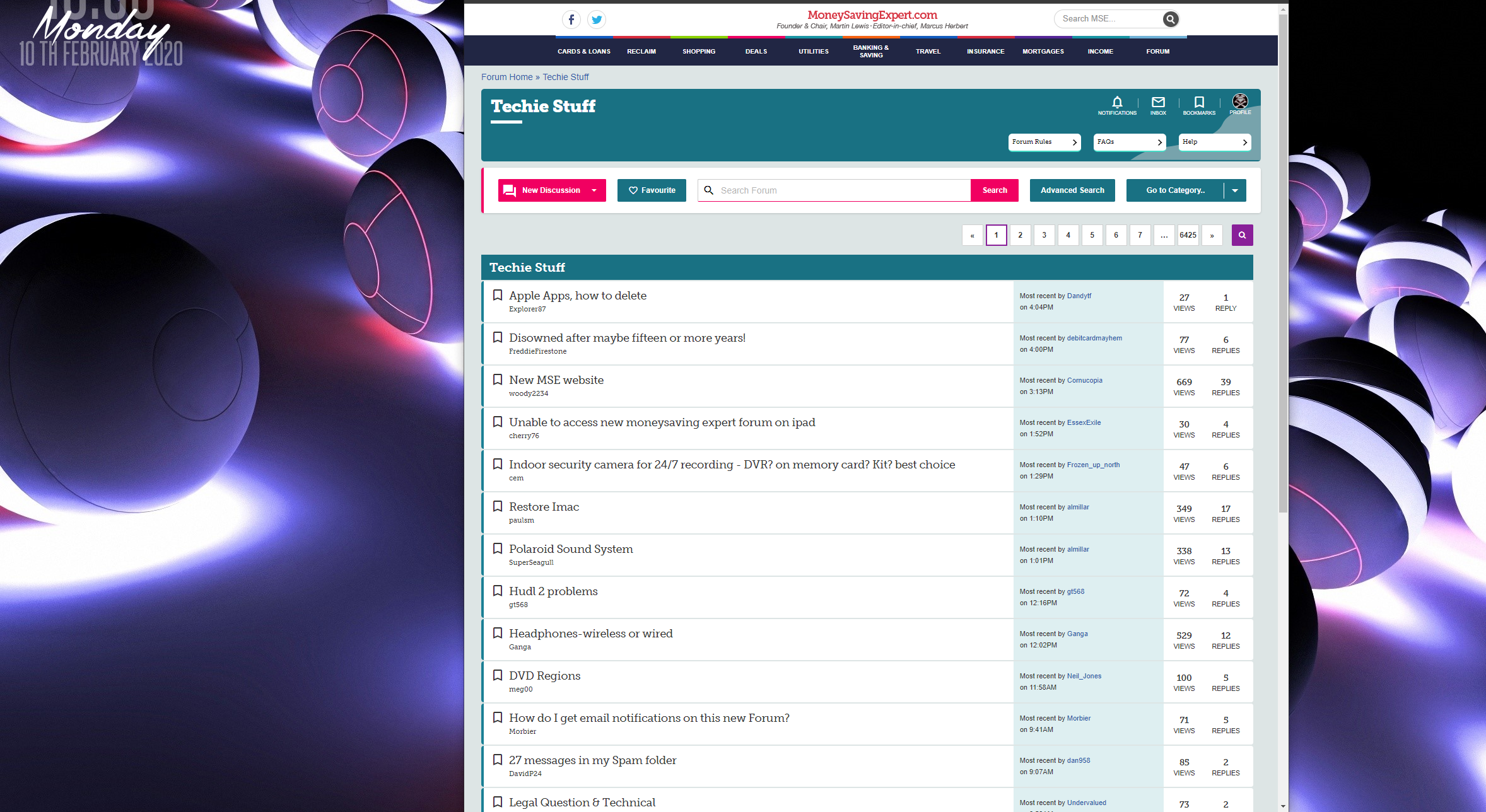
New MSE website
Comments
-
Seems quoting is totally broken also. I edited the above post to only quote the one fussy splodge
comment and it appears to have duplicated it.
Censorship Reigns Supreme in Troll City...0 -
Instructions for browsers with uBlock Origin extension installed:flossy_splodge said:
If this allows the threads/posts to occupy the full width please can you give me simple instructions on how to do it.poppellerant said:These are my current uBlock Origin rules which make MSE much cleaner, in case they help anybody:forums.moneysavingexpert.com##.mainNavHeader
forums.moneysavingexpert.com###header
forums.moneysavingexpert.com##.SecondaryPanel
forums.moneysavingexpert.com##.MainFooter.Footer
forums.moneysavingexpert.com##.MainContent.Content:style(width: 99% !important)
Many thanks
1. Right-click on the uBlock icon and select Options
2. Click on the My filters tab
3. Copy the listed filters and paste them into the white box
4. Click on Apply changes
5. Refresh the MSE forum page and see the goodness
PS ... the filters I use are largely the same as above but I use one less to achieve the same result. (Note: I haven't nuked the page footer in my implementation):forums.moneysavingexpert.com##.mse-tools-mastheadforums.moneysavingexpert.com##.SecondaryPanelforums.moneysavingexpert.com##.MainContent.Content:style(width: 99% !important)
Question - has anyone found a way to stretch the content to get rid of the wasted space at the left and right?1 -
I haven't found a way, but to be honest it is small enough to look fine on my screen - I'd say about 25% of my screen's width is wasted now, which I can live with.DoaM said:Question - has anyone found a way to stretch the content to get rid of the wasted space at the left and right?
0 -
Fill the page better, I had to zoom the website, increase 2 levels fills my screen better
without having the text so large that it looks like an eye test for MrMagoo.
Im using Firefox with the Zoom Page WE 16.7 addon. Allows me to zoom only this website. Still a load of wasted space on a 1440P monitor/resolution.
Censorship Reigns Supreme in Troll City...0 -
I can zoom using Ctrl and mouse wheel - no need for an addon/extension.
 But that sort of defeats the objective of making the screen usable. I'm happy with the font size at 100% - I'd just like to see more of the text on the same line.
On my 1920 monitor I'd say ~35% of the screen width is wasted. (~53cm width, 34cm of content, 19cm of wasted space ... 9.5cm each side).0 -
I came across the new layout this morning, first time logging in since the change. Heavy weather! It's taking me much longer to find what I'm looking for.
I have used the forum for years. I can no longer make use of the following:- clicking the symbol to the left of a forum sub-heading took me straight to newest posts. No longer, there's no such symbol. Clicking on the title takes me back to the first post.
- hovering over a post showed me the content of the post, easier to sort whether to read in full or not. No longer.
0 -
Clicking on the title does take you to the first unread post.Roger1 said:- clicking the symbol to the left of a forum sub-heading took me straight to newest posts. No longer, there's no such symbol. Clicking on the title takes me back to the first post.
(But not the first time you do it - it hasn't been carried over from the previous forums).
You can use "Mark all viewed", under your profile badge (Top right) to mark all threads as read.
3 -
I found, Firefox browser, following the advice below worked, I just have a very narrow strip on RH nowpoppellerant said:
I haven't found a way, but to be honest it is small enough to look fine on my screen - I'd say about 25% of my screen's width is wasted now, which I can live with.DoaM said:Question - has anyone found a way to stretch the content to get rid of the wasted space at the left and right?DoaM said:
Instructions for browsers with uBlock Origin extension installed:flossy_splodge said:
If this allows the threads/posts to occupy the full width please can you give me simple instructions on how to do it.poppellerant said:These are my current uBlock Origin rules which make MSE much cleaner, in case they help anybody:forums.moneysavingexpert.com##.mainNavHeader
forums.moneysavingexpert.com###header
forums.moneysavingexpert.com##.SecondaryPanel
forums.moneysavingexpert.com##.MainFooter.Footer
forums.moneysavingexpert.com##.MainContent.Content:style(width: 99% !important)
Many thanks
1. Right-click on the uBlock icon and select Options
2. Click on the My filters tab
3. Copy the listed filters and paste them into the white box
4. Click on Apply changes
5. Refresh the MSE forum page and see the goodness
PS ... the filters I use are largely the same as above but I use one less to achieve the same result. (Note: I haven't nuked the page footer in my implementation):forums.moneysavingexpert.com##.mse-tools-mastheadforums.moneysavingexpert.com##.SecondaryPanelforums.moneysavingexpert.com##.MainContent.Content:style(width: 99% !important)
Question - has anyone found a way to stretch the content to get rid of the wasted space at the left and right?
When an eel bites your bum, that's a Moray1 -
If you have issues with the new Forum design that you would like the MSE team to look at, please post them in the official snagging thread:
https://forums.moneysavingexpert.com/discussion/6100014/new-forum-snagging
2 -
No problems with wasted space......MS New Edge browser + UBlock Origin tweeks.
Drinking Rum before 10am makes you
A PIRATE
Not an Alcoholic...!1












This discussion has been closed.
Confirm your email address to Create Threads and Reply

Categories
- All Categories
- 354.8K Banking & Borrowing
- 254.5K Reduce Debt & Boost Income
- 455.6K Spending & Discounts
- 247.6K Work, Benefits & Business
- 604.5K Mortgages, Homes & Bills
- 178.6K Life & Family
- 262.2K Travel & Transport
- 1.5M Hobbies & Leisure
- 16.1K Discuss & Feedback
- 37.7K Read-Only Boards