We’d like to remind Forumites to please avoid political debate on the Forum.
This is to keep it a safe and useful space for MoneySaving discussions. Threads that are – or become – political in nature may be removed in line with the Forum’s rules. Thank you for your understanding.
📨 Have you signed up to the Forum's new Email Digest yet? Get a selection of trending threads sent straight to your inbox daily, weekly or monthly!
How much needs to be spent for a noticeable PC upgrade & would it be worth it?
Comments
-
OP you haven't said(I think) what you are going to do with the Handbrake files once you have converted them to h.265 HEVC.
Only ask as some of the h.265 files I have won't play on media player but will on my pc.
0 -
OP already has gtx 1050ti
0 -
That's good then.
0 -
Amazing how things have come along especially with AMD. I was running a dual core AMD CPU and a 750ti video card.
I did some photogrammetry turning many photo's into a 3D image you can actually print. There was a tutorial and the guy that
did it was using one of the early i7 CPU's what took his 40 minutes to do took my PC about 2 hours.
I got an AMD 1700 with the same 750ti and it dropped the time down to match the i7, then I changed the video card to a 2060super
and that dropped the time to 23 minutes. Upgraded again to a 3950X with 64GB Ram and a 3080ti. I can do the entire thing in less
than 7 minutes now.
Also made a huge difference with 3D Cad work. I used to get lockups with the AMD 1700 but going to the 3950X and 64GB the program
still locked but it left me enough resources to see it was using ALL 64GB of RAM and it wanted more.
I can convert a 6GB MKV File in approx 70 seconds. Your usage will be different but getting the balance of CPU to Video card
is the trick. If one is overpowered then it just bottlenecks.Censorship Reigns Supreme in Troll City...0 -
Plex basically.
I have a number of movies that are straight makemkv rips ranging in the 20GB-40GB area which is why I said 30GB. Most are 20-30GB.
Obvuously this quickly adds up.
This was back when I knew no other way, which is as much as I'll say there. You can fill in the gaps.
The files I have these days are in the 1.5-3.0GB range with most around 2GB +/-.
I store the files on a hard drive which is attached to my Nvidia Shield TV Pro, which is also my Plex MS (which apparently isn't ideal but is my setup as it currently stands) and I watch Plex on my living room TV.
Watching the small files I don't ever say - wow that quality is poor. I'm sure the purists would but my eyeballs can't notice anything bad.
People then talk about frame for frame. Yes, maybe if I screen grabbed a 30GB file vs a 3GB file I could say one looks smoother than the other but who watches movies side by side and frame by frame? Not me anyway & that's the important part - my eyeballs, my TV.
I can get most of the 30GB makemkv files in much smaller size & do away with handbrake but there's some that just don't work like that.
One example would be Jackie Chan's Police Story, 1 & 2.
If getting it in the smaller file size then IIRC it was missing English audio. I've watched these movies countless times & some times I'll watch with English audio & other times it'll be Cantonese or whatever, it depends how I feel at the time. I also always watch movies at home with subtitles.
I have all of that with the 30GB makemkv version though as I ripped it with the relevant audio & subtitles. So I could re encode it (or whatever the term is) with those features intact.
My current setup plays h264 or h265 files, mkv or mp4 files perfectly fine as my smaller files are a mixture of all of that.
🤐🤐🤐
0 -
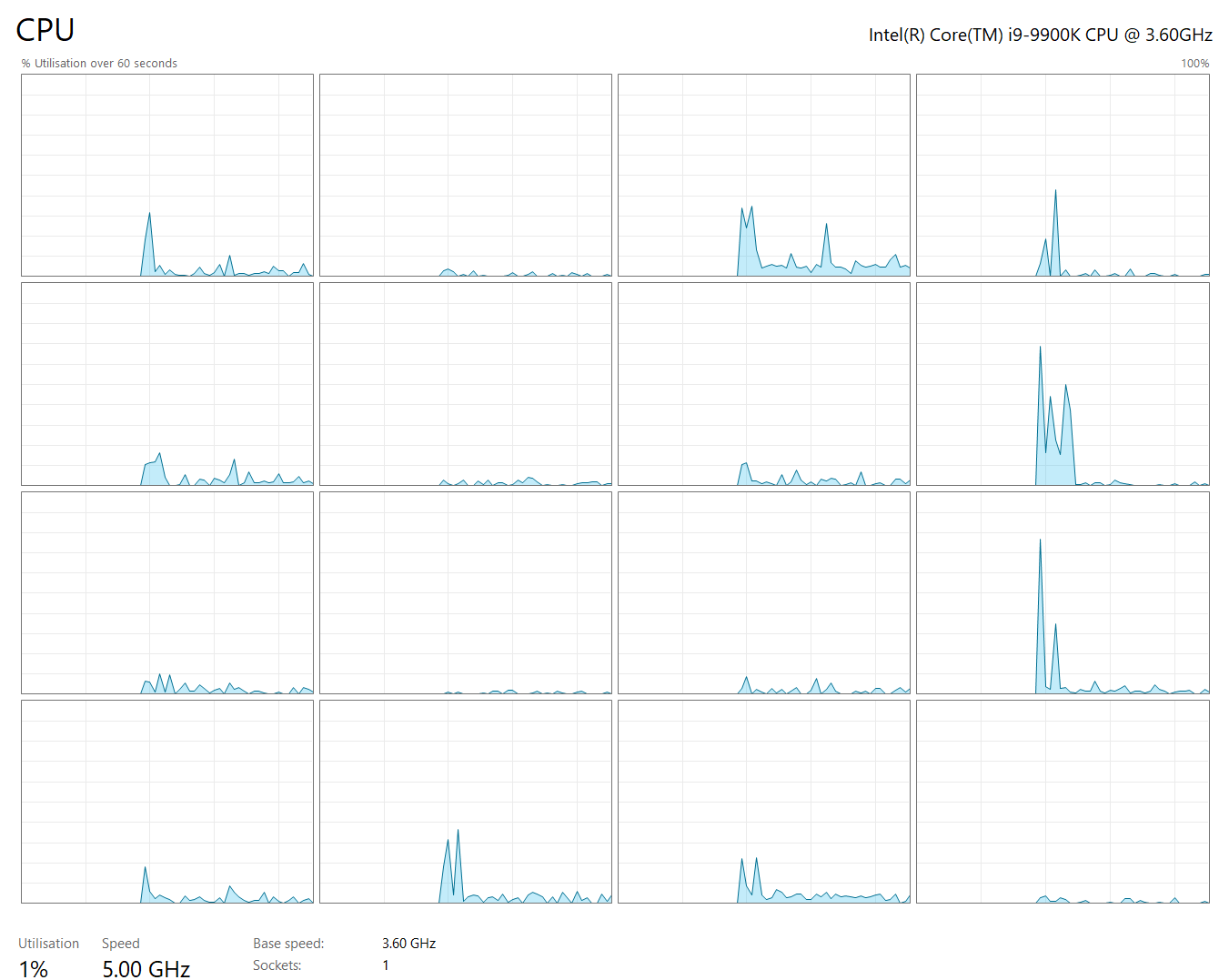
Overclocking an old skool i9-9900K to 5Ghz gives a decently nippy machine (8 core/16 logical processors)
 0
0 -
Just having a gander on the local marketplace section & had a wonder….
What about a laptop?
I see plenty of mention about the Ryzen 5. If I got a laptop that was Ryzen 5 would this be suitable? Would take up less space but I'm wondering if it's a case of not all Ryzen 5 are created equal kind of thing.
🤐🤐🤐
0 -
Laptop is ok if you're eyes are ok as looking at a smaller screen can be tiring.
With the encoding your planning on doing i not sure how long a laptop would last before recharging the battery is needed but you could keep it on charge but then again I don't know if this would damage the battery having it charging all the time.
Do you know someone who has a laptop that you could try before you buy but that would mean having to install the software that you use to see if it's ok.
Shield TV pro is good but now they are expensive even 2nd hand.
0 -
laptop cpu usually slower than desktop.
How much do you want to spend?
0 -
OP mentioned £500 - £700 when they were on about a pc upgrade.
0








Confirm your email address to Create Threads and Reply

Categories
- All Categories
- 355.8K Banking & Borrowing
- 254.9K Reduce Debt & Boost Income
- 456.2K Spending & Discounts
- 248.3K Work, Benefits & Business
- 605.9K Mortgages, Homes & Bills
- 179K Life & Family
- 263.7K Travel & Transport
- 1.5M Hobbies & Leisure
- 16.2K Discuss & Feedback
- 37.7K Read-Only Boards