We’d like to remind Forumites to please avoid political debate on the Forum.
This is to keep it a safe and useful space for MoneySaving discussions. Threads that are – or become – political in nature may be removed in line with the Forum’s rules. Thank you for your understanding.
📨 Have you signed up to the Forum's new Email Digest yet? Get a selection of trending threads sent straight to your inbox daily, weekly or monthly!
Android event log
Comments
-
MouldyOldDough said:OK - Has someone been getting in to my phone and reading my private stuff ?
If you are concerned you can increase the security for access to your phone.
On recent Android versions you can see recently opened Apps in Settings. That may be sufficient?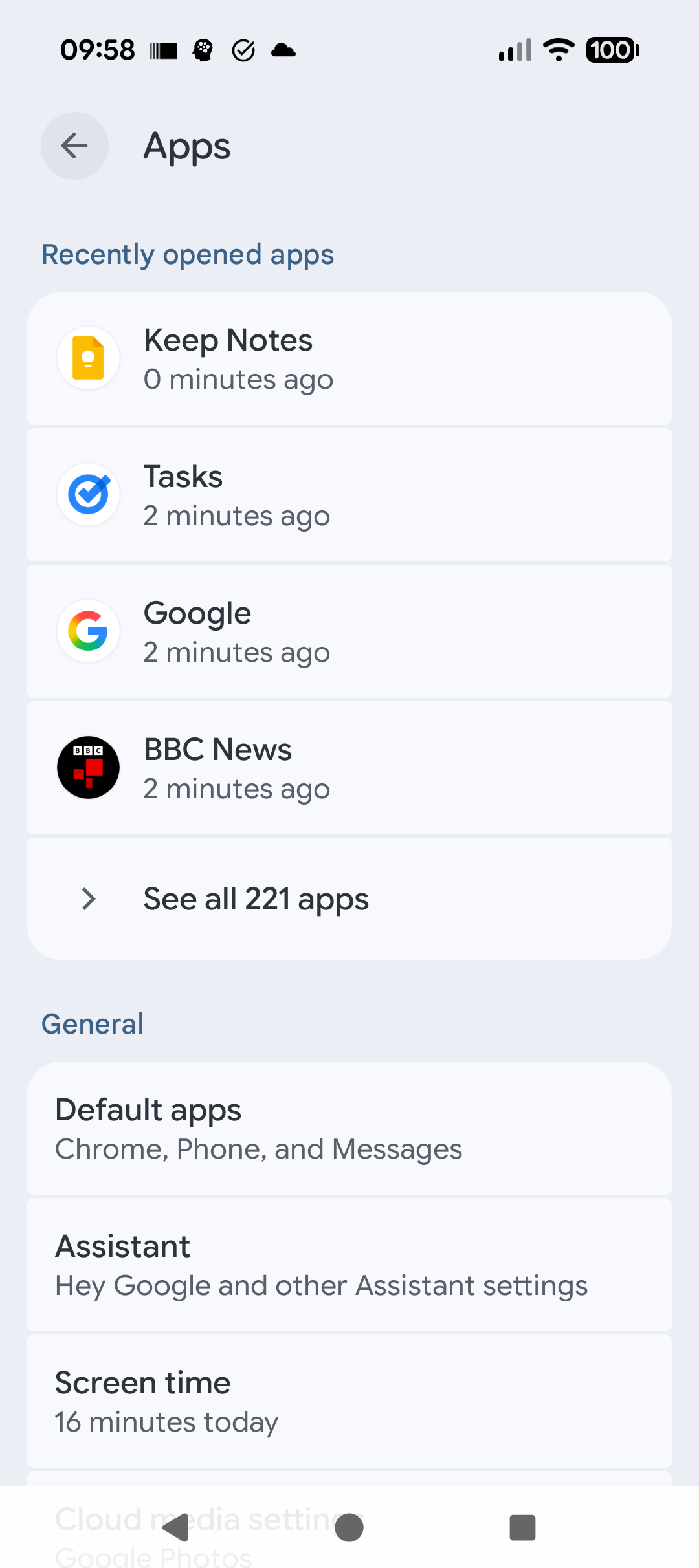
I’m a Forum Senior Ambassador and I support the Forum Team on the Credit Cards, Savings & Investments, Budgeting & Bank Accounts, and Techie Stuff boards. If you need any help on these boards, do let me know. Please note that Ambassadors are not moderators. Any posts you spot in breach of the Forum Rules should be reported via the report button, or by emailing forumteam@moneysavingexpert.com. All views are my own and not the official line of MoneySavingExpert.0 -
What security do you have on your phone and who do you think has been accessing your "private stuff"? Chance your password, use biometrics, stop leaving your phone in random locations?2
-
Yep, the NSA/GCHQ have backdoored everyone's phone to track your location, covertly enable the microphone and read all contentMouldyOldDough said:OK - Has someone been getting in to my phone and reading my private stuff ?1 -
Can't help with the usage logs but I'd echo the points above about making sure your device is secure. Use a strong PIN or even consider a strong password for your lock screen, ensure only your biometrics are stored on the device, and where possibly make sure all your sensitive apps (emails, bank apps, etc) all have their own unique access PINs, different from your main screen lock and different from each other.0
-
Before you ask, no, the phone won't store photos of anyone accessing your private stuff. As above, change the pin/password/biometrics. Clear out any stored biometrics as well and re-do them (or don't enable it).0
-
Go to "Digital Wellbeing" in settings and it tells you how many times your device has been unlocked. You don't get times but that might be useful. Also if you can use ADB commands then:
adb logcat | grep "Screen on"
Should give you the detail you want. I think it gets overwritten every day though.
Alternatively an app like WTMP will take a photo of people unlocking/trying to unlock your device.0 -
Go to Settings - Digital Wellbeing and parental controls - Tap on the top section ( usually hours and minutes} showing app usage - Scroll to the bottom and it will show you how many unlocks it's had daily.
Of course this will only help if you keep track of how many times you unlock it.... Drinking Rum before 10am makes you
A PIRATE
Not an Alcoholic...!0











Confirm your email address to Create Threads and Reply

Categories
- All Categories
- 355.8K Banking & Borrowing
- 254.9K Reduce Debt & Boost Income
- 456.2K Spending & Discounts
- 248.3K Work, Benefits & Business
- 605.9K Mortgages, Homes & Bills
- 179K Life & Family
- 263.8K Travel & Transport
- 1.5M Hobbies & Leisure
- 16.2K Discuss & Feedback
- 37.7K Read-Only Boards