We’d like to remind Forumites to please avoid political debate on the Forum.
This is to keep it a safe and useful space for MoneySaving discussions. Threads that are – or become – political in nature may be removed in line with the Forum’s rules. Thank you for your understanding.
📨 Have you signed up to the Forum's new Email Digest yet? Get a selection of trending threads sent straight to your inbox daily, weekly or monthly!
The Old Regular Savers Discussion Thread 28/12/24-29/1/26
Comments
-
In no hurry either. A copy and paste job done without at least reading the outcome before going on line doesn't give me any confidence, not to mention the interest paid only once a year at the end of Augustclairec666 said:Hanley - I am in no hurry to apply for this, so will wait until things all shake out. Looks like they haven't managed to seamlessly translate the branch account into an online one.
Also, looking at the "Can I withdraw money" section:
"You can withdraw up to £500 in cash and £70,000 by cheque on demand from our branches or by sending us your signed written instructions. Larger cash sums up to £5,000 are available by giving at least 24 hours notice.Cheque withdrawals over £70,000 can be obtained from our Registered Office. Following any withdrawals £25 should remain in the account."
No mention of online withdrawals. However I suspect they've just copied and pasted the terms from the branch account, and haven't included some of the necessary info for online accounts.
0 -
HanleyI’ve retrieved my login and can see my Branch Saver there (usually just use the app), but no application links there. Then I clicked on Enquire Now and followed the link to login and apply, but it gave me the same view as before. Nowhere to actually apply for the account..
0 -
they have apps for both Android & Apple.mhoc said:Hanley - I had really bad issues getting the verification code but eventually it came through and I've funded.
I got the welcome email with the sort code etc but it does not actually give the Hanley account reference number for me to set up the standing order so I will ring them a bit later - I like to tick all boxes from day one
Please can I ask is there an app or is it just the online webpage?
Convenient Online Banking: Manage Your Finances on the go! | The Hanley
i'll leave installing the app until I get my details.1 -
I chose option to fund by bank transfer.mon3ysav3r said:
My SMS never arrived either, so used email and then received message/email that it was opened successfully. Funded with debit card.janusd said:
opened as a new customer without issue (apart from not getting sms, so had to get authorisation code via email) - I now have to wait for my user id to arrive in the post before I can loginallegro120 said:Tried to apply for Hanley 6.5% as existing customer and got this.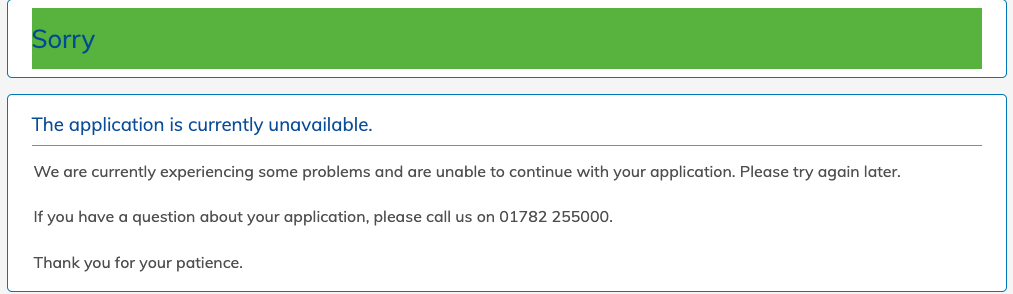
After application went through and email arrived with funding details, but i have to wait for user ID to arrive by post in order to get my account number for the payment reference.
The email also said i could phone them to fund by debit card, will probably wait though.0 -
Hanley Smart Saver - I applied not as an existing customer (closed account only) and this was successful. Lots of stuff prepopulated, immediately got email confirmation and online got account details with same username - so no customer duplication. However no COP as yet but I was able to override and make the deposit.1
-
Are you using the mobile version of the website? The "Apply Online" button doesn't appear on that for some reason. If using a mobile device, you'd need to request desktop version - and then the "Apply Online" button appears - or if you have one, login on an actual desktop/laptop where the "Apply Online" button appears at the top right of the page.Kim_13 said:HanleyI’ve retrieved my login and can see my Branch Saver there (usually just use the app), but no application links there. Then I clicked on Enquire Now and followed the link to login and apply, but it gave me the same view as before. Nowhere to actually apply for the account..0 -
Can i ask if you know, was the application reference number and the actual account number the same?where_are_we said:Hanley Smart Saver - I applied not as an existing customer (closed account only) and this was successful. Lots of stuff prepopulated, immediately got email confirmation and online got account details with same username - so no customer duplication. However no COP as yet but I was able to override and make the deposit.
I have application reference number but i'm completely new customer, so no online access yet.0 -
iPad, so I guess it’s the mobile version. Can’t see a way to request desktop version - or is that done only once logged into online banking?ordnancesurvey84 said:
Are you using the mobile version of the website? The "Apply Online" button doesn't appear on that for some reason. If using a mobile device, you'd need to request desktop version - and then the "Apply Online" button appears - or if you have one, login on an actual desktop/laptop where the "Apply Online" button appears at the top right of the page.Kim_13 said:HanleyI’ve retrieved my login and can see my Branch Saver there (usually just use the app), but no application links there. Then I clicked on Enquire Now and followed the link to login and apply, but it gave me the same view as before. Nowhere to actually apply for the account..0 -
Requesting "desktop version" is a function of the browser rather than the website - if there's a desktop version available then the website can choose to make it available after the request.Kim_13 said:
iPad, so I guess it’s the mobile version. Can’t see a way to request desktop version - or is that done only once logged into online banking?ordnancesurvey84 said:
Are you using the mobile version of the website? The "Apply Online" button doesn't appear on that for some reason. If using a mobile device, you'd need to request desktop version - and then the "Apply Online" button appears - or if you have one, login on an actual desktop/laptop where the "Apply Online" button appears at the top right of the page.Kim_13 said:HanleyI’ve retrieved my login and can see my Branch Saver there (usually just use the app), but no application links there. Then I clicked on Enquire Now and followed the link to login and apply, but it gave me the same view as before. Nowhere to actually apply for the account..
Can't help if you're using Safari - Apple-free zone here. Someone will know where to look.0 -
Tap on the ‘Enquire’ button near the top of the details of the account. This takes you to the applicationKim_13 said:
iPad, so I guess it’s the mobile version. Can’t see a way to request desktop version - or is that done only once logged into online banking?ordnancesurvey84 said:
Are you using the mobile version of the website? The "Apply Online" button doesn't appear on that for some reason. If using a mobile device, you'd need to request desktop version - and then the "Apply Online" button appears - or if you have one, login on an actual desktop/laptop where the "Apply Online" button appears at the top right of the page.Kim_13 said:HanleyI’ve retrieved my login and can see my Branch Saver there (usually just use the app), but no application links there. Then I clicked on Enquire Now and followed the link to login and apply, but it gave me the same view as before. Nowhere to actually apply for the account..
Learn from the mistakes of others - you won't live long enough to make them all yourself.0












This discussion has been closed.
Confirm your email address to Create Threads and Reply

Categories
- All Categories
- 355.1K Banking & Borrowing
- 254.6K Reduce Debt & Boost Income
- 455.8K Spending & Discounts
- 247.8K Work, Benefits & Business
- 604.9K Mortgages, Homes & Bills
- 178.8K Life & Family
- 262.6K Travel & Transport
- 1.5M Hobbies & Leisure
- 16.1K Discuss & Feedback
- 37.7K Read-Only Boards