We’d like to remind Forumites to please avoid political debate on the Forum.
This is to keep it a safe and useful space for MoneySaving discussions. Threads that are – or become – political in nature may be removed in line with the Forum’s rules. Thank you for your understanding.
📨 Have you signed up to the Forum's new Email Digest yet? Get a selection of trending threads sent straight to your inbox daily, weekly or monthly!
The Forum now has a brand new text editor, adding a bunch of handy features to use when creating posts. Read more in our how-to guide
Zopa - can transfer or withdraw whole £ only?

Qyburn
Posts: 4,150 Forumite



Hi,
Zopa seems to only allow transfers, withdrawals or payments in whole pounds. Have I missed something?
Zopa seems to only allow transfers, withdrawals or payments in whole pounds. Have I missed something?
0
Comments
-
Yes, it would seem that you have missed something...
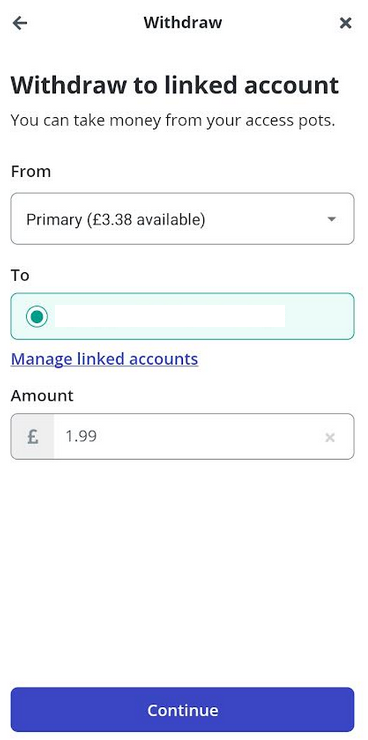 0
0 -
Cheers, how did you key that in? I don't have a decimal point available, is there some trick to enter it?
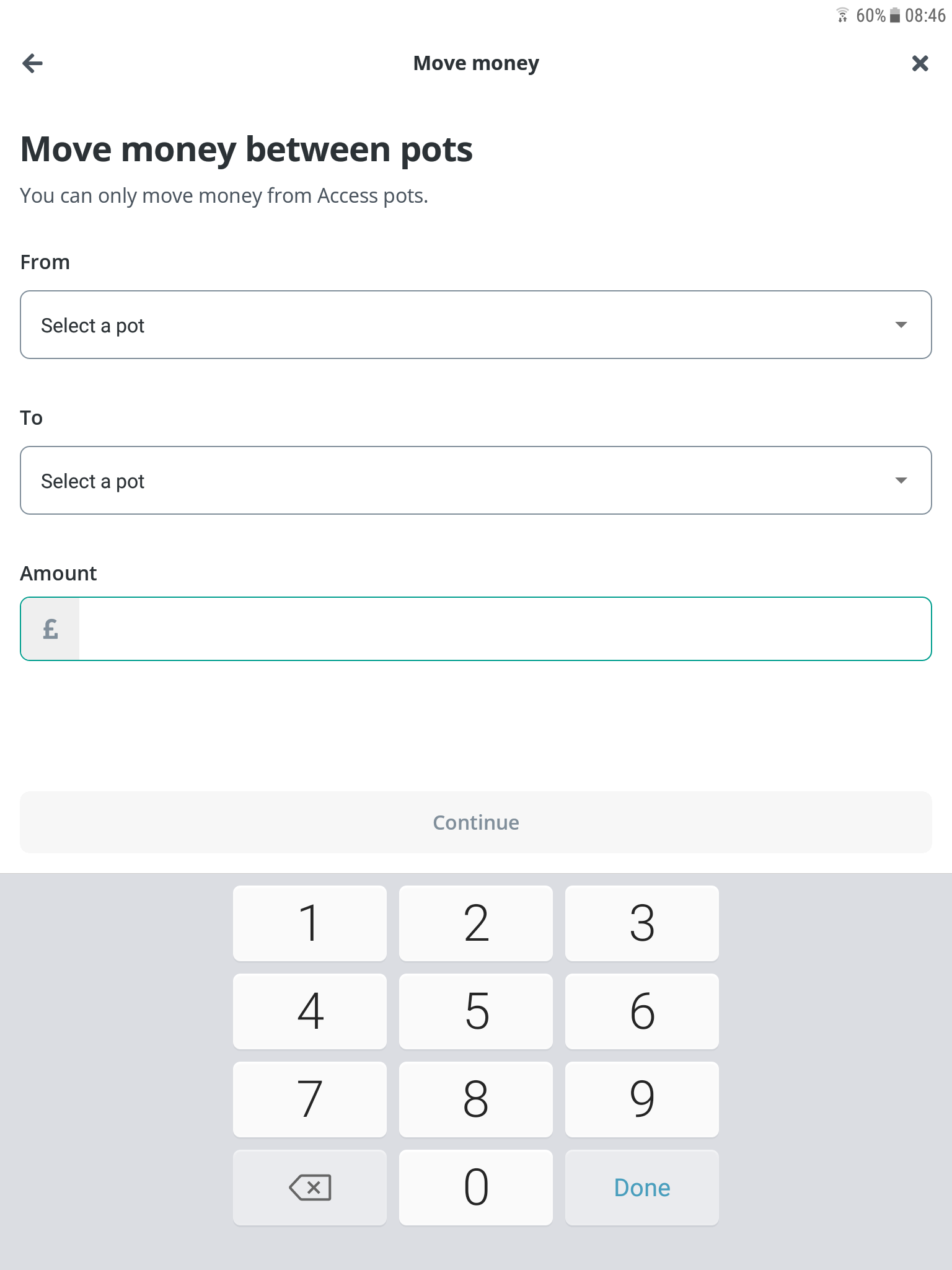
0 -
The standard system numeric keyboard (with '.') comes up for me when I select the amount field. Perhaps you could change your keyboard?
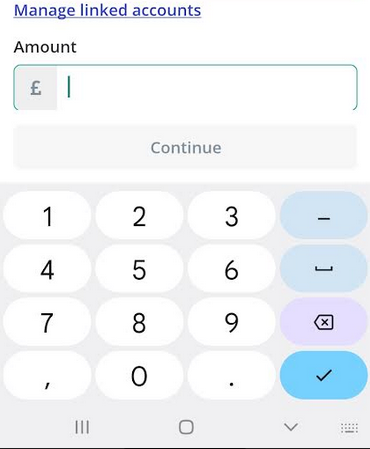 0
0 -
I think the keypad comes from the app, it's not the normal Android keyboard. Lloyds and TSB keypads are different from Zopa and from each other, but both include the decimal.
I think I'll need to ask Zopa, although for some reason they're closed until the 9th.1 -
Is your screenshot from Android, or Apple?0
-
Chat says they'll be available tomorrow (01/05). Why do you think 9th?I think I'll need to ask Zopa, although for some reason they're closed until the 9th.0 -
I have the Apple app and definitely have decimal point.
0 -
Regularly transfer odd amounts. On Apple v1.66.0.1681291655 of Zopa App.0
-
"We will have a limited team to assist with some enquiries. The full team will be back 9th May"flaneurs_lobster said:
Chat says they'll be available tomorrow (01/05). Why do you think 9th?0 -
Qyburn said:I think the keypad comes from the app, it's not the normal Android keyboard. Lloyds and TSB keypads are different from Zopa and from each other, but both include the decimal.
I think I'll need to ask Zopa, although for some reason they're closed until the 9th.Qyburn said:Is your screenshot from Android, or Apple?On Android the keyboard is user selectable. Here's mine with an alternative keyboard. You are correct that apps like TSB and Lloyds enforce their own app keyboard, but Zopa does not.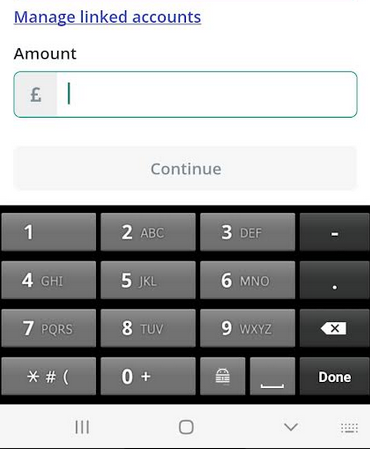 Have you considered entering the desired amount in a note, copying it to the clipboard and pasting it into the amount field?1








Confirm your email address to Create Threads and Reply

Categories
- All Categories
- 354.2K Banking & Borrowing
- 254.3K Reduce Debt & Boost Income
- 455.3K Spending & Discounts
- 247.1K Work, Benefits & Business
- 603.8K Mortgages, Homes & Bills
- 178.4K Life & Family
- 261.3K Travel & Transport
- 1.5M Hobbies & Leisure
- 16.1K Discuss & Feedback
- 37.7K Read-Only Boards