We’d like to remind Forumites to please avoid political debate on the Forum.
This is to keep it a safe and useful space for MoneySaving discussions. Threads that are – or become – political in nature may be removed in line with the Forum’s rules. Thank you for your understanding.
📨 Have you signed up to the Forum's new Email Digest yet? Get a selection of trending threads sent straight to your inbox daily, weekly or monthly!
The Forum now has a brand new text editor, adding a bunch of handy features to use when creating posts. Read more in our how-to guide
We’ve misplaced our wireless room thermostat! How do we turn the heating on?
Comments
-
Update:
ITS ALIVE!!!!! Bendy, I love you!So hubby is away, kids were moaning. So I rolled up my sleeves, followed Bendy’s instructions above and bridged the connections. Didn’t go bang. Heating all worked beautifully.
So I thought, why not just bite the bullet and replace the thermostat. Popped down to Toolstation, got myself a Hive Mini and had a go.
It still didn’t go bang and - oh my word - it works!The receiver/hub won’t pair, so I have removed the hub and tried it in standalone mode. That all works fine, which is OK for now. It gives me heating and thermostat control while I look into why the hub isn’t speaking to the receiver. (Not much help online other than what I have already done, maybe wi-if strength? Dunno)But we have heating! Thank you so much for all your help, and especially Bendy for talking me through in plain English. I wouldn’t have attempted it otherwise.Ironically it isn’t particularly cold and no need for heating right now, but we are winter ready!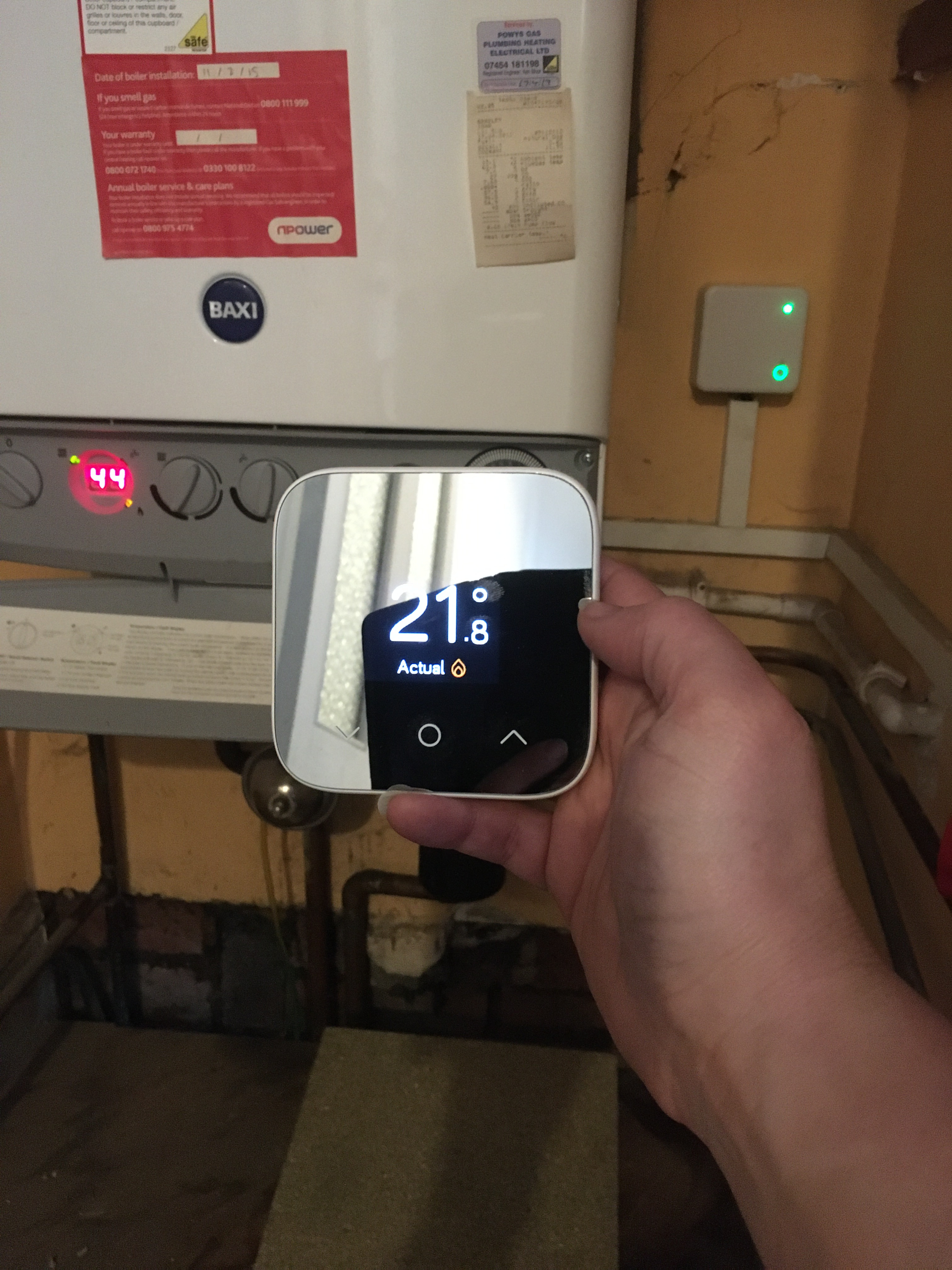 5
5 -
CtWD, I love you too
 But - man - you are lucky the Hive receiver didn't go bang.Tsk tsk - I think I have said they are wired differently? Sigh.But the good news is that it's a wiring error that doesn't cause explosions, and IS very sortable.You want to COMPLETELY blow yer hubbies brains? It's as simple as this (but, fair play if you don't wish to do this - but hubby will...)1) POWER OFFSKI2) Remove the Hive receiver.3) Look at the backplate, as you did before. It looks like this:
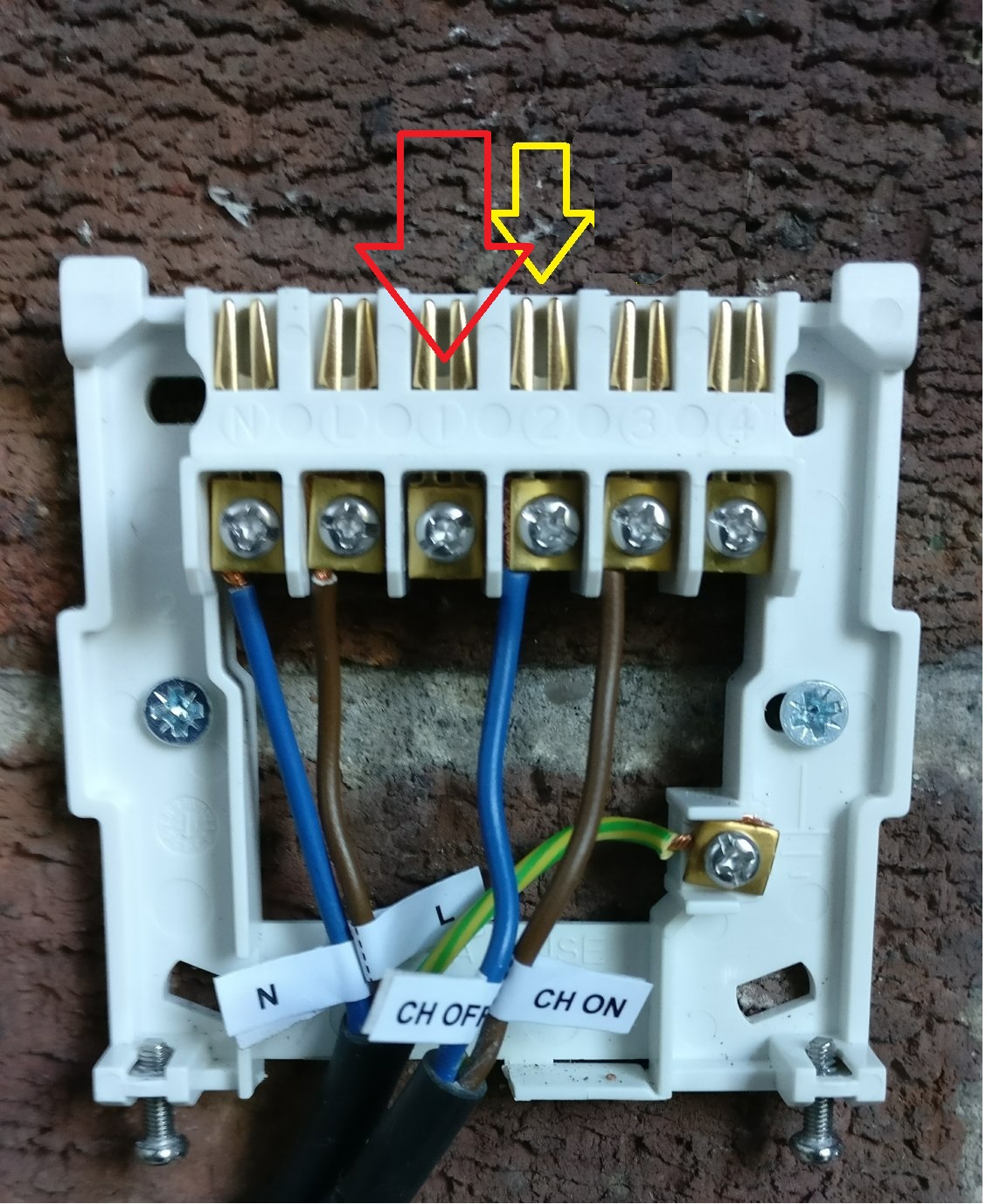 4) Slacken terminal 2 screw (yellow), remove the wire (that's incorrectly labelled CH OFF in this photo). Retighten the empty screw, 'cos that's just 'good practice'.5) Slacken terminal 1 screw (red), and slip this wire in so's it sits exactly like it did before in T2. Tighten.6) Replace receiver.7) Whoooop and holler.8) Oops, turn the power on, and then W&H.Did you buy a Hub as well? If not, I strongly suggest you do, because the Mini is very awkward to use without it - it's TOO minimal as a unit. Keep an eye out on t'Bay, and you'll likely pick one up for - I dunno - £30-odd? Make sure it's a Nano 2 or 2.5. You will LOVE using the App.Seriously - well done. But scary.(NB. If your backplate is wired differently to the above pic, then come back for guidance. There's a GOOD chance that there's only ONE wire, and it goes to '3', and a 'link' wire from L to '2'. In which case, the end of the link in '2' is moved to '1'.)
1 -
Ah ha Bendy, I did re-wire it to 1 & 3 when I put in the Hive, no need to worry. See, I did read it all through, and the links you put up.Took printouts with me into the boiler cupboard, took photos of before/after and triple checked it all. :-)
Yes I have a hub (came in the box) but it won’t pair with the receiver. They both keep blinking away searching. So I put it into standalone mode just to get it to pair with the thermostat for now.
Slightly worryingly is the thermostat seems to be out of range if I put it in the living room. The hub is also in the living room so I am hoping it isn’t too far away from the receiver. I was going to contact tech support tomorrow as online instructions seem to just talk about re-pairing them.
(Hubby is very used to me, I tackle most DIY and am in charge of all the plumbing and pipework, radiators, brickwork, plastering, drylining, insulating, general demolishing…. I just get scared with electrikery as I can’t ‘see’ it.)1 -
Iirc a Hive bulb or smart plug will act as a repeater which may be useful for extending the signal to the themostat.2
-
Ok, I'm now just toooo impressed :-)ChasingtheWelshdream said:Ah ha Bendy, I did re-wire it to 1 & 3 when I put in the Hive, no need to worry. See, I did read it all through, and the links you put up.Took printouts with me into the boiler cupboard, took photos of before/after and triple checked it all. :-)
Yes I have a hub (came in the box) but it won’t pair with the receiver. They both keep blinking away searching. So I put it into standalone mode just to get it to pair with the thermostat for now.
Slightly worryingly is the thermostat seems to be out of range if I put it in the living room. The hub is also in the living room so I am hoping it isn’t too far away from the receiver. I was going to contact tech support tomorrow as online instructions seem to just talk about re-pairing them.
(Hubby is very used to me, I tackle most DIY and am in charge of all the plumbing and pipework, radiators, brickwork, plastering, drylining, insulating, general demolishing…. I just get scared with electrikery as I can’t ‘see’ it.)
Yes, the units can be tricky to 'click', but Hive have been very good when I needed just this kind of help with two setups. They seem to have remote control over it, so make sure you set up your account first (yeah, yeah - you've done this too :-) )
If what BUFF says is right, that could be really useful if needed. I have to say, tho', that I have found the range pretty decent. Just how far away is the 'stat from the receiver?
Anyhoo, see how you get on with Hive :-)1 -
Ooh, good to know tech support are good.
Router/hub is ground floor/front of house. Boiler is middle floor/back of house. At a guess 12m horizontally and up a floor.
I went back over the instructions and had missed the bit about the hub should be at least 50cm from the router, so I started again and it seems to have worked. Everything synced up to my phone, although the hub light is still flashing amber as if it is searching for devices. I will contact Tech tomorrow, but for now they all seem to be happily talking to each other, and I am happily playing with it on my phone.It will have to wait a couple of pay days now, but I will gradually add smart TRVs to some key rads and really start playing.1 -
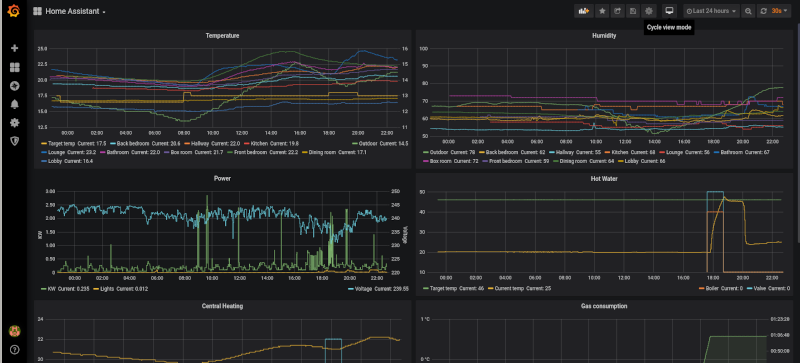
ChasingtheWelshdream said: It will have to wait a couple of pay days now, but I will gradually add smart TRVs to some key rads and really start playing.Noooo - You are on the slippery slope to home automation. You'll be wanting to record on/off times along with temperature & humidity levels around the house. Then it will be energy consumption... Fancy graphics to plot the data... It is a rabbit hole that you may not emerge from for a very long time.
 Any language construct that forces such insanity in this case should be abandoned without regrets. –
Erik Aronesty, 2014
Treasure the moments that you have. Savour them for as long as you can for they will never come back again.1 -
....... and now you have done all that (well done BTW) you will find your missing wireless thermostat!1
-
Noooo - You are on the slippery slope to home automation. You'll be wanting to record on/off times along with temperature & humidity levels around the house. Then it will be energy consumption... Fancy graphics to plot the data... It is a rabbit hole that you may not emerge from for a very long time.
Spoken from experience FreeBear 😆Le_Kirk said:....... and now you have done all that (well done BTW) you will find your missing wireless thermostat!
Yup, I should set up a sweep stake for what day it shall appear!0










Confirm your email address to Create Threads and Reply

Categories
- All Categories
- 354.6K Banking & Borrowing
- 254.5K Reduce Debt & Boost Income
- 455.5K Spending & Discounts
- 247.5K Work, Benefits & Business
- 604.4K Mortgages, Homes & Bills
- 178.6K Life & Family
- 261.9K Travel & Transport
- 1.5M Hobbies & Leisure
- 16.1K Discuss & Feedback
- 37.7K Read-Only Boards