We’d like to remind Forumites to please avoid political debate on the Forum.
This is to keep it a safe and useful space for MoneySaving discussions. Threads that are – or become – political in nature may be removed in line with the Forum’s rules. Thank you for your understanding.
📨 Have you signed up to the Forum's new Email Digest yet? Get a selection of trending threads sent straight to your inbox daily, weekly or monthly!
The Forum now has a brand new text editor, adding a bunch of handy features to use when creating posts. Read more in our how-to guide
Microsoft Windows Surface RT 32 - Retrieve Lost Password?

studyingitalian
Posts: 58 Forumite



Is there any way to retrieve a lost password and get into this tablet? I had this tablet in 2013. I want to donate it to the Rotary appeal, but I want to transfer my photos from it before I do. I know how to wipe it clean and restore factory settings. And Rotary would do that anyway. My problem is that my husband set it up for me back in 2013, I used it for 3 years and then put it away. Now neither my husband nor I can remember the password! So we can’t get into the machine. Any ideas what I can do please?
0
Comments
-
Not something I've personally dealt with.
Does this video help?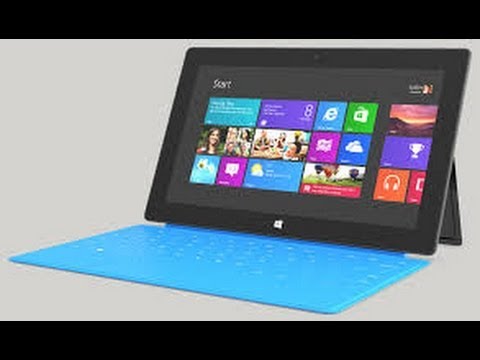 https://www.youtube.com/watch?v=mHUogLgTkBk
A dream is not reality, but who's to say which is which?0 -
Thanks. That’s a reset, but I didn’t want to lose all my photos. I don’t think they are backed up anywhere.0
-
If you set it up with a Microsoft account (which is mos tlikely) you may have an email address on the sign-in screen. You can do a "reset my password" thing at (most likey) outlook.com - assuming of course you set up backup email addresses that you actually can get into...
1 -
Failing having backed up the password to your microsoft account, then if you have forgotten it then you can't get into the device - that is the whole purpose of having a password.0
-
Thanks Neil. We hadn’t considered trying that. Will give it a go!
Sure, pbartlett, and we are thankful it isn’t millions in Bitcoin!0 -
Forum, Agin 'em or Just Neutral?0
-
I find that extraordinary. There is built-in functionality that allows you to reset the tablet to factory settings, therefore being completely unlocked, and yet preserves the personal/user data that was present? Protecting personal data is the reason why you password-protect the thing in the first place.ann_droid said:
Extremely useful to the OP who wants to retrieve their photos and very worrying to anyone else who things that their tablet is secure because they've bothered to set up a sensible password.1 -
Thanks all. If I were to Factory Reset, I would lose all my photos.0
-
ERrrrrrrrrrrrrr
You’ll now be prompted with two options. “Keep my files” and “Remove everything“. In this case, I click “Keep my files” as I want to keep the personal files intact. No matter whichever option you pick, all of your system settings will return to their defaults and apps will be uninstalled.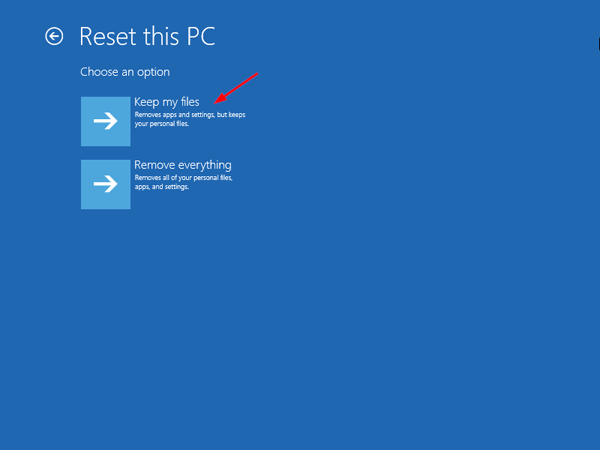
I don't guarantee you won't lose anything, but how much access do you currently have?
Forum, Agin 'em or Just Neutral?0 -
Yes that’s a point! I’m gearing up to try. I’m still hoping that somewhere in the back of my or my husband’s brains - in the library stacks as it were - is the missing password. I won’t wait forever as I want to donate this computer to Rotary while it still has useful life in it for someone. Another week and that’s it, I will try the radical route!
(I have tried the Microsoft account route but got nowhere there either.)
0








Confirm your email address to Create Threads and Reply

Categories
- All Categories
- 353.6K Banking & Borrowing
- 254.2K Reduce Debt & Boost Income
- 455.1K Spending & Discounts
- 246.6K Work, Benefits & Business
- 603K Mortgages, Homes & Bills
- 178.1K Life & Family
- 260.6K Travel & Transport
- 1.5M Hobbies & Leisure
- 16K Discuss & Feedback
- 37.7K Read-Only Boards