Ready, steady… save!
You don’t need a chart to join in. Here are 2 ways to record your savings:
1. Cross it off
Pop a chart into your first post. Saved an amount? Cross it out! Read more »
£0.01 £0.02 £0.03
2. Write it down
Skip the chart and add updates to your first post. Read more »
“Another +£3 saved today. Go me!”
Use +£ before each new saving so it counts towards your total.
We’d like to remind Forumites to please avoid political debate on the Forum.
This is to keep it a safe and useful space for MoneySaving discussions. Threads that are – or become – political in nature may be removed in line with the Forum’s rules. Thank you for your understanding.
📨 Have you signed up to the Forum's new Email Digest yet? Get a selection of trending threads sent straight to your inbox daily, weekly or monthly!
Something broken? Let us know on the new Report a Technical Issue board. Please use Site Feedback and Forum Help for other feedback.
EDITING PROFILE/SIGNATURE
Comments
-
As above, you need to have a certain number of posts and also have been a member for a certain time before you're able to do some things like have a signature. I encountered the same until a week or so ago. (I don't need to type Jenni x every time now lol)
Looking at your profile it seems you've been a member long enough, so it must just be number of posts now. Jenni x0
-
Can anyone help me re my signature. I have read all the above posts and still cant figure out how to do this. I havent posted much since the new site but surely i wouldnt be penalised for that?0
-
Figure out how to do what? Your signature at the moment just shows
:j :j :j :j :j
If you're asking how to create/edit your signature, click on your profile pic at the top-right of this page to take you to your Edit Profile page. Then on the left hand side there's a menu option Signature Settings - click that and make whatever changes you desire, then click Save.Jenni x0 -
Yes thank you, its the signature i want to edit…..The only option i have there is to edit my email address????Jenni_D said:Figure out how to do what? Your signature at the moment just shows:j :j :j :j :j
If you're asking how to create/edit your signature, click on your profile pic at the top-right of this page to take you to your Edit Profile page. Then on the left hand side there's a menu option Signature Settings - click that and make whatever changes you desire, then click Save.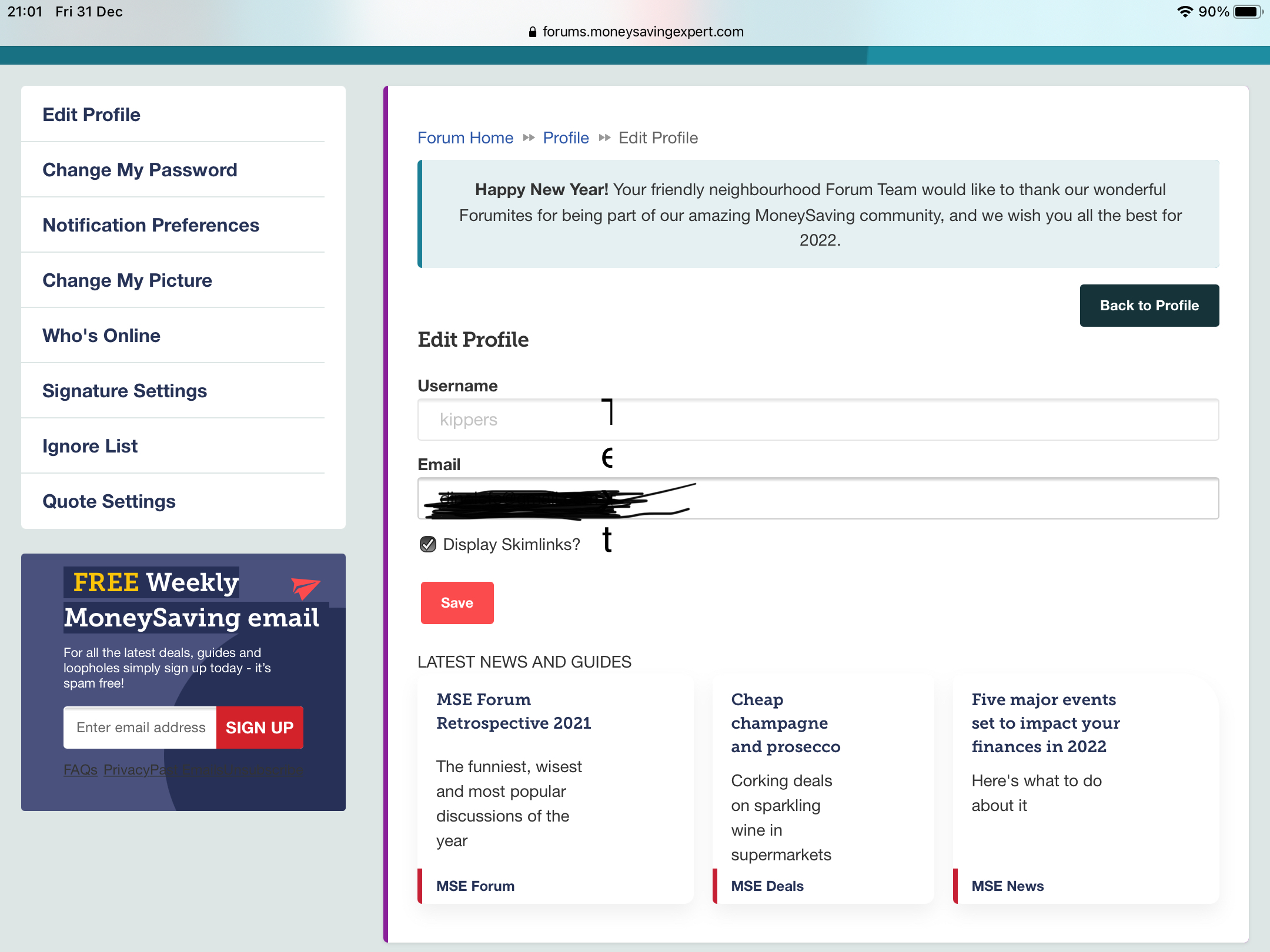
0 -
What about those big words on the left hand side menu that I've already mentioned to you?
 (6th down in the list). Jenni x1








Categories
- All Categories
- 356K Banking & Borrowing
- 255K Reduce Debt & Boost Income
- 456.3K Spending & Discounts
- 248.5K Work, Benefits & Business
- 606.2K Mortgages, Homes & Bills
- 179.1K Life & Family
- 264.1K Travel & Transport
- 1.5M Hobbies & Leisure
- 16.2K Discuss & Feedback
- 37.7K Read-Only Boards