We’d like to remind Forumites to please avoid political debate on the Forum.
This is to keep it a safe and useful space for MoneySaving discussions. Threads that are – or become – political in nature may be removed in line with the Forum’s rules. Thank you for your understanding.
📨 Have you signed up to the Forum's new Email Digest yet? Get a selection of trending threads sent straight to your inbox daily, weekly or monthly!
Any Brother printer experts out there?
Comments
-
The best thing anyone one can do is update regularly and set a PIN and reset to factory settings on disposal if it's functional. If not check if it has an internal harddrive.1
-
Your model doesn't just a temporary flash support.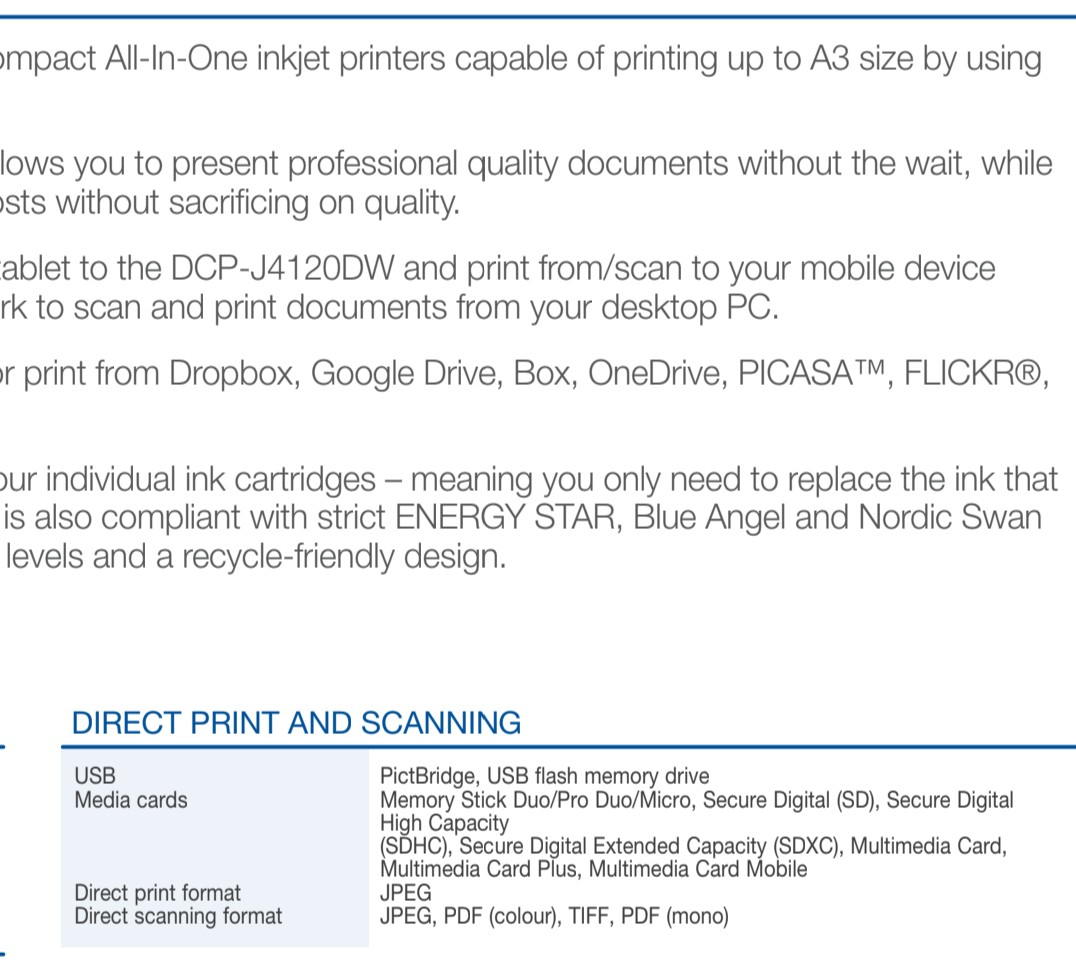 JohnB47 said:
Does a printer have a hard drive memory?TimeLord1 said:That's good. I enjoy the challenge to keep things running; get some plastic tubs, mark them A, B, and C, and as you dismantle the photo, place it into the tubs. You can also Tipp-Ex parts. And use the video as a guide. Be careful of old degrading plastic that kills off printers mostly. And if you can't fix it remove the harddrive memory before disposal.1 -
Interesting topic. Thanks TimeLord10
-
Just reporting back. I bought a replacement ink pad assembly and fitted it today without any drama. The only slight problem I had was disengaging the top of the 'prop' arm that holds up the top assembly. There was no way to release it so I resorted to a medium slotted screwdriver inserted at the top and twisted gently. Luckily the plastic was still flexible and it popped out.
Everything else went to plan with only slight differences to the videos I'd seen. I took the printer out to the shed and wore old clothes and surgical gloves but really, there was only a tiny amount of ink on the ends of the little rubber tubes. I reset the Purge counter at the end. Oh and I watched another video just before starting and it mentioned other little waste ink pads over on the left hand side - one seemingly for colour and the other larger one for black. I pressed kitchen towel on those and soaked up quite a lot of ink, mainly on the black pad.
I may decide to clean and dry the assembly I removed but really, if the new one lasts as long as the old one, either the printer or I may be in no state to worry about it in another 10 years!
4 -
That's good to hear I bet you saved a few quid doing a DIY fix. Be lucky on to the next. ✌️
0








Confirm your email address to Create Threads and Reply

Categories
- All Categories
- 355.8K Banking & Borrowing
- 254.9K Reduce Debt & Boost Income
- 456.2K Spending & Discounts
- 248.3K Work, Benefits & Business
- 605.9K Mortgages, Homes & Bills
- 179K Life & Family
- 263.8K Travel & Transport
- 1.5M Hobbies & Leisure
- 16.2K Discuss & Feedback
- 37.7K Read-Only Boards