We’d like to remind Forumites to please avoid political debate on the Forum.
This is to keep it a safe and useful space for MoneySaving discussions. Threads that are – or become – political in nature may be removed in line with the Forum’s rules. Thank you for your understanding.
📨 Have you signed up to the Forum's new Email Digest yet? Get a selection of trending threads sent straight to your inbox daily, weekly or monthly!
Reorganising the Android apps. Is this possible?
Comments
-
I've been running Nova for years.flaneurs_lobster said:
Ya think?Had a look & I don't seem to have that.
And then I realised .... I'm running Nova Launcher, paid for version. Not the stock Samsung launcher or whatever it's called.
Which could be why.
When I use the phone it's just - the phone. I don't think, it's the phone but with this tweak because I just use it daily & don't even think about it.
Only when Rogue put up that image & I thought hang on this looks different - oh yeah, now I know why.🤐🤐🤐
0 -
You can't alter the developer's choice of name in the app drawer.B0bbyEwing said:Thanks for the replies.
I'm aware that I can drag whatever app I want on to the home page & organise it however I want. So it's a workaround and may be what I opt for in the end but it's not what I was looking to do. I don't use the Vue app all that much so wasn't really bothered about it being on my home page.
Long press the app in the app drawer which brings up a menuflaneurs_lobster said:I had no idea you could rename the icons - how please?
Uninstall
App Info
Hide
Edit
It's obviously the Edit you want
But if this isn't an option for you then it may be because of what I'm about to respond to Rogue with....
Had a look & I don't seem to have that.powerful_Rogue said:S25 Ultra here, so should be identical on your phone.In the app drawer, click on the three dots next to the search bar and select sort >> custom order.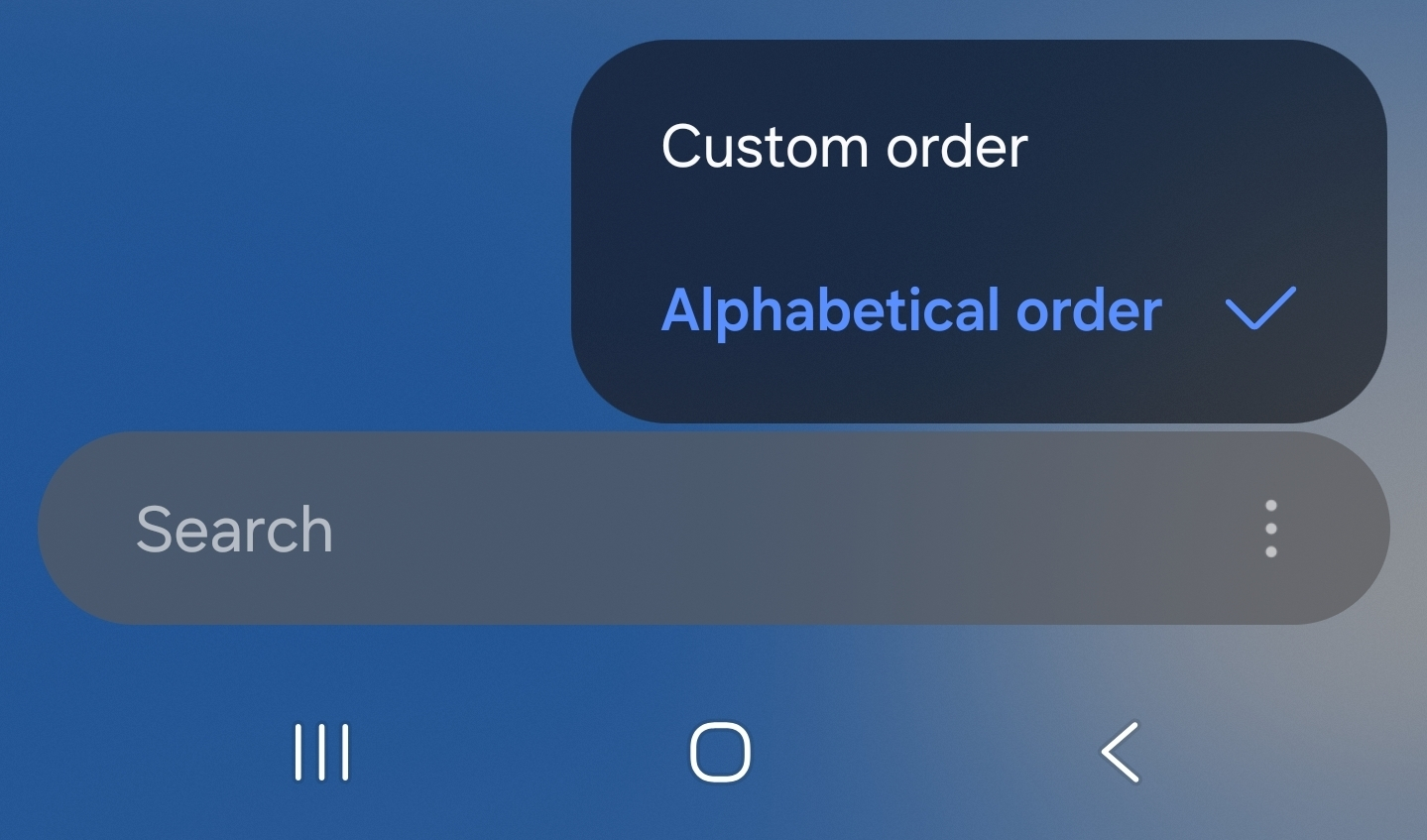
And then I realised .... I'm running Nova Launcher, paid for version. Not the stock Samsung launcher or whatever it's called.
Which could be why.
Good news is there is a workaround in Nova Launcher (which I also use).
Launch the Nova Launcher Settings app.
Go to App drawer section.
Go to Drawer Groups.
Create a new custom group named Vue.
Edit the Vue group to add Club Vue app.
If you do not tick the option to show folders first, Vue appears in the app drawer list under V.
As 'Vue' is the name of a folder, you have to tap a second time because the first tap opens the folder. The visual clue is that, after the first tap the other app icons are greyed out with only Club Vue in colour.
(My phone is a Sony, but should be the same on Samsung as this is Nova coding.)
1 -
I have an older Samsung A21s. I can just hold my finger on the app and drag it around in the app draw to any order.
Maybe newer Samsung phones have stopped this ability.0 -
Nope, still there.ScratchyCat said:I have an older Samsung A21s. I can just hold my finger on the app and drag it around in the app draw to any order.
Maybe newer Samsung phones have stopped this ability.0 -
I've added an edit about it.sausage_time said:
True for the Home Screen(s). But not the App Drawer I think? That's the ask by the OP.TimeLord1 said:Click and drag should allow you to sort whatever you use most.1














Confirm your email address to Create Threads and Reply

Categories
- All Categories
- 355.8K Banking & Borrowing
- 254.9K Reduce Debt & Boost Income
- 456.2K Spending & Discounts
- 248.3K Work, Benefits & Business
- 606K Mortgages, Homes & Bills
- 179K Life & Family
- 263.8K Travel & Transport
- 1.5M Hobbies & Leisure
- 16.2K Discuss & Feedback
- 37.7K Read-Only Boards