Ready, steady… save!
You don’t need a chart to join in. Here are 2 ways to record your savings:
1. Cross it off
Pop a chart into your first post. Saved an amount? Cross it out! Read more »
£0.01 £0.02 £0.03
2. Write it down
Skip the chart and add updates to your first post. Read more »
“Another +£3 saved today. Go me!”
Use +£ before each new saving so it counts towards your total.
📨 Have you signed up to the Forum's new Email Digest yet? Get a selection of trending threads sent straight to your inbox daily, weekly or monthly!
Santander banking app Magic Link
Comments
-
I also had this issue where the email link didn't work. I have an Android phone so this fix may be different for other systems.I was able to fix it by changing some of the Android settings for the Santander UK app.
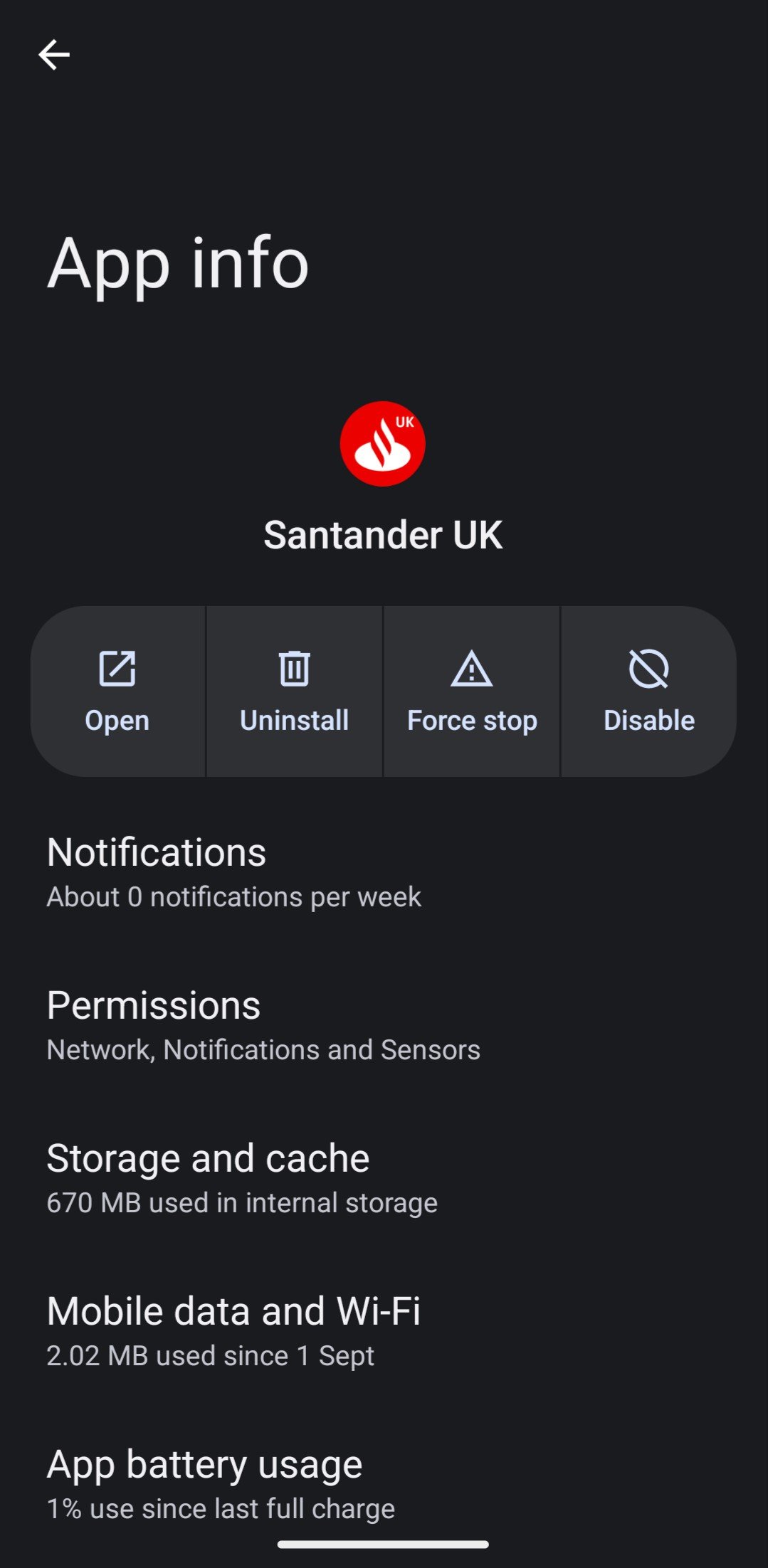
Specifically the "Open by default" setting.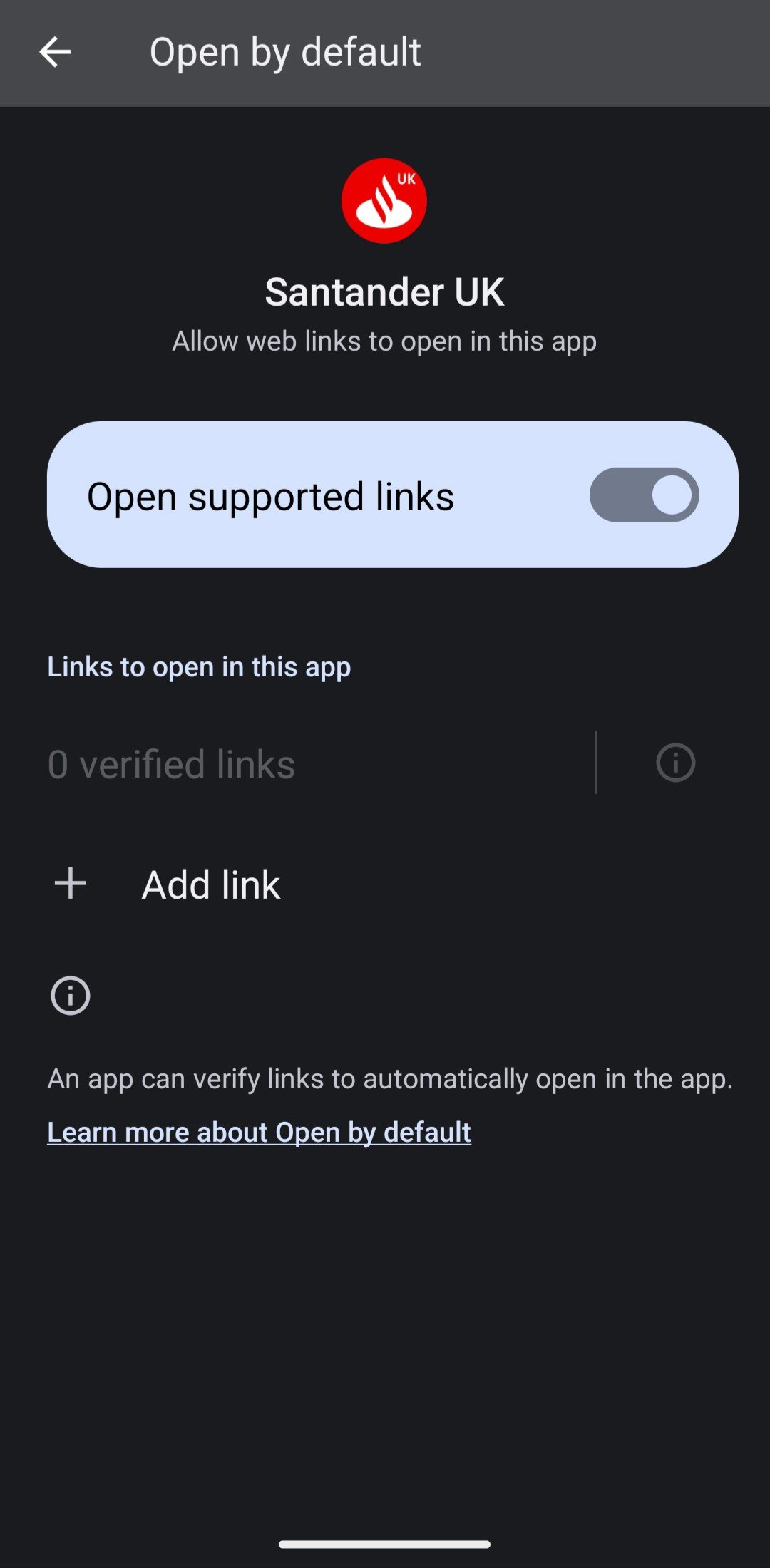
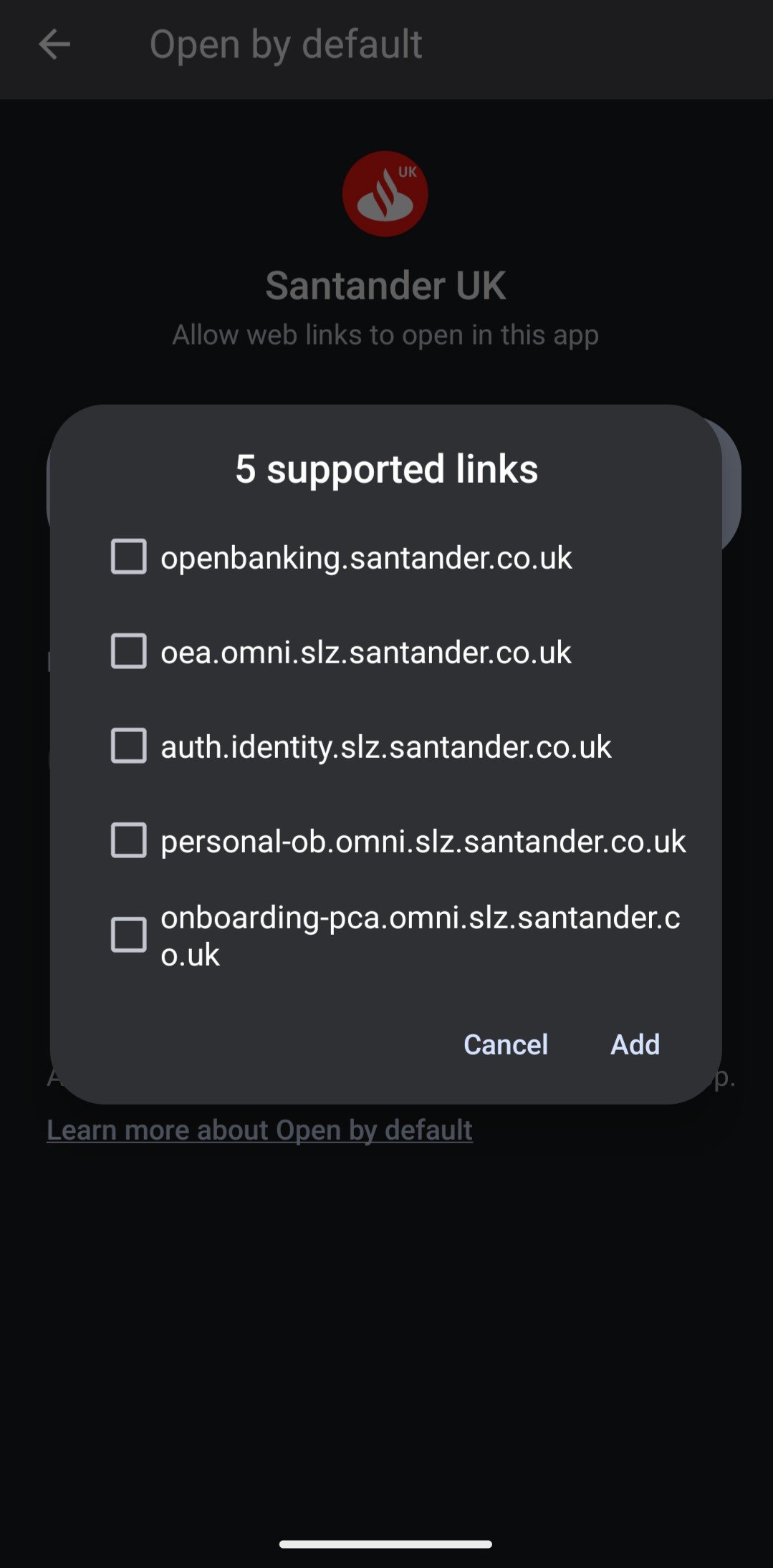
Adding all of the links it shows and then clicking the email magic link worked for me.0 -
I had the same issue when I changed to the iPhone 17 from the 12.
The magic blue link would not appear for first time log in.
The app was in the hidden folder - perhaps might explain why I couldn't log on the first time.
So I unhid the app and it appeared on the Home Screen.
Then I clicked on the email "Log onto mobile app" again in gmail.
And it went through the process of first time logging in, which included toggling on FACE ID.
I successfully logged on.
I hid the app and tried again. IT WORKS NOW!
0


Confirm your email address to Create Threads and Reply

Categories
- All Categories
- 355.9K Banking & Borrowing
- 255K Reduce Debt & Boost Income
- 456.2K Spending & Discounts
- 248.4K Work, Benefits & Business
- 606.1K Mortgages, Homes & Bills
- 179K Life & Family
- 263.9K Travel & Transport
- 1.5M Hobbies & Leisure
- 16.2K Discuss & Feedback
- 37.7K Read-Only Boards