We’d like to remind Forumites to please avoid political debate on the Forum.
This is to keep it a safe and useful space for MoneySaving discussions. Threads that are – or become – political in nature may be removed in line with the Forum’s rules. Thank you for your understanding.
📨 Have you signed up to the Forum's new Email Digest yet? Get a selection of trending threads sent straight to your inbox daily, weekly or monthly!
The Forum now has a brand new text editor, adding a bunch of handy features to use when creating posts. Read more in our how-to guide
Energy Monitors

Abbafan1972
Posts: 7,200 Forumite




Good morning.
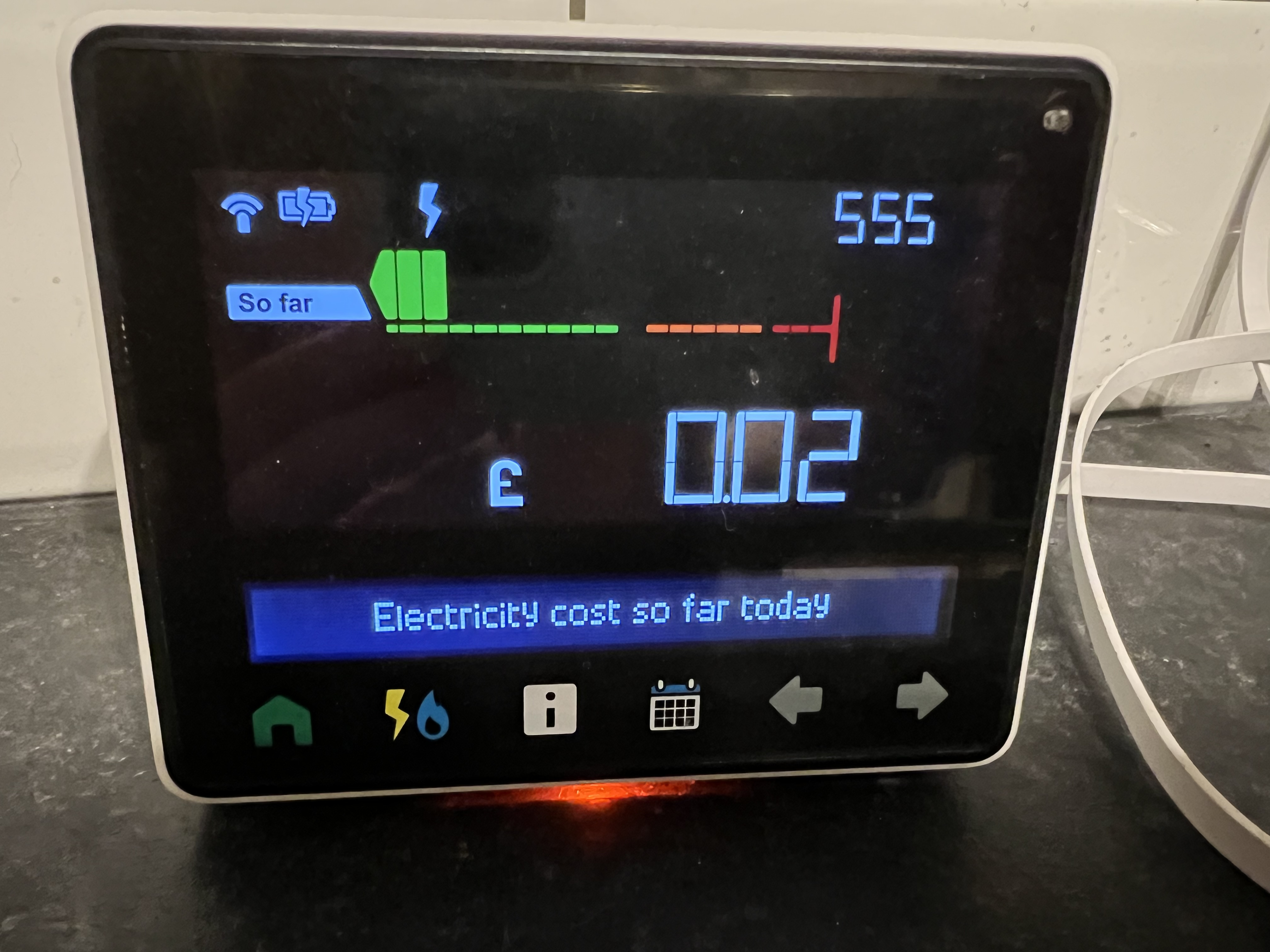
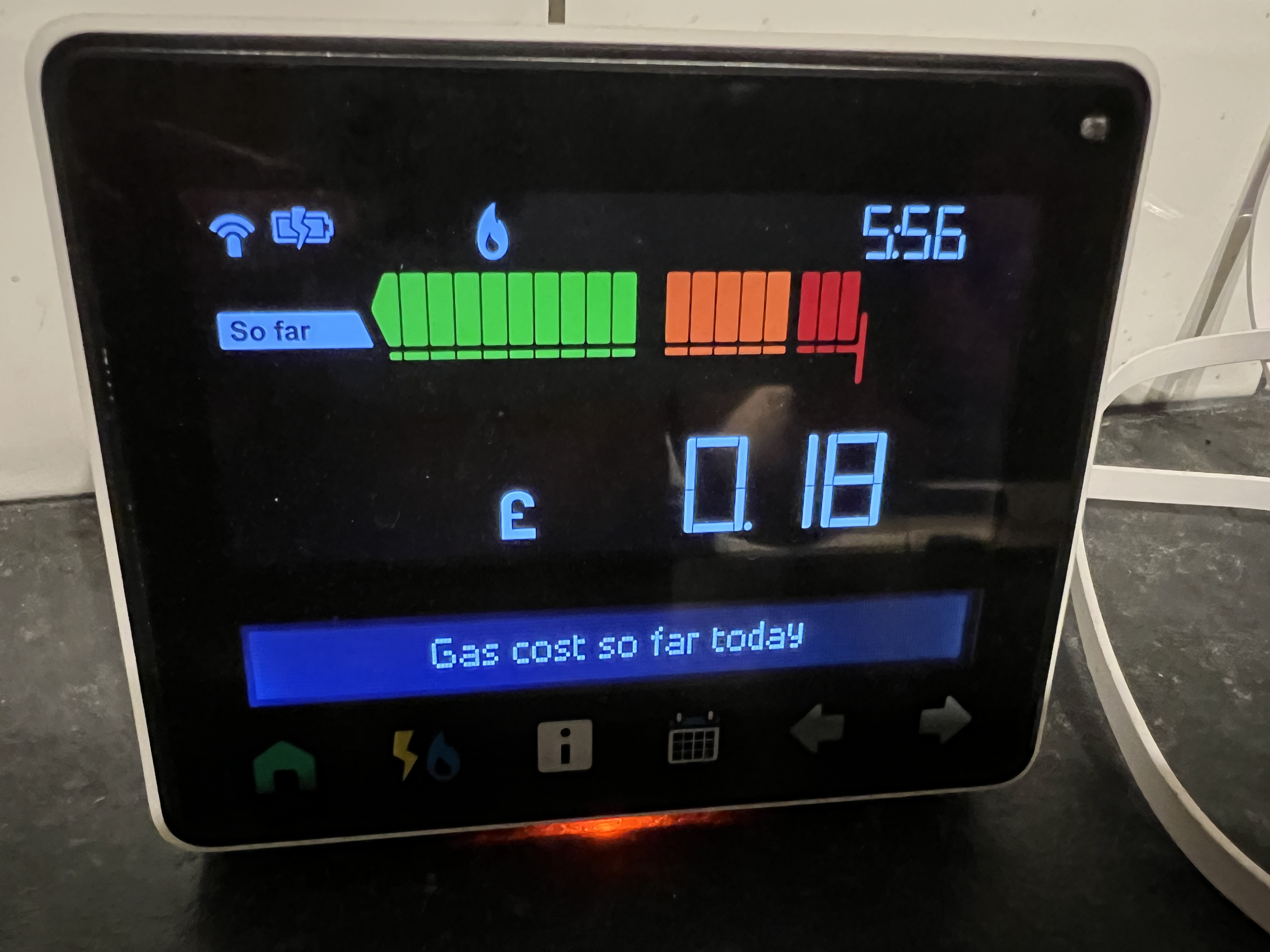
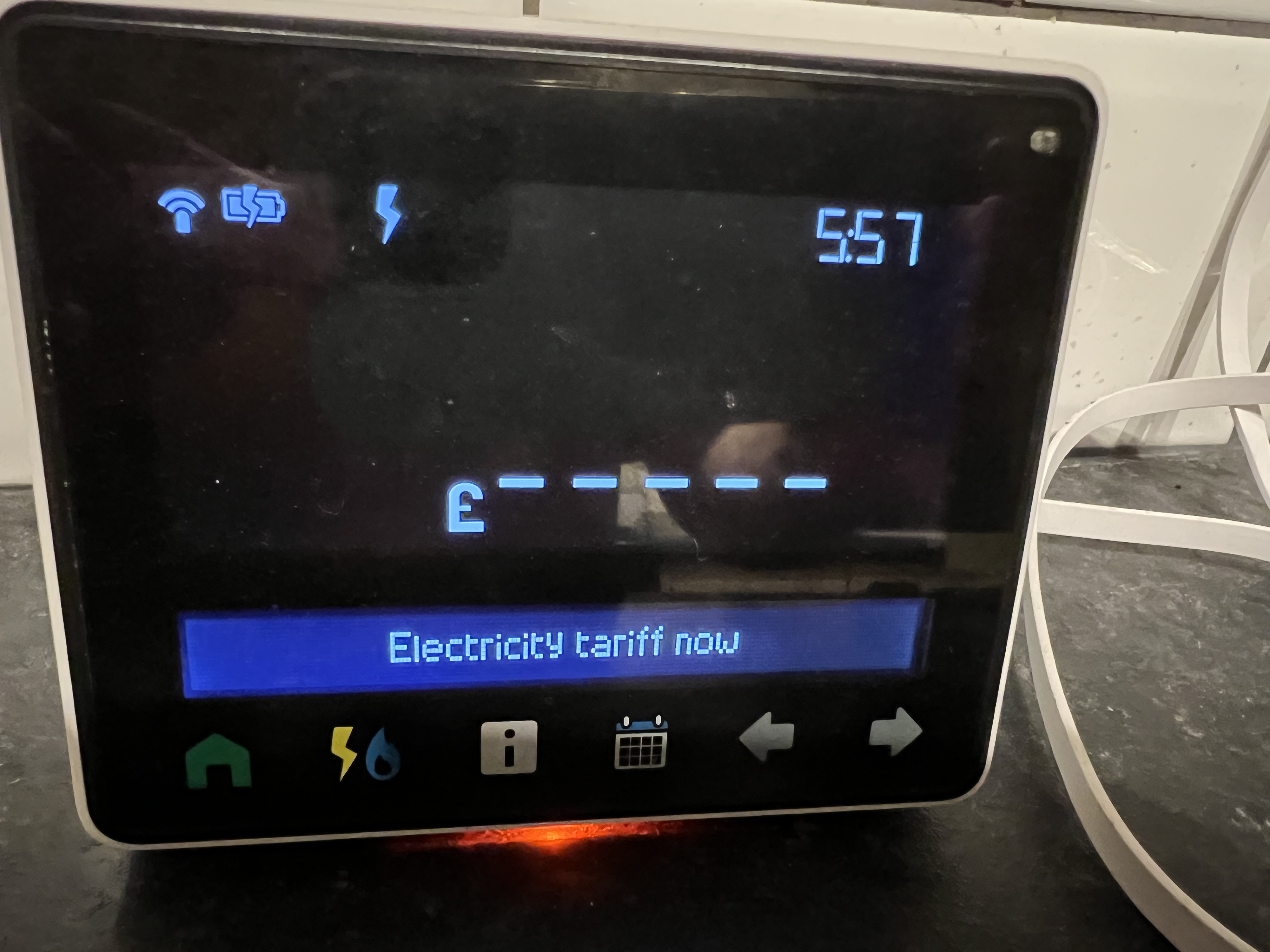
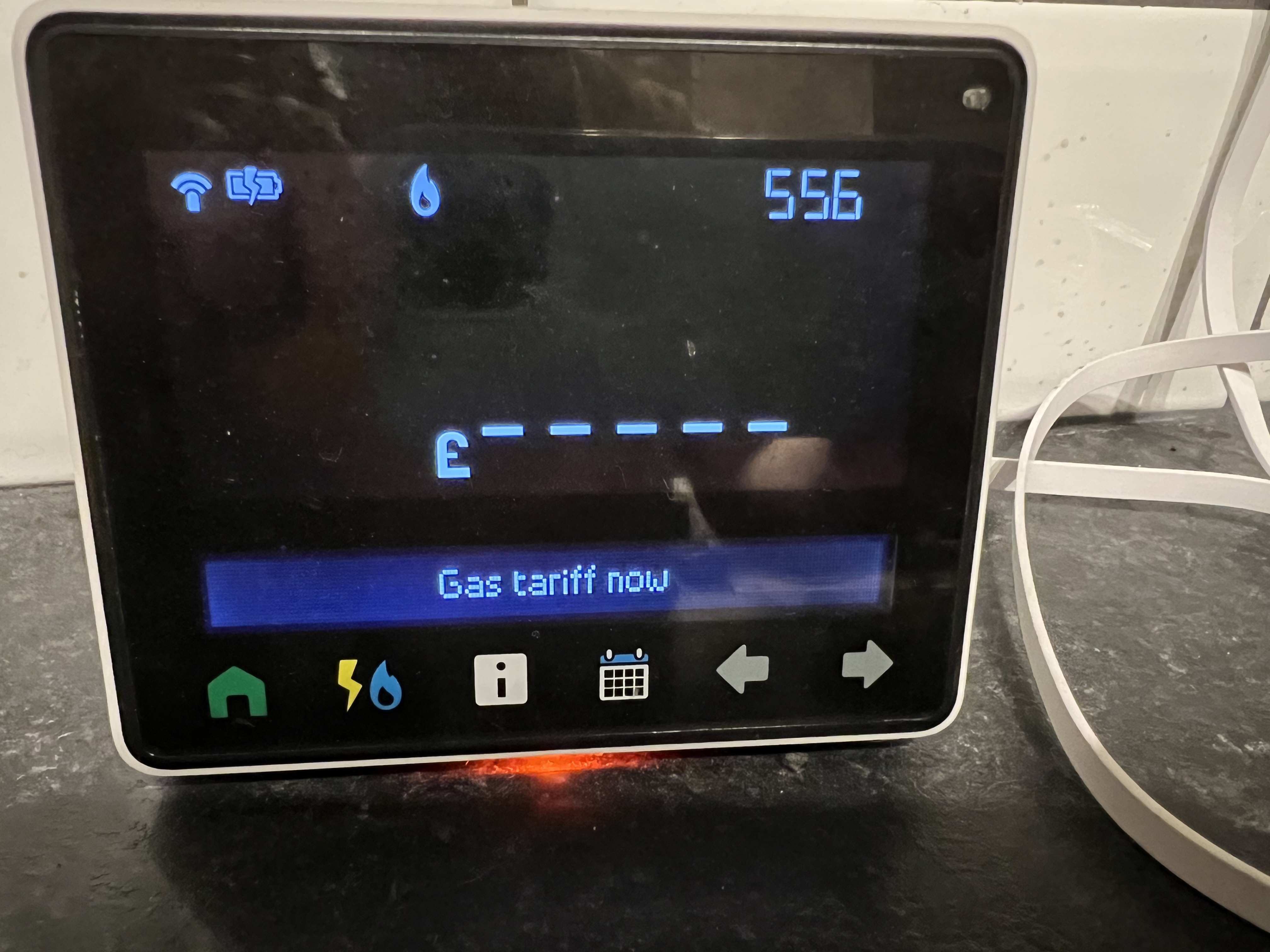
We have smart meters for Gas & Electric and have one of these monitor thingies (don’t know the proper name sorry). There’s various screens on it and there’s one which shows your costs so far for today.
I am not sure how this is worked out, as on the screen which is supposed to show our tariff, there is no information at all.
I have posted some pictures as to what I can see. The orange light at the bottom is usually green, but will change to orange if I switch on a high powered item such as the kettle, but in this case it’s the dishwasher.
Can anyone help please? Are these things just a waste of time?
Thanks.
Sorry - we are with EDF for both Gas & Electric.
Striving to clear the mortgage before it finishes in Dec 2028 - amount currently owed - £17,496.34
0
Comments
-
Most people would call that the In-Home Display (IHD) They’re not always a waste of time, but they are a gimmick.
They’re nothing to do with your billing or payments, nothing to do with the readings that go to the supplier, and nobody will bother to fix them when they go wrong.
The ‘tariff’ is just a setting that might or might not get updated at some random time.
Just a handy little screen when it’s working but nothing more than that.0 -
If the £ values are meaningless because the tariff info is wrong, you might want to switch the display to show kW and kWh instead.
N. Hampshire, he/him. Octopus Intelligent Go elec & Tracker gas / Vodafone BB / iD mobile. Ripple Kirk Hill Coop member.Ofgem cap table, Ofgem cap explainer. Economy 7 cap explainer. Gas vs E7 vs peak elec heating costs, Best kettle!
2.72kWp PV facing SSW installed Jan 2012. 11 x 247w panels, 3.6kw inverter. 35 MWh generated, long-term average 2.6 Os.2 -
OP - you need to contact your supplier and ask them to update the tariff information that is sent to the ESME and the GSME (the two smart meters). I suggest that you do this after the 1st October.
Provided the tariff information is correct, the IHD will show the correct cost for electricity. The gas cost may be very slightly out as the gas proxy meter built into the comms hub uses a fixed calorific value whereas you are billed on an average calorific value.Why a gas proxy meter? The gas meter has a battery. To prolong battery life, the GSME sends data to the gas proxy meter every 30 minutes. The gas proxy meter then does the volume to kWh calculations.0 -
Can anyone help please? Are these things just a waste of time?No. They are a valuable starting point to understanding your energy use. Knowing your daily use and how you get there is the first step to becoming more efficient.
You should switch from money to kWh/Kw as those are the important figures when looking at your use. Tariff info is not as helpful.
So, for example, if you look at the electricity use in kWh and what the daily use is, then you can see whether you are using a lot or a little. If you are using a lot, then the next stage is to find out what is using your energy and how you can reduce it.
A lot of posters here used to cruise along using 20 kWh per day of electricity, or thereabouts but have got it down to 10kWh or less. If they didn't know the figure to begin with, they wouldn't know if its high or not or if they should be looking to reduce it.I am an Independent Financial Adviser (IFA). The comments I make are just my opinion and are for discussion purposes only. They are not financial advice and you should not treat them as such. If you feel an area discussed may be relevant to you, then please seek advice from an Independent Financial Adviser local to you.2 -
As said above, a much more useful measure is kwh rather than ££'s. especially as the cost is a variable amount based on what your tariff is and whether the meter has been set correctly - which looks as though it hasn't.
I've been with seven different energy companies since I've had my smart meter and some have set the tariff and only one correctly but I've always been able to monitor my consumption in kwh which has allowed me to determine what appliance are in use and whether I am using more or less than I anticipate.
I can also get info on historical daily, weekly and monthly data going back over 13 months which allows me to compare consumption and see whether my energy saving measures are working. Some I can get from the IHD and some from a free app called Bright (here it is for Android - Bright – Apps on Google Play or here for Apple - Bright on the App Store (apple.com)Never under estimate the power of stupid people in large numbers0 -
dunstonh said:Can anyone help please? Are these things just a waste of time?No. They are a valuable starting point to understanding your energy use. Knowing your daily use and how you get there is the first step to becoming more efficient.Agreed. They are a useful tool in identifying when & where your energy is being used. It is a shame that the graphs do not have a decent granularity and there is no option to zoom in on the data.. I have a separate whole house energy monitor and can examine the data in detail. Being able to pin down when the big spikes are, and for how long settles arguments like "how long you were in the shower".The historical data can then be used to compare usage and you can see what small changes have helped to cut consumption.Any language construct that forces such insanity in this case should be abandoned without regrets. –
Erik Aronesty, 2014
Treasure the moments that you have. Savour them for as long as you can for they will never come back again.0 -
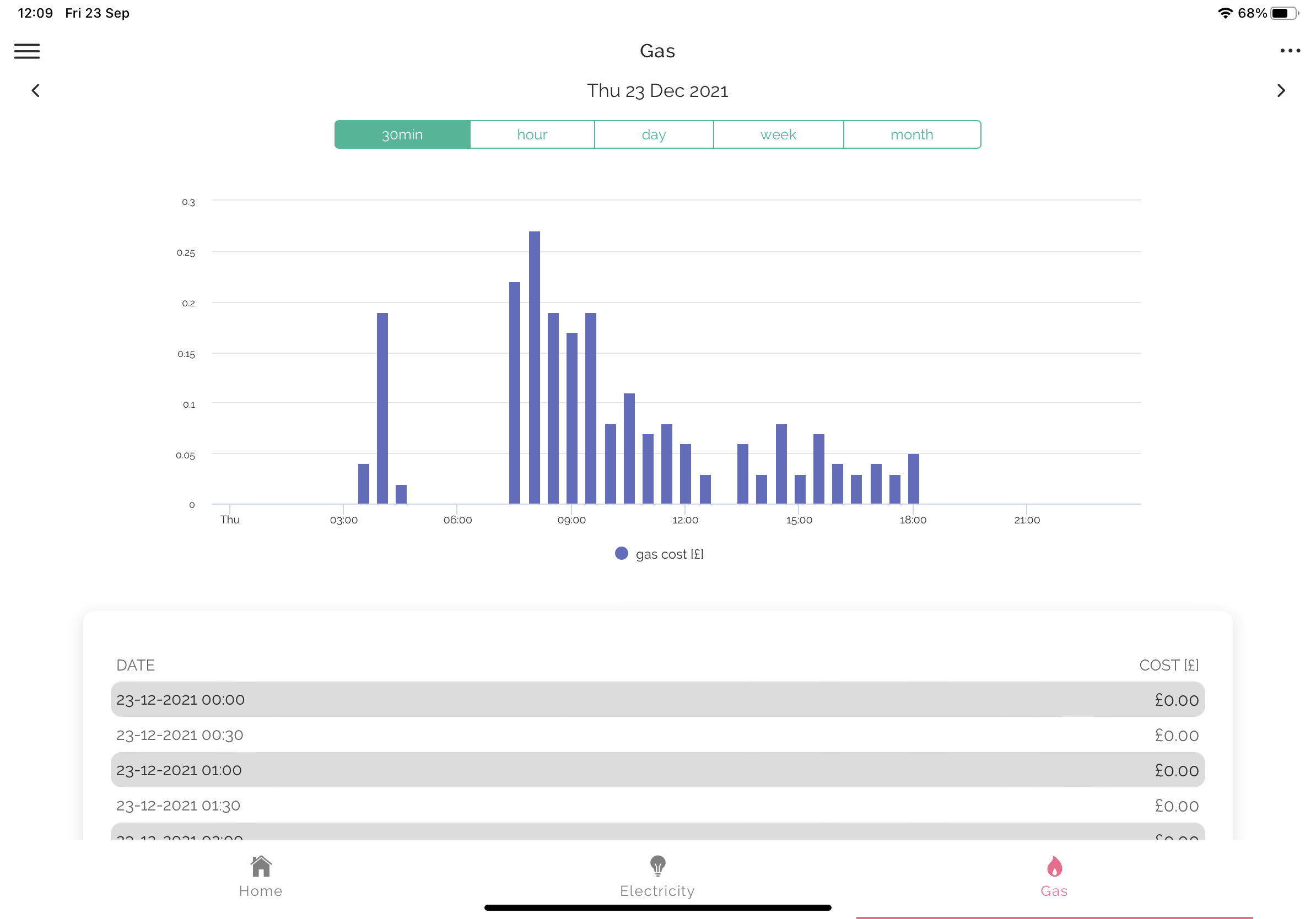
Personally, I prefer the free App BRIGHT to monitor my 30 minute usage and costs.
0 -
My Bright App shows the wrong rates per kwh,[Deleted User] said:Personally, I prefer the free App BRIGHT to monitor my 30 minute usage and costs.0 -
GIGO. The App is populated by ‘pulling data’ data from your meters. If the supplier has not sent the correct tariff information to your meters then the cost will be wrong.millie said:
My Bright App shows the wrong rates per kwh,[Deleted User] said:Personally, I prefer the free App BRIGHT to monitor my 30 minute usage and costs.Hildebrand, the owner of BRIGHT app uses DCC-approved secure software (an Adapter) to connect to the DCC Network.0 -
The tariff on is showing correctly on my display so it is not that. The Bright App is showing the standing charge and unit rate as the same amount. the standing charge is correct but the unit rate is way too much[Deleted User] said:
GIGO. The App is populated by ‘pulling data’ data from your meters. If the supplier has not sent the correct tariff information to your meters then the cost will be wrong.millie said:
My Bright App shows the wrong rates per kwh,[Deleted User] said:Personally, I prefer the free App BRIGHT to monitor my 30 minute usage and costs.Hildebrand, the owner of BRIGHT app uses DCC-approved secure software (an Adapter) to connect to the DCC Network.0
![[Deleted User]](https://us-noi.v-cdn.net/6031891/uploads/defaultavatar/nFA7H6UNOO0N5.jpg)





Confirm your email address to Create Threads and Reply

Categories
- All Categories
- 353.5K Banking & Borrowing
- 254.2K Reduce Debt & Boost Income
- 455.1K Spending & Discounts
- 246.6K Work, Benefits & Business
- 603K Mortgages, Homes & Bills
- 178.1K Life & Family
- 260.6K Travel & Transport
- 1.5M Hobbies & Leisure
- 16K Discuss & Feedback
- 37.7K Read-Only Boards