We’d like to remind Forumites to please avoid political debate on the Forum.
This is to keep it a safe and useful space for MoneySaving discussions. Threads that are – or become – political in nature may be removed in line with the Forum’s rules. Thank you for your understanding.
📨 Have you signed up to the Forum's new Email Digest yet? Get a selection of trending threads sent straight to your inbox daily, weekly or monthly!
The Forum now has a brand new text editor, adding a bunch of handy features to use when creating posts. Read more in our how-to guide
Which SSD?

Terrysdelight
Posts: 1,202 Forumite




in Techie Stuff
Hi
I have a Samsung all in one pc and I sent it to the repair shop and paid for a diagnoses. The shop said the hard-drive has failed and they can replace with a new SSD but their price was quite high. Considering the fact that something else might decide to break, I decided against it. I've just looked on line and the SSDs are actually that expensive. Am thinking of buying myself and to see if my son can fit it for me.
Do I have to buy a specific SSD for my all-in-one? If so, how will I find out which one to buy?
Many thanks
T
I have a Samsung all in one pc and I sent it to the repair shop and paid for a diagnoses. The shop said the hard-drive has failed and they can replace with a new SSD but their price was quite high. Considering the fact that something else might decide to break, I decided against it. I've just looked on line and the SSDs are actually that expensive. Am thinking of buying myself and to see if my son can fit it for me.
Do I have to buy a specific SSD for my all-in-one? If so, how will I find out which one to buy?
Many thanks
T
0
Comments
-
What capacity is the original drive? Here's a 240GB one that's OK https://www.mymemory.co.uk/integral-240gb-p-series-5-sata-iii-2-5-ssd-drive-560mb-s.html
0 -
Model of PC would be handy. It should be pretty straighforward to change it yourself, you just need to establish whether the existing drive is either a standard SATA 2.5" disk or an M.2 PCIE card. My guess is that it would be standard SATA hard drive so any SATA SSD will suffice.0
-
Thanks, my PC is being brought back to me this evening - I will get the model details then and post for more advice if I need it. Hoping my son can sort it for me.neilmcl said:Model of PC would be handy. It should be pretty straighforward to change it yourself, you just need to establish whether the existing drive is either a standard SATA 2.5" disk or an M.2 PCIE card. My guess is that it would be standard SATA hard drive so any SATA SSD will suffice.0 -
How much was too expensive? £25 is the cheaper end, but Amazon did a special about 3 weeks ago for a 4T Sandisk £369, but they can go way above this into the £40000 area + labour, and you probably wanted your data copied over etc, warranty - you are paying for some level of competency, and vat0
-
Check what sort of drive it has and will take. There are:2 1/2 inch SATA SSDs. These work in most older computers and laptops; in a desktop or all in one you may need a bracket to fit it in a 3 1/2 inch drive bay. Speeds are good but not top tier. I have a Crucial MX 500 in my own computer.M.2 SATA SSDs. These go in a specific slots on the motherboard, only newer computers will have that slot, and not all M.2 slots are compatible with drives, the available lengths vary and some slots are for wifi chips only. Speeds are the same as the 2 1.2 inch kind.M.2 NVME SSDs. These go in the same M.2 slot, and are potentially the super-fast ones. Of course the top tier speeds come with a premium price.1
-
I don't mind paying upto about 50 pounds, maybe a bit higher 60ish? I don't need a huge amount of memory 128 gb should be plenty.a said:How much was too expensive? £25 is the cheaper end, but Amazon did a special about 3 weeks ago for a 4T Sandisk £369, but they can go way above this into the £40000 area + labour, and you probably wanted your data copied over etc, warranty - you are paying for some level of competency, and vat
My Samsung Machine details is as follows:
All in one, touch screen. DP500A2D-A01UK0 -
Thank you. I came across this video earlier on youtube - it looks like the hard bit is getting the pc open. Thanks, really appreciate it.0
-
Not sure the kingston ssd in neil's post is the best option I have heard and experienced personally with the Kingston 400 series , I would go for a crucial or samsung or perhaps an adata one, and as far as for an all-in-one I would go for at least 240/256 GB but ideally a 500GB it can always be re-purposed.
4.8kWp 12x400W Longhi 9.6 kWh battery Giv-hy 5.0 Inverter, WSW facing Essex . Aint no sunshine ☀️ Octopus gas fixed dec 24 @ 5.74 tracker again+ Octopus Intelligent Flux leccy
CEC Email energyclub@moneysavingexpert.com1 -
I was going with the Crucial but delivery is not until 29th December so have opted for the Kingston. The feedback on this product is very good.0




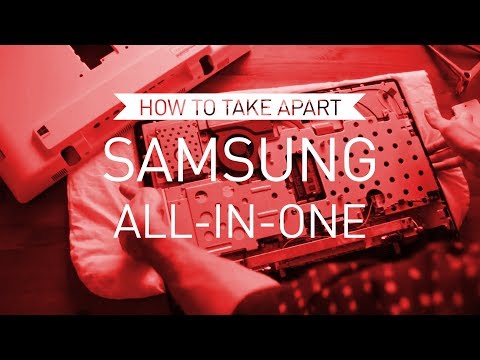 https://www.youtube.com/watch?v=3qaL-Dzm1lI

Confirm your email address to Create Threads and Reply

Categories
- All Categories
- 353.5K Banking & Borrowing
- 254.1K Reduce Debt & Boost Income
- 455K Spending & Discounts
- 246.6K Work, Benefits & Business
- 602.9K Mortgages, Homes & Bills
- 178.1K Life & Family
- 260.6K Travel & Transport
- 1.5M Hobbies & Leisure
- 16K Discuss & Feedback
- 37.7K Read-Only Boards