We’d like to remind Forumites to please avoid political debate on the Forum.
This is to keep it a safe and useful space for MoneySaving discussions. Threads that are – or become – political in nature may be removed in line with the Forum’s rules. Thank you for your understanding.
📨 Have you signed up to the Forum's new Email Digest yet? Get a selection of trending threads sent straight to your inbox daily, weekly or monthly!
The Forum now has a brand new text editor, adding a bunch of handy features to use when creating posts. Read more in our how-to guide
CCTV systems
Comments
-
cymruchris
The system at my parent's house was professionally installed, except he used an unbranded DVR - over 8 years ago now.
My system is a Hikvision kit DS-7208 HUHI-K1 which was installed by a professional 2 years ago, but he has gone out of business. Hikvision only provide tech support to the installers. Was a bit of chew to get my remote viewing working again.0 -
mutley74 said:cymruchris
The system at my parent's house was professionally installed, except he used an unbranded DVR - over 8 years ago now.
My system is a Hikvision kit DS-7208 HUHI-K1 which was installed by a professional 2 years ago, but he has gone out of business. Hikvision only provide tech support to the installers. Was a bit of chew to get my remote viewing working again.If you have an Android smartphone try the Tinycam Monitor app which supports thousands of cameras, including the Hikvision model mentioned.I've been using it on my homespun cctv system (using old smartphones as cameras).Pro version of the app is available for a very small one-off fee. I have no affiliation with the developer, just a satisfied customer.1 -
What part of the country are you in? As mentioned previously - are you looking to do this yourself? Or get someone in to do it for you?mutley74 said:cymruchris
The system at my parent's house was professionally installed, except he used an unbranded DVR - over 8 years ago now.
My system is a Hikvision kit DS-7208 HUHI-K1 which was installed by a professional 2 years ago, but he has gone out of business. Hikvision only provide tech support to the installers. Was a bit of chew to get my remote viewing working again.0 -
I did get the Hikvision App to work (eventually) - but they have stopped updates on Google Play.
I live in the North East - Tyneside area. I will probably get someone in to upgrade the system as I dont have time to do the task myself.0 -
Special thanks to cymruchris for your very detailed explanations. Which IP camera is best for the widest field of view? I am looking for something that can capture 180 degrees e.g both sides of the street - or do I have to actually install two cameras side by side in order to get a wide field of view? Is there software that can merge the two side by side cameras to look like one video on the CCTV monitor?1
-
I don’t know any installers in that area - if I was closer you could have hired me 😂 if you find someone who really understands the hikvision or hilook systems (they have the same software) - it’ll work flawlessly. It just needs to set up right in the beginning. But do avoid any amazon eBay specials of ‘kits’ - stick with a decent brand like hilook or hikvision.mutley74 said:I did get the Hikvision App to work (eventually) - but they have stopped updates on Google Play.
I live in the North East - Tyneside area. I will probably get someone in to upgrade the system as I dont have time to do the task myself.1 -
For the best results I would say you’ll need two cameras. You can use a fisheye camera - that would give you the view you’d want - but I find the distortion isn’t great. Yes you can see more but it’s not a great view in my opinion. Two cameras with a 2.8mm lens will give you a wide view across the whole of a street. The cameras should be set far apart looking towards each other - not fitted back to back.naf123 said:Special thanks to cymruchris for your very detailed explanations. Which IP camera is best for the widest field of view? I am looking for something that can capture 180 degrees e.g both sides of the street - or do I have to actually install two cameras side by side in order to get a wide field of view? Is there software that can merge the two side by side cameras to look like one video on the CCTV monitor?1 -
cymruchris said:
For the best results I would say you’ll need two cameras. You can use a fisheye camera - that would give you the view you’d want - but I find the distortion isn’t great. Yes you can see more but it’s not a great view in my opinion. Two cameras with a 2.8mm lens will give you a wide view across the whole of a street. The cameras should be set far apart looking towards each other - not fitted back to back.naf123 said:Special thanks to cymruchris for your very detailed explanations. Which IP camera is best for the widest field of view? I am looking for something that can capture 180 degrees e.g both sides of the street - or do I have to actually install two cameras side by side in order to get a wide field of view? Is there software that can merge the two side by side cameras to look like one video on the CCTV monitor?
Makes sense. How far apart does the two cameras need to be at minimum? It would be a massive wiring heading to try get the other camera to the other side of the house.....
You work in London?0 -
I do want to visit London - but currently working around South Wales.Location will depend on specific things such as width of street - what kind of building it's being fitted to - quite a few variables.
To give you an idea - at the back of my house I've fitted two domes - you can see them in pic 1 - you can also see that I've begun to repaint the garage and will see two shades of white. One is at the top left of the garage roller shutter - and one is at the top right of the rear garden door.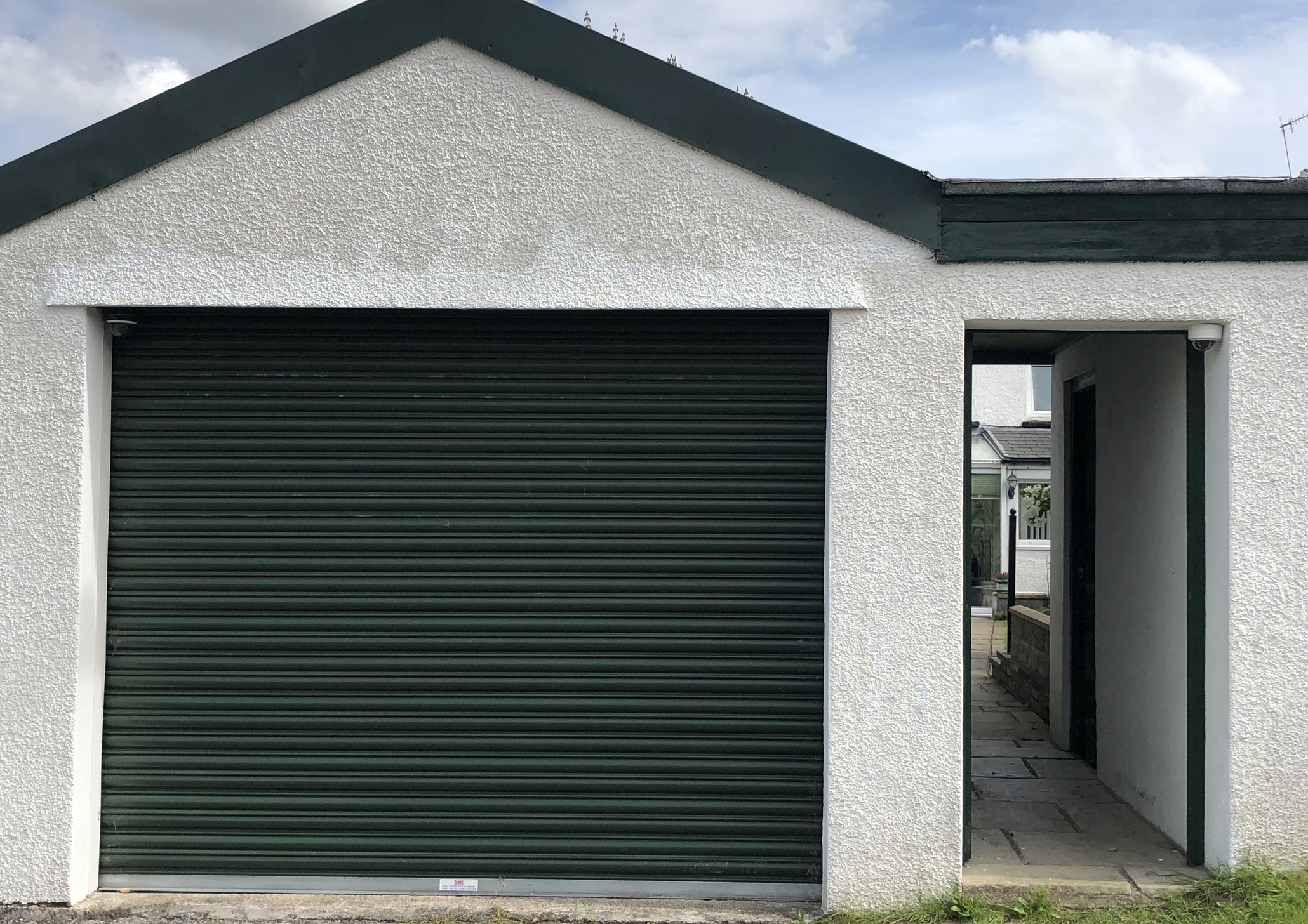
From those two camera locations I have these views of the back lane that relay to a monitor in the garage - so when reversing the car out I can see if anything is coming up or down the lane without having to worry. (Aside from their security aspect). The following are two actual stills from my system - from the above cameras. The parked cars are in the same position on both screen grabs.
Camera on the garage door looking up the lane: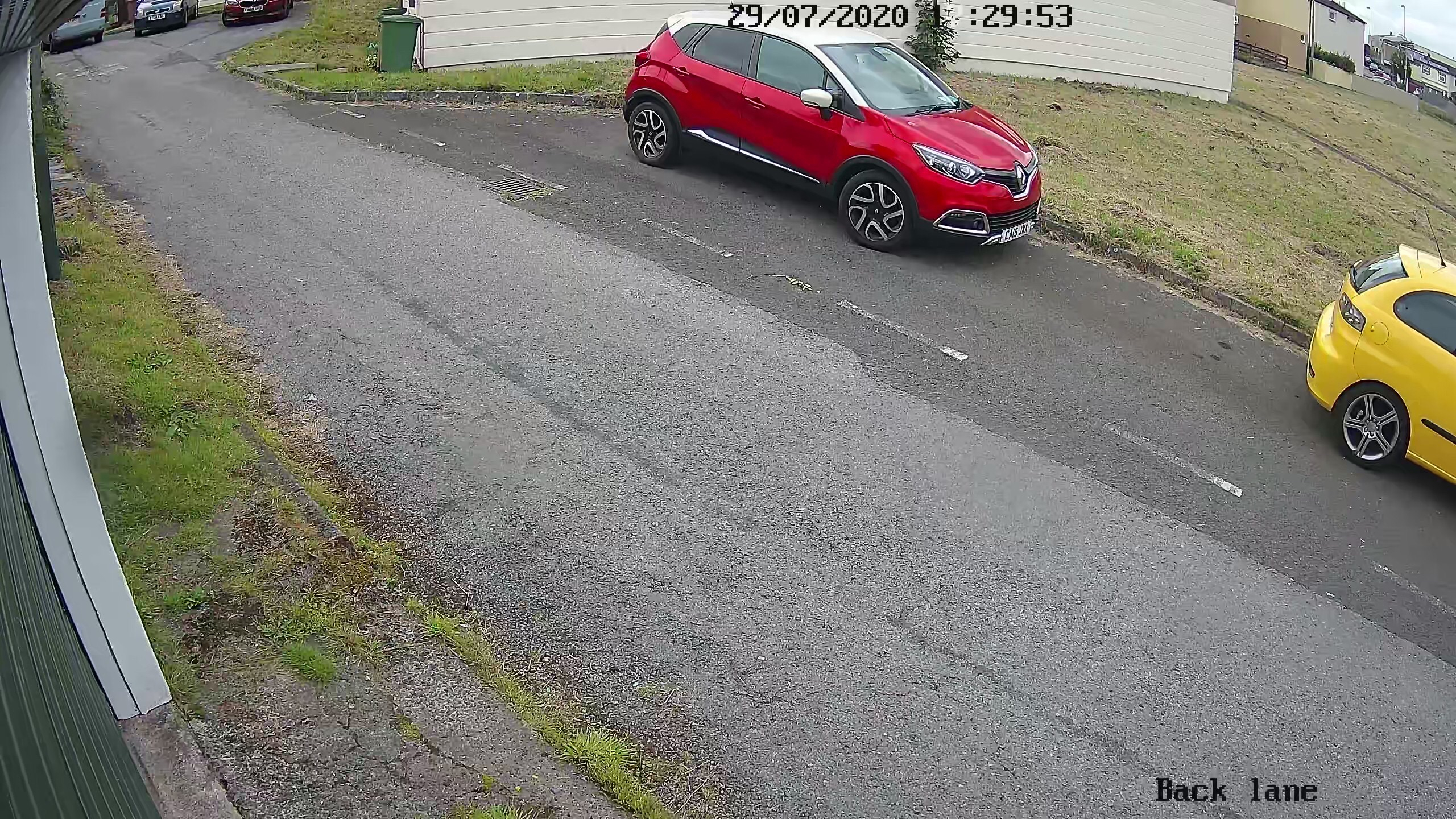
Camera on the garden door looking down the lane: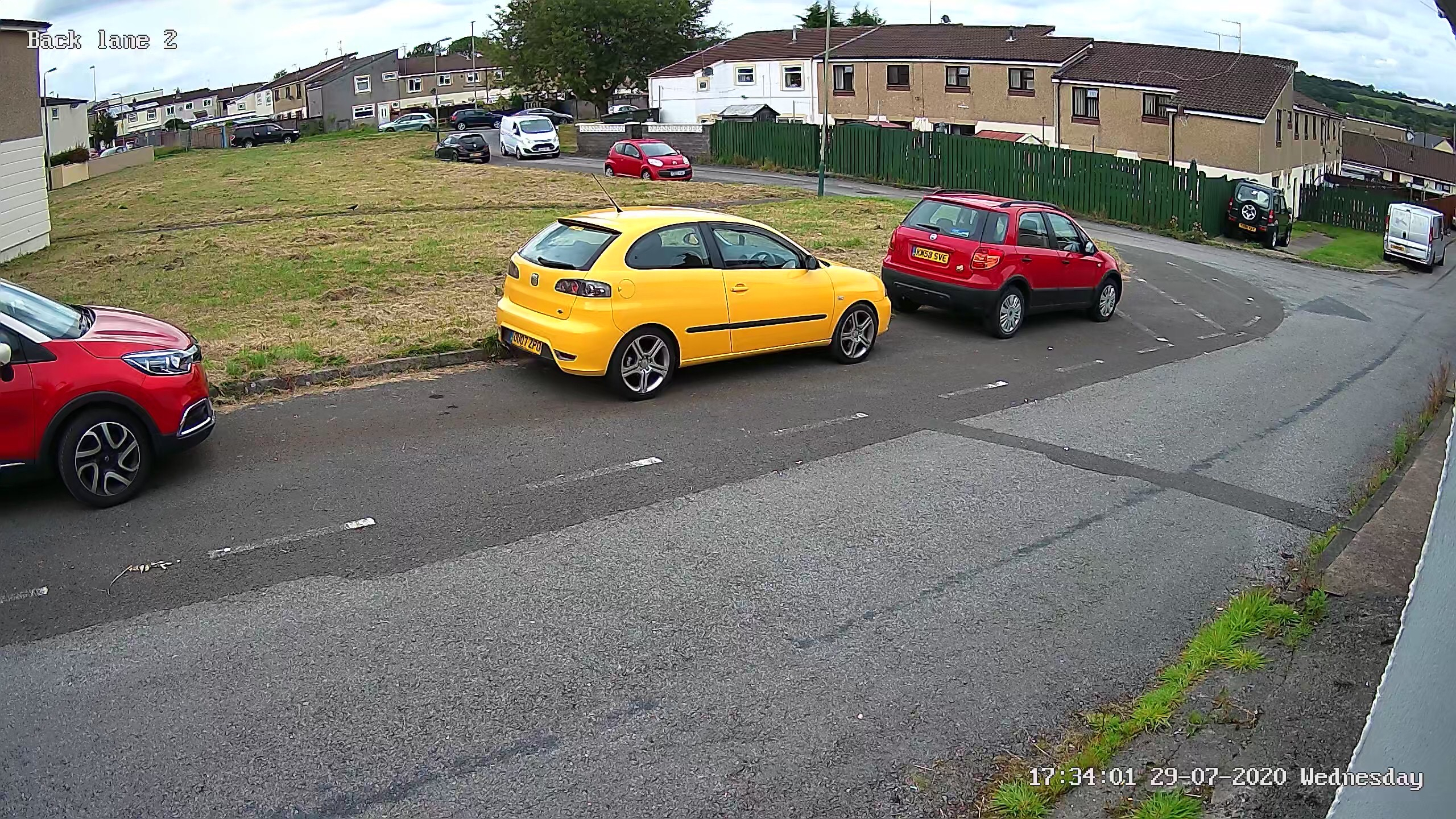
If you specify POE camera systems - you'll only have to run one cable to each camera, and won't need power supplies (Mains sockets) near every camera as the power comes from the NVR. That might help in terms of your installation?1 -
Thank you for your helpful post.
Does the wiring all have to run back to the NVR? Or can you do a "ring" style" where one POE camera can feed the other?
Also for 180 degree vision, can Hikivision system configure something like this where its set up side by side and you can view on the monitor as one scene (albeit with a line in the middle!)
https://www.youtube.com/watch?v=3KKxYgDky-w
0








Confirm your email address to Create Threads and Reply

Categories
- All Categories
- 354.7K Banking & Borrowing
- 254.5K Reduce Debt & Boost Income
- 455.6K Spending & Discounts
- 247.6K Work, Benefits & Business
- 604.5K Mortgages, Homes & Bills
- 178.6K Life & Family
- 262.1K Travel & Transport
- 1.5M Hobbies & Leisure
- 16.1K Discuss & Feedback
- 37.7K Read-Only Boards