Ready, steady… save!
You don’t need a chart to join in. Here are 2 ways to record your savings:
1. Cross it off
Pop a chart into your first post. Saved an amount? Cross it out! Read more »
£0.01 £0.02 £0.03
2. Write it down
Skip the chart and add updates to your first post. Read more »
“Another +£3 saved today. Go me!”
Use +£ before each new saving so it counts towards your total.
📨 Have you signed up to the Forum's new Email Digest yet? Get a selection of trending threads sent straight to your inbox daily, weekly or monthly!
Swagbucks 2020
Comments
-
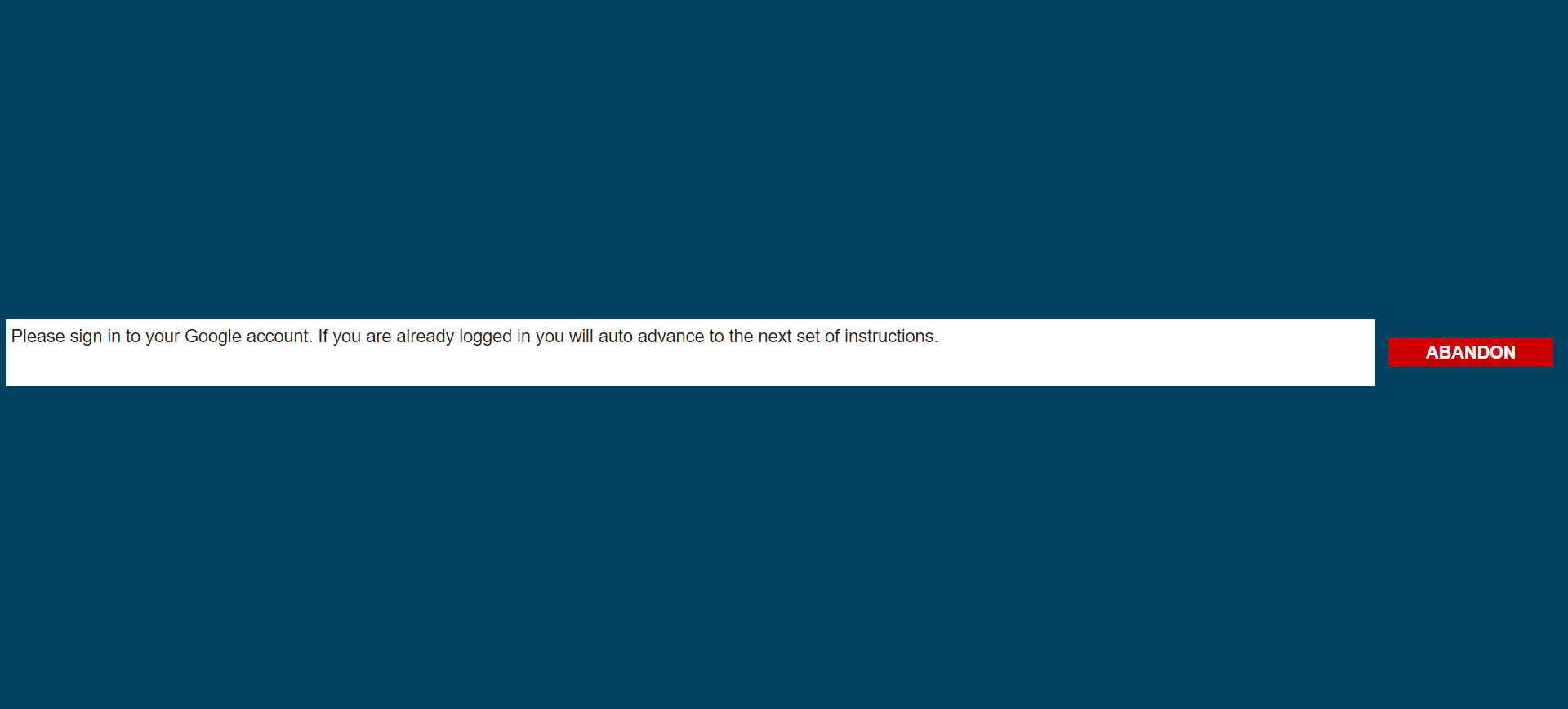
I know how they work and have successfully completed many in the past, but there was literally nothing on the page except the box with the instructions and a red abandon button - there was no 'google privacy controls' to look at, the survey was broken or didn't load properly in Chrome (ironic given the subject).zugzwang said:
You are supposed to admire the google page- a timer should appear after a bitmarmaladeatkins said:Keep getting a zoom survey over the past week or so where you have to sign in to google, but whenever I do and continue with the survey there's nothing to do and the page just says something with a button that says 'Abandon'. Doesn't make any sense, you think they'd test these things before they put them in the wild.
It's testing what you think about Google privacy controls, it's not meant to show anything interesting. The survey should continue eventually.1 -
To do bonuses 2 and 5 today
4 -
I see the Swago has the traditional problem square - eBay, on the bottom left, has no Swagbutton banner to activate.
2 -
Got the zoom survey again, this is what the browser tab looks like, nothing else at all other than the broken top box filling the entire screen (I am already signed in to Google btw):
0 -
I wonder whether some text is hidden behind that ghastly dark background? If you do Ctrl-A to highlight the whole screen, you might possibly see something.
1 -
i have four different ncraves showing some are repeating1
-
Had you signed into your google account before reaching this page? If not then you need to do that before it takes you any further.marmaladeatkins said:Keep getting a zoom survey over the past week or so where you have to sign in to google, but whenever I do and continue with the survey there's nothing to do and the page just says something with a button that says 'Abandon'. Doesn't make any sense, you think they'd test these things before they put them in the wild.0 -
I've had the survey several times now and I've done it both ways - being signed in before I even started the survey, signed in once I saw what survey it was, and even signing in when prompted to by the survey - nothing works. This isn't the first time I've had this issue with zoom surveys where the top panel/frame with the instructions takes over the entire page, or is the only frame that is shown/loaded, with absolutely no way to change or move the frame to enable the actual survey to be seen. I've tried reloading them, cookies all that mcguffin - nothing works - BUT sometimes their surveys do work and load as they are intended to. No idea why.alih71 said:Had you signed into your google account before reaching this page? If not then you need to do that before it takes you any further.0










This discussion has been closed.
Confirm your email address to Create Threads and Reply

Categories
- All Categories
- 355.9K Banking & Borrowing
- 255K Reduce Debt & Boost Income
- 456.2K Spending & Discounts
- 248.4K Work, Benefits & Business
- 606.1K Mortgages, Homes & Bills
- 179K Life & Family
- 263.9K Travel & Transport
- 1.5M Hobbies & Leisure
- 16.2K Discuss & Feedback
- 37.7K Read-Only Boards