We’d like to remind Forumites to please avoid political debate on the Forum.
This is to keep it a safe and useful space for MoneySaving discussions. Threads that are – or become – political in nature may be removed in line with the Forum’s rules. Thank you for your understanding.
📨 Have you signed up to the Forum's new Email Digest yet? Get a selection of trending threads sent straight to your inbox daily, weekly or monthly!
The Forum now has a brand new text editor, adding a bunch of handy features to use when creating posts. Read more in our how-to guide
XP to Linux Mint questions
Comments
-
Using command line code, you are interacting with the Operating system at a closer level.
I think what you are referring to as an Operating system is actually the GUI (graphical user interface) which is just another layer between you and the operating system.
Best described as when you point and click on stuff, in the background these commands are happening, its just that you dont see them.
With a GUI you are sort of restricted to the options being offered you on the screen at that time.
By using the command line you have complete control over your computer.
As i said earlier, perhaps Linux is not for you if you dont want to pull your sleeves up and do some weeding now and again 0
0 -
Norman_Castle wrote: »
I like the random screensavers. I tend to wander off during the day and finding something new on the screen is good.
The trampoline cows and the rapid colourful rectangles are current favourites.
Thanks for everyones help.
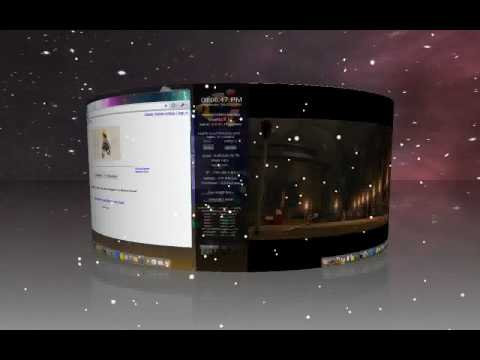
If you think those screensavers are cool, see the Compiz 3d screensaver:
Glad you sorted out your printer issue.Science isn't exact, it's only confidence within limits.0 -
sudo bash install-printer.sh
sudo gives you root privileges for the operation you're about to perform and I can't remember what the hell bash is but you need to type that or the shell script won't run. Remember what I said about not knowing but not being scared?
bash is the program that reads the commands from the shell script and carries them out. "shell script" = script for a shell, and bash is a typical CLI shell.
https://en.wikipedia.org/wiki/Shell_%28computing%29
(It was probably bash that you were speaking to when you invoked "sudo bash install-printer.sh" too. It parsed that sequence of characters, figured out what it was you were asking for, and went ahead and did it. Everything's a file, and bash doesn't much care whether the commands come from a shell-script file, or the keyboard.)0 -
Not working again!!!!!!
Printer state. Processing - Waiting for printer to become available.
The printer is available. Its done nothing for hours. !!!!ing garbage.
Edit. Printing done by using XP where the printer was available. I wonder where the problem could be?0 -
Norman_Castle wrote: »Not working again!!!!!!
Printer state. Processing - Waiting for printer to become available.
The printer is available. Its done nothing for hours. !!!!ing garbage.
Edit. Printing done by using XP where the printer was available. I wonder where the problem could be?
Did you manage to print anything other than a test page?
Is there anything in the log files (in /var/log/cups)?0 -
Obvious one: check all cables.
I will now apologise for saying that.
Next, if by chance you're printing a pdf it often takes some time before you see anything. Just give it time.
Now, below are guesses...
a) It is possible that the printer has just gone to sleep. If there's a go button or anything like that, press it and wake it up. You've probably done this, but sometimes my current Brother laser goes into a coma so I thought I'd mention it. If that doesn't work...
b) Check there's nothing stuck in the print queue. [Go to "Printers", highlight the relevant printer, right click and the option is on the drop-down menu. Delete all jobs you see and try again.] If that doesn't work...
c) Try repeating (b), then instead of trying again, turn off the printer (might have to be off at the socket), reboot the PC, turn the printer back on and now try again.
I only say that last one because it worked with an ancient, ancient Brother printer I had a few years ago. It didn't happen often, but when it did no other reasoned action clear the problem. I did work out what had caused it in the end (it was something I did that turned out to be something my printer was a bit picky about) but sorry, five or six years later I can't remember what it was.Signature on hold as I've seen no unused witty comments to plaigarise.0





 https://www.youtube.com/watch?v=LjxulPFf5Ss


This discussion has been closed.
Confirm your email address to Create Threads and Reply

Categories
- All Categories
- 353.5K Banking & Borrowing
- 254.2K Reduce Debt & Boost Income
- 455.1K Spending & Discounts
- 246.6K Work, Benefits & Business
- 603K Mortgages, Homes & Bills
- 178.1K Life & Family
- 260.6K Travel & Transport
- 1.5M Hobbies & Leisure
- 16K Discuss & Feedback
- 37.7K Read-Only Boards