Ready, steady… save!
You don’t need a chart to join in. Here are 2 ways to record your savings:
1. Cross it off
Pop a chart into your first post. Saved an amount? Cross it out! Read more »
£0.01 £0.02 £0.03
2. Write it down
Skip the chart and add updates to your first post. Read more »
“Another +£3 saved today. Go me!”
Use +£ before each new saving so it counts towards your total.
📨 Have you signed up to the Forum's new Email Digest yet? Get a selection of trending threads sent straight to your inbox daily, weekly or monthly!
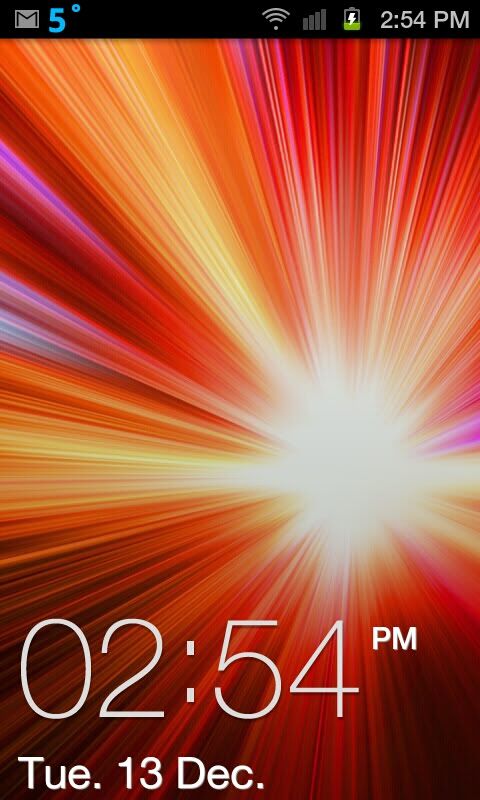
Samsung Galaxy S II screen image removal?

Comments
-
Settings, display, lock screen.That gum you like is coming back in style.0
-
Wallpaper lock screen then?That gum you like is coming back in style.0
-
You want to remove the image as thread title or do you want to remove the lock-screen .
jje0 -
It's Settings => Location & Security => Screen Lock
But I don't think it will help, as I am pretty sure you can't disable it totally, and it sounds like you already are on the most basic option.0 -
It's Settings => Location & Security => Screen Lock
But I don't think it will help, as I am pretty sure you can't disable it totally, and it sounds like you already are on the most basic option.
Thanks Rusty, that's what I was wondering if the option was there to disable it completely and not have the swipe page with any image, just the home page with all the apps showing.
Thanks everyone for replying 0
-
If you have titanium backup you can remove the relevant system app its runs off so it uninstalls that feature although i cant remember the name of it.0
-
Try Go Locker - I think it has an option to unlock it with the Home button, so then it would just be two clicks (one on, one lock screen) to get through it.
Or try Widget Locker and make the lock screen useful 0 -
Try Go Locker - I think it has an option to unlock it with the Home button, so then it would just be two clicks (one on, one lock screen) to get through it.
Or try Widget Locker and make the lock screen useful
Thank you Stugib, I will have a look for either of those in the Android store 0 -
As stugib says there's a lot of apps that will replace the lock screen, personally I've setup a lock pattern (through Location & Security ) which I have to draw on the screen before the screen is unlocked, that way if I ever lose my phone I don't need to worry about other people accessing my email/whatever before I change my passwords.0






This discussion has been closed.
Confirm your email address to Create Threads and Reply

Categories
- All Categories
- 356K Banking & Borrowing
- 255K Reduce Debt & Boost Income
- 456.3K Spending & Discounts
- 248.5K Work, Benefits & Business
- 606.2K Mortgages, Homes & Bills
- 179.1K Life & Family
- 264K Travel & Transport
- 1.5M Hobbies & Leisure
- 16.2K Discuss & Feedback
- 37.7K Read-Only Boards