We’d like to remind Forumites to please avoid political debate on the Forum.
This is to keep it a safe and useful space for MoneySaving discussions. Threads that are – or become – political in nature may be removed in line with the Forum’s rules. Thank you for your understanding.
too many notifications





Hi, how can I delete notifications from newspaper websites etc. (for example an article on Bezos from Fortune) on my Android? I only want notifications for emails, whatsapp and some websites. Thanks.
Comments
-
Touch and hold the notification, you'll be presented with some choices, one of which is to stop all notifications from this source.
You can also go to Settings, Notifications, App notifications and turn on/off for each app on your phone.
2 -
Press and hold an unwanted notification when it appears, then choose Unsubscribe or the settings cog.
1 -
As above, you can disable app notifications.
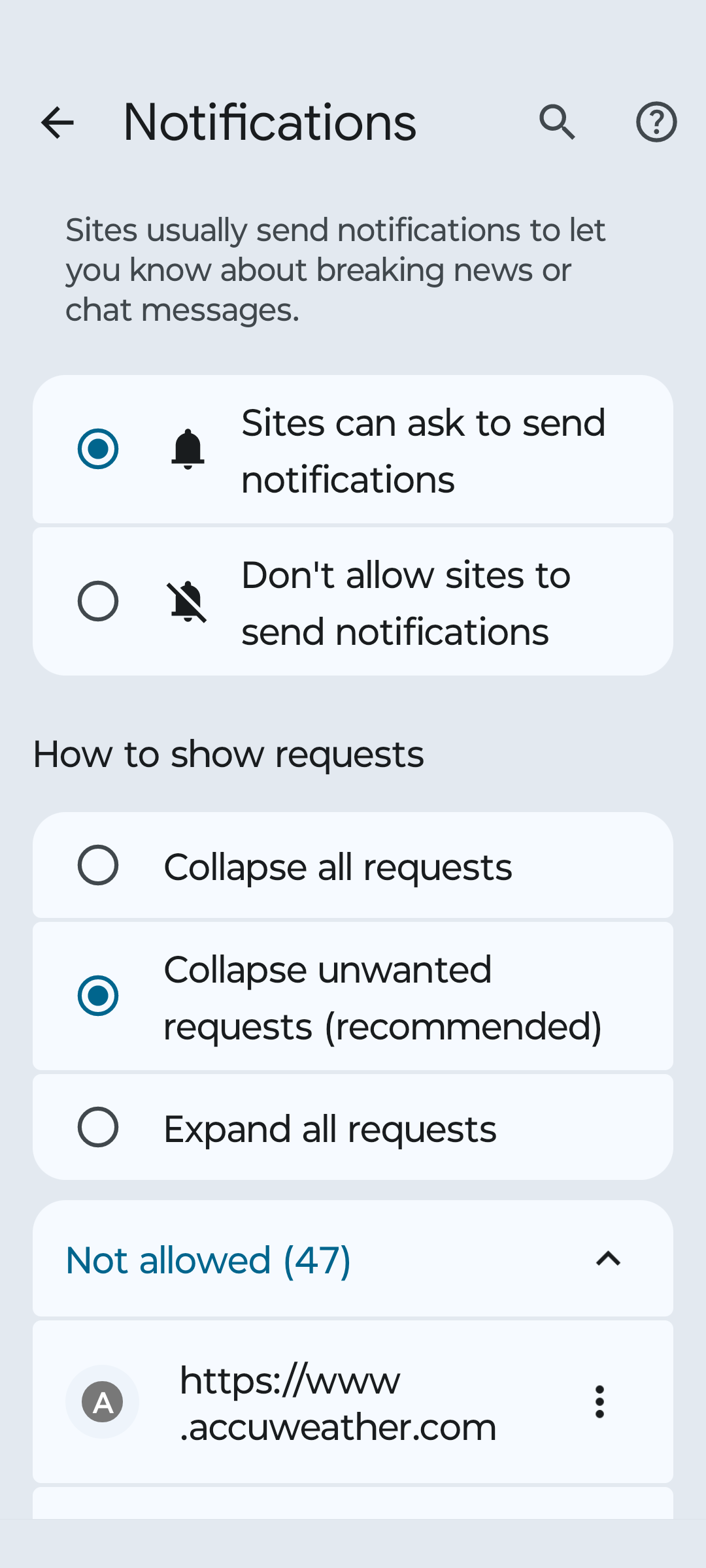
If you are receiving notifications from websites (which can be changed in a slightly different way) you can either disable notification permissions for your web browser app as suggested, or you can delete the different requests from inside the web browser settings.
For example, I use chrome and I can go to Privacy and Security > Site Settings > Notifications and then remove the ones I don't want.
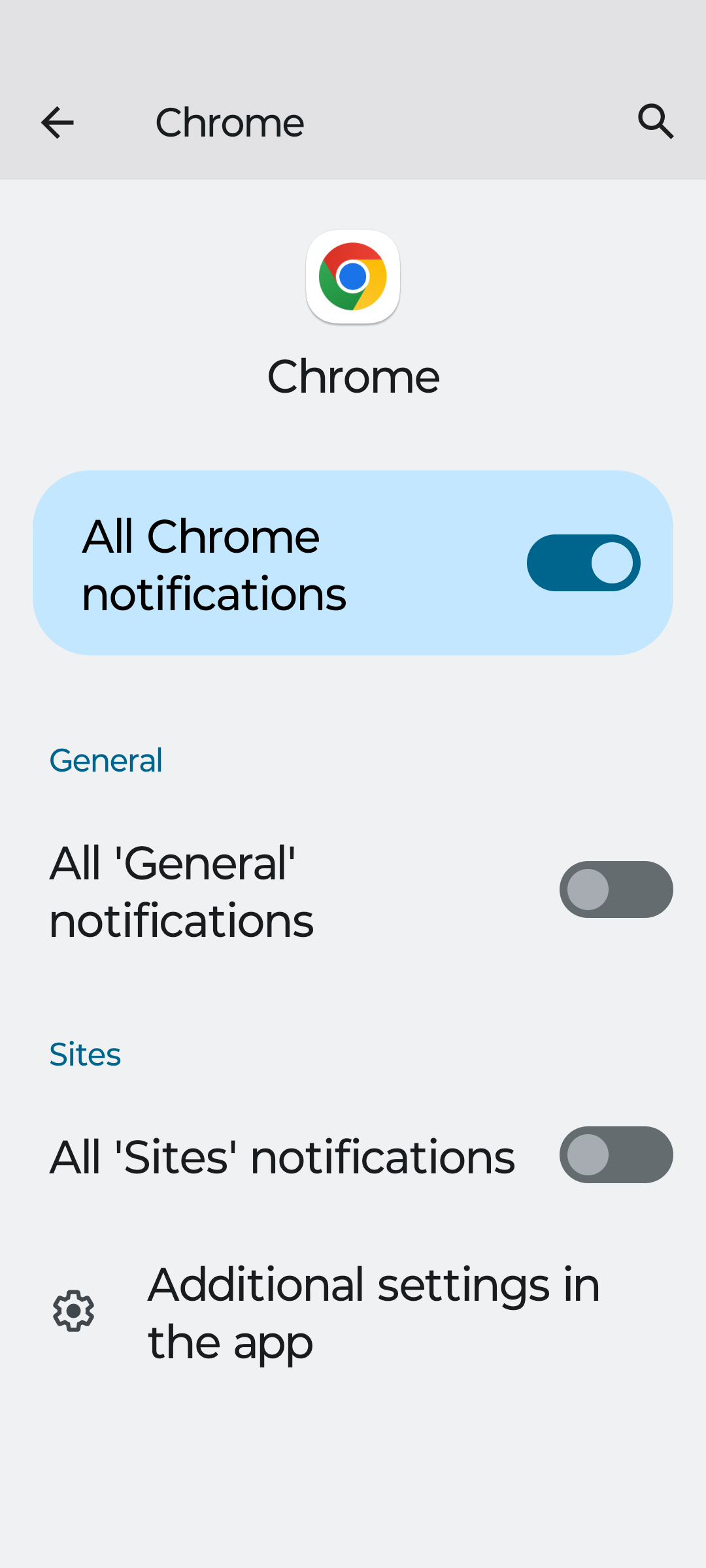
Of course if you're using a different browser then you'd do this in a different way but as above, and if you want the easy way (e.g. disable ALL notifications sent by the web browser), hold the app icon, click the little 'i' in the top right corner, then change notifications to disabled.
This also applies to other apps, however I would recommend you shouldn't just disable notifications entirely for most apps, as most allow you to change notification settings inside the app, so you don't get marketing notifications, but you still get the notifications you want (e.g. order updates, messages, etc). Of course there are some apps you don't want to receive notifications for for any reason.
Know what you don't1 -
You can disable em in your browser(if you subscribe to smth) and in Settings > Notification
1 -
Thanks, neither work. In Settings, Notifications are off but I still get the articles.
0 -
Same as above, unless I don't use the word notification correctly. I get the small icon as I do for whatsapp, email and others I want to receive. Attached screenpictures from Chrome notifications.
0












Confirm your email address to Create Threads and Reply

Categories
- All Categories
- 355.7K Banking & Borrowing
- 254.9K Reduce Debt & Boost Income
- 456.1K Spending & Discounts
- 248.3K Work, Benefits & Business
- 605.9K Mortgages, Homes & Bills
- 179K Life & Family
- 263.7K Travel & Transport
- 1.5M Hobbies & Leisure
- 16.2K Discuss & Feedback
- 37.7K Read-Only Boards