We’d like to remind Forumites to please avoid political debate on the Forum.
This is to keep it a safe and useful space for MoneySaving discussions. Threads that are – or become – political in nature may be removed in line with the Forum’s rules. Thank you for your understanding.
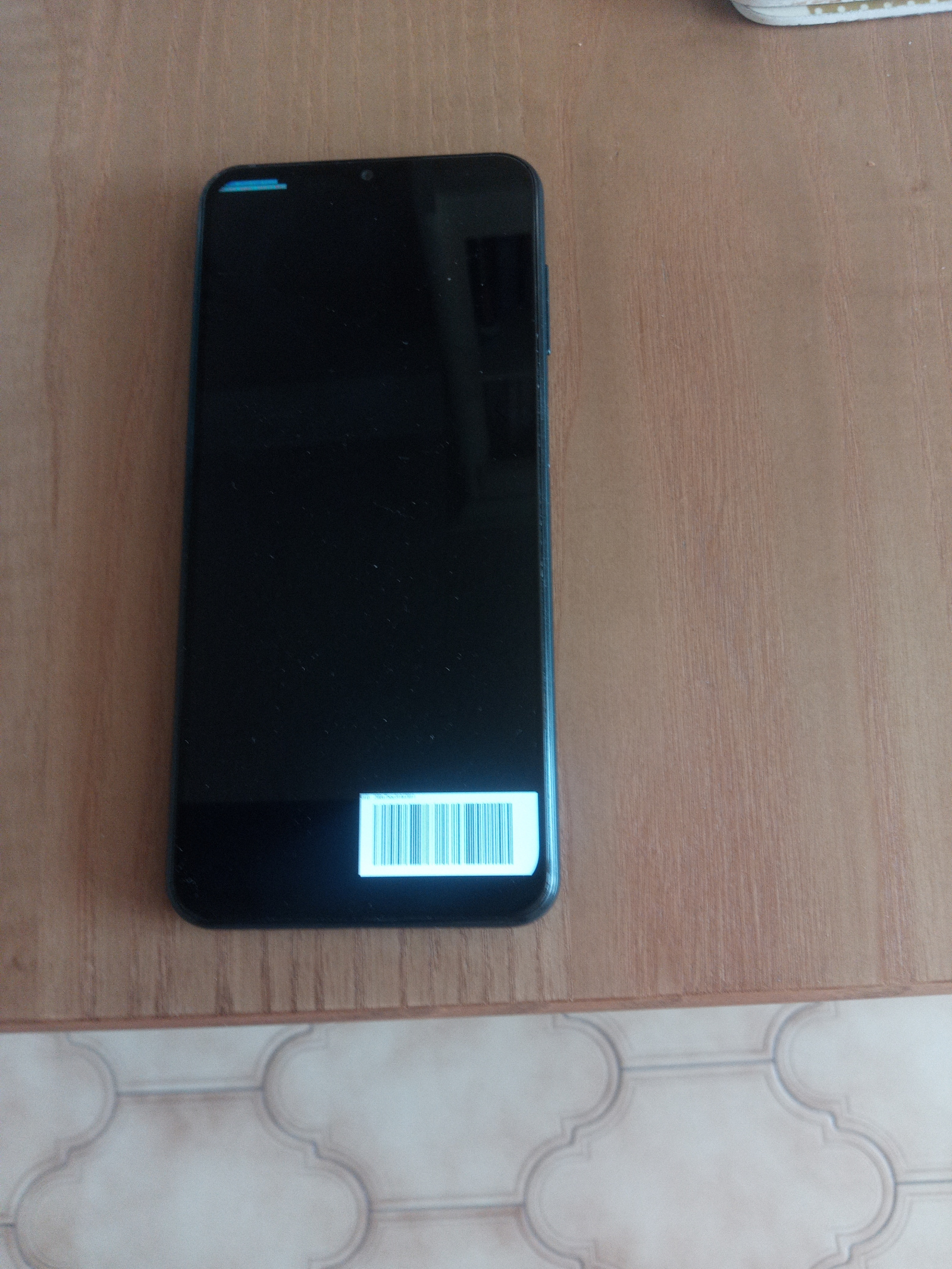
Samsung m13 phone will not boot





Help
Switched phone on from sleep not deep sleep and the above image was on screen.
It would appear boot load failed.
I have tried every combination of volume up/down and power buttons.
Holding all for 30 seconds then volume up and power, in fact every combination I could think of with no change.
I have accepted all data will be lost so all I want to do is restore to factory settings.
Anyone help,thanks
Comments
-
Have you tried connecting to a computer with a cable and seeing if the computer recognises the device?
0 -
That screen looks more like the phone has got stuck in download/bootloader mode rather than being completely dead.
Might be worth trying a forced reboot first by holding power + volume down together for a good 20–30 seconds continuously.
If that still doesn’t work, searching the exact phone model + “recovery mode” on YouTube is usually the quickest way as the button combinations vary a lot by manufacturer.
0 -
Yes the computer bleeps but there is no indication of a new device connected.
0 -
I have tried every combination including volume down and power until my fingers ached.
0 -
First of all I'm not sure what you mean by sleep and deep sleep.
The phone is either on, in standby or off. In standby a light touch on the side button turns the screen back on. When it's off, holding the side button for a few seconds turns the phone back on.
Anyway, the picture isn't particularly clear, but your phone seems to be in Download mode. This means you must have pressed and held the side button plus volume down for some time.
To get out of download mode you should press and hold the side button and volume down at the same time for at least ten seconds.
The only other way is to download a piece of software from Samsung called Odin. But that is quite technical.
0 -
Any chance the volume switch has become stuck/bust?
If it's proper dead then a trip to the High Street repairer's might be best.
0








Confirm your email address to Create Threads and Reply

Categories
- All Categories
- 355.8K Banking & Borrowing
- 254.9K Reduce Debt & Boost Income
- 456.1K Spending & Discounts
- 248.3K Work, Benefits & Business
- 605.9K Mortgages, Homes & Bills
- 179K Life & Family
- 263.7K Travel & Transport
- 1.5M Hobbies & Leisure
- 16.2K Discuss & Feedback
- 37.7K Read-Only Boards