We’d like to remind Forumites to please avoid political debate on the Forum.
This is to keep it a safe and useful space for MoneySaving discussions. Threads that are – or become – political in nature may be removed in line with the Forum’s rules. Thank you for your understanding.
Solved. New win 11 laptop - win explorer keeps popping up on start up.




OK, I've tried solving this myself, using web advice, but nothing I try works.
I've turned off Autoplay and have made sure it's not in the start menu.
I've seen advice to try disabling it in Process Manager but there is no disable option for it.
Also, I see Ai advice like "Disable Folder Restoration: Open File Explorer, click the three dots (...) in the menu bar, select Options > View tab. Uncheck "Restore previous folder windows at logon"."
But the "Restore previous folder …." option isn't there.
Any magic up-to-date solution for this?
Thanks.
Comments
-
Check Settings, Startup Apps.
1 -
There's this "Automatically open….." in Settings for Edge
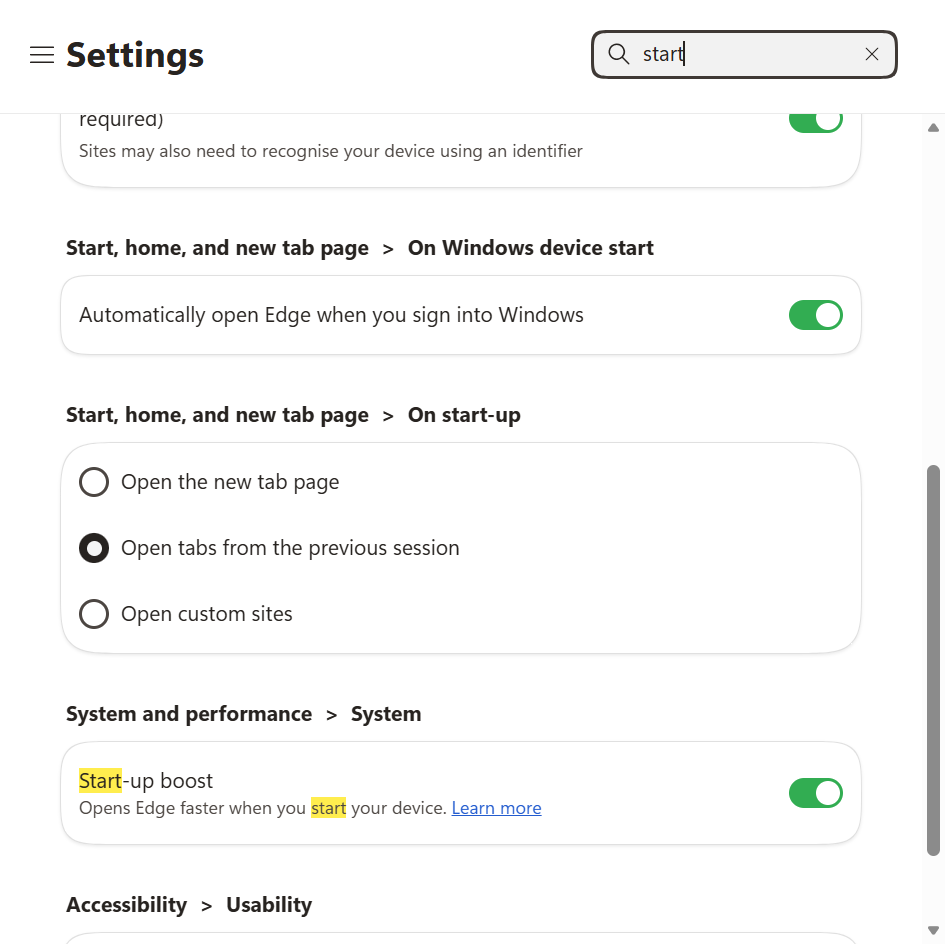
Might that help (not a habitual Edge user)?
1 -
Also in Settings, System, Multi-tasking, turn off "Snap windows"
The "Snap windows" is that annoying Windows 11 feature where when you move a running program window near the edge of the screen it tries to shift everything around…
1 -
Thanks everyone. This has been fixed now - a young relative has just visited and noticed that the path shown on the explorer window was to a startup folder. When this target folder was deleted, all was well.
Thanks again.
2





Confirm your email address to Create Threads and Reply

Categories
- All Categories
- 355.8K Banking & Borrowing
- 254.9K Reduce Debt & Boost Income
- 456.1K Spending & Discounts
- 248.3K Work, Benefits & Business
- 605.9K Mortgages, Homes & Bills
- 179K Life & Family
- 263.7K Travel & Transport
- 1.5M Hobbies & Leisure
- 16.2K Discuss & Feedback
- 37.7K Read-Only Boards