Ready, steady… save!
You don’t need a chart to join in. Here are 2 ways to record your savings:
1. Cross it off
Pop a chart into your first post. Saved an amount? Cross it out! Read more »
£0.01 £0.02 £0.03
2. Write it down
Skip the chart and add updates to your first post. Read more »
“Another +£3 saved today. Go me!”
Use +£ before each new saving so it counts towards your total.
📨 Have you signed up to the Forum's new Email Digest yet? Get a selection of trending threads sent straight to your inbox daily, weekly or monthly!
Bitwarden: Update your encryption settings




I get this message when I open Bitwarden on mobile (but not PC).
I'm immediately met with a prompt to enter master password (rather than biometrics - and a hard reset of the phone doesn't change that this time).
Once I do that and unlock Bitwarden I'm met with the title message
The new recommended encryption settings will improve your account security. Enter your master password to update now.
So I do that and get…
An error has occurred while trying to update your kdf settings. Please try again or contact us.
I know it's saying contact them but anyone else have this? Is it an app bug?
Android, latest version.
🤐🤐🤐
Comments
-
What version of the app do you have? (Settings, About)
0 -
Are you accessing Bitwarden via the browser rather than the app? If so are you trying to log in using the .com version rather than the .eu one? That's one of my favourite bloops…
If the above is nonsense can you update the encryption settings via your desktop?
https://bitwarden.com/help/kdf-algorithms/#changing-kdf-algorithms
0 -
When I said latest version I meant that when I go to the Play Store & check updates, there is no update available.
Version 2026.3.1
The very first sentence of my post says how I'm accessing it.
To clarify what I said though - I'm getting this error when I use the APP on my mobile but i do not get this error when I use Bitwarden on PC, it just works.
To clarify further - I don't use Bitwarden via a browser when I use it on a PC.
And to finish off - Windows 10.
🤐🤐🤐
0 -
To clarify further - I don't use Bitwarden via a browser when I use it on a PC.
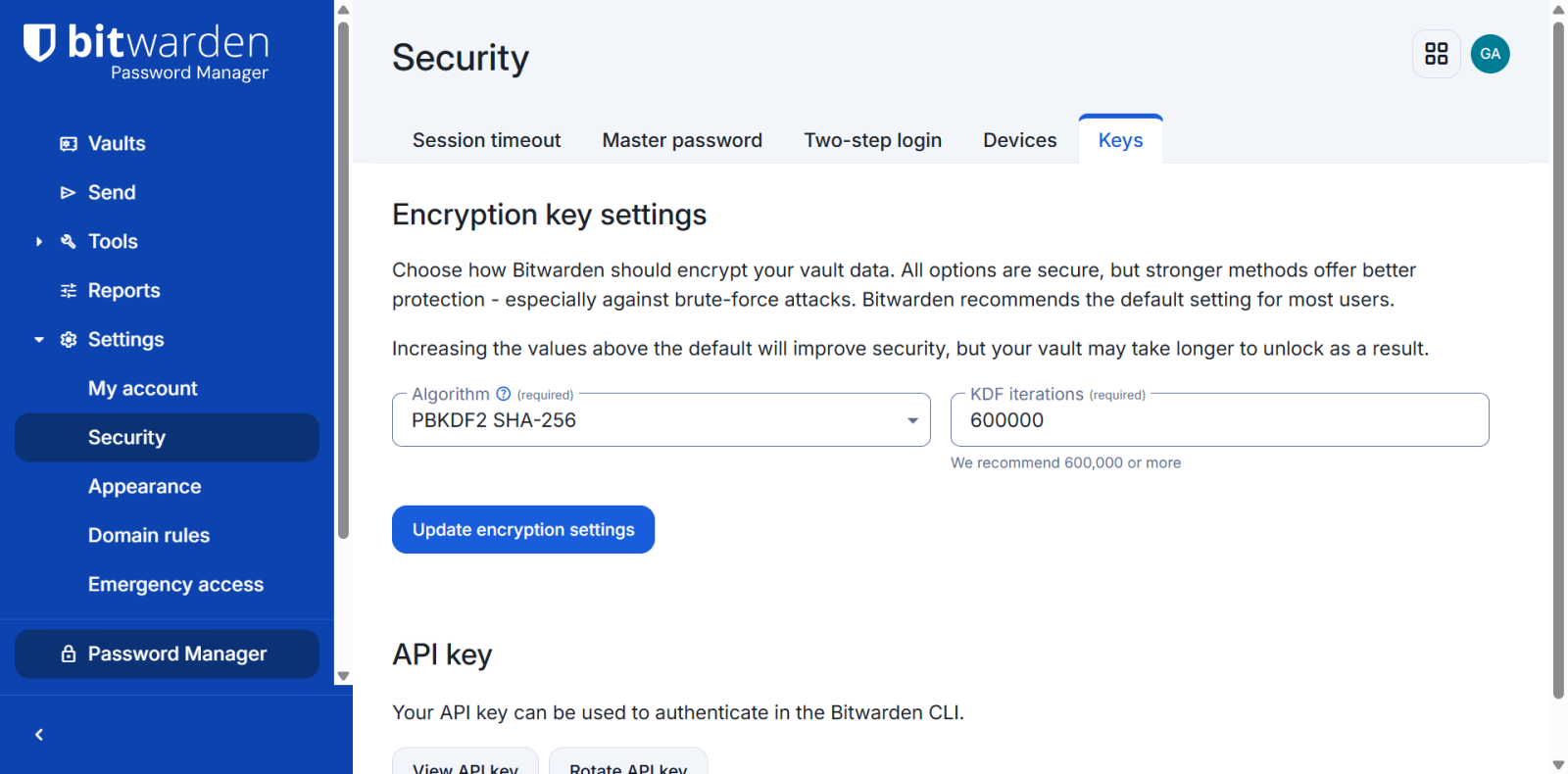
You could try seeing if your encryption key settings need updating
you do need to log into the web version to do this
See if the settings look like this - particularly that iterations number
 0
-
They are upgrading to the newer Argon2 encryption apparently…..If you uninstall from your phone and then reinstall and log in it should solve the problem.
Drinking Rum before 10am makes you
A PIRATE
Not an Alcoholic...!1 -
Mine looks exactly like yours.
I'll give that a shot. I did think about it but anything like that was sort of last resort really.
🤐🤐🤐
0




Confirm your email address to Create Threads and Reply

Categories
- All Categories
- 355.9K Banking & Borrowing
- 255K Reduce Debt & Boost Income
- 456.2K Spending & Discounts
- 248.4K Work, Benefits & Business
- 606.1K Mortgages, Homes & Bills
- 179.1K Life & Family
- 264K Travel & Transport
- 1.5M Hobbies & Leisure
- 16.2K Discuss & Feedback
- 37.7K Read-Only Boards