We’d like to remind Forumites to please avoid political debate on the Forum.
This is to keep it a safe and useful space for MoneySaving discussions. Threads that are – or become – political in nature may be removed in line with the Forum’s rules. Thank you for your understanding.
📨 Have you signed up to the Forum's new Email Digest yet? Get a selection of trending threads sent straight to your inbox daily, weekly or monthly!
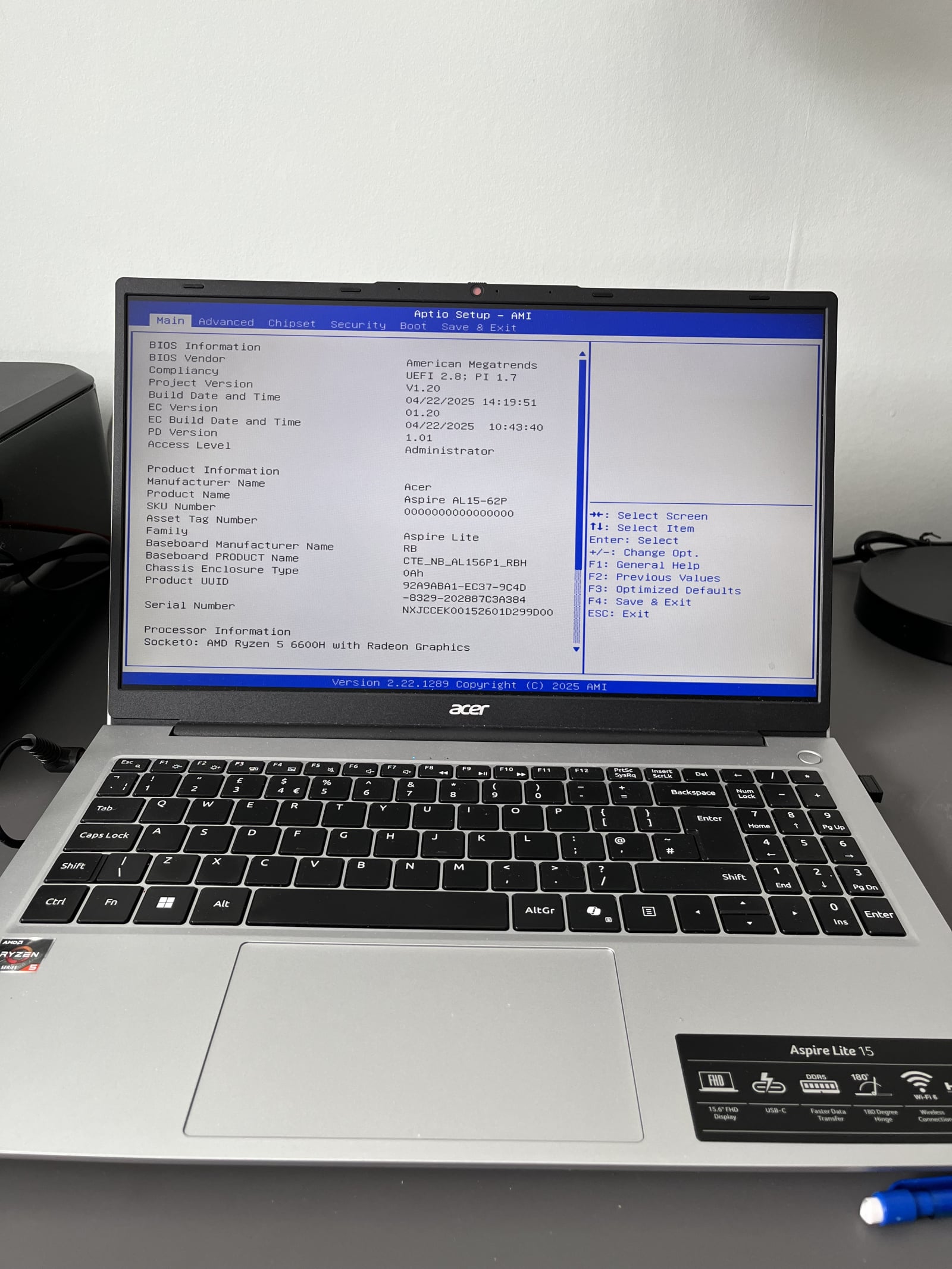
Aptio Setup - AMI




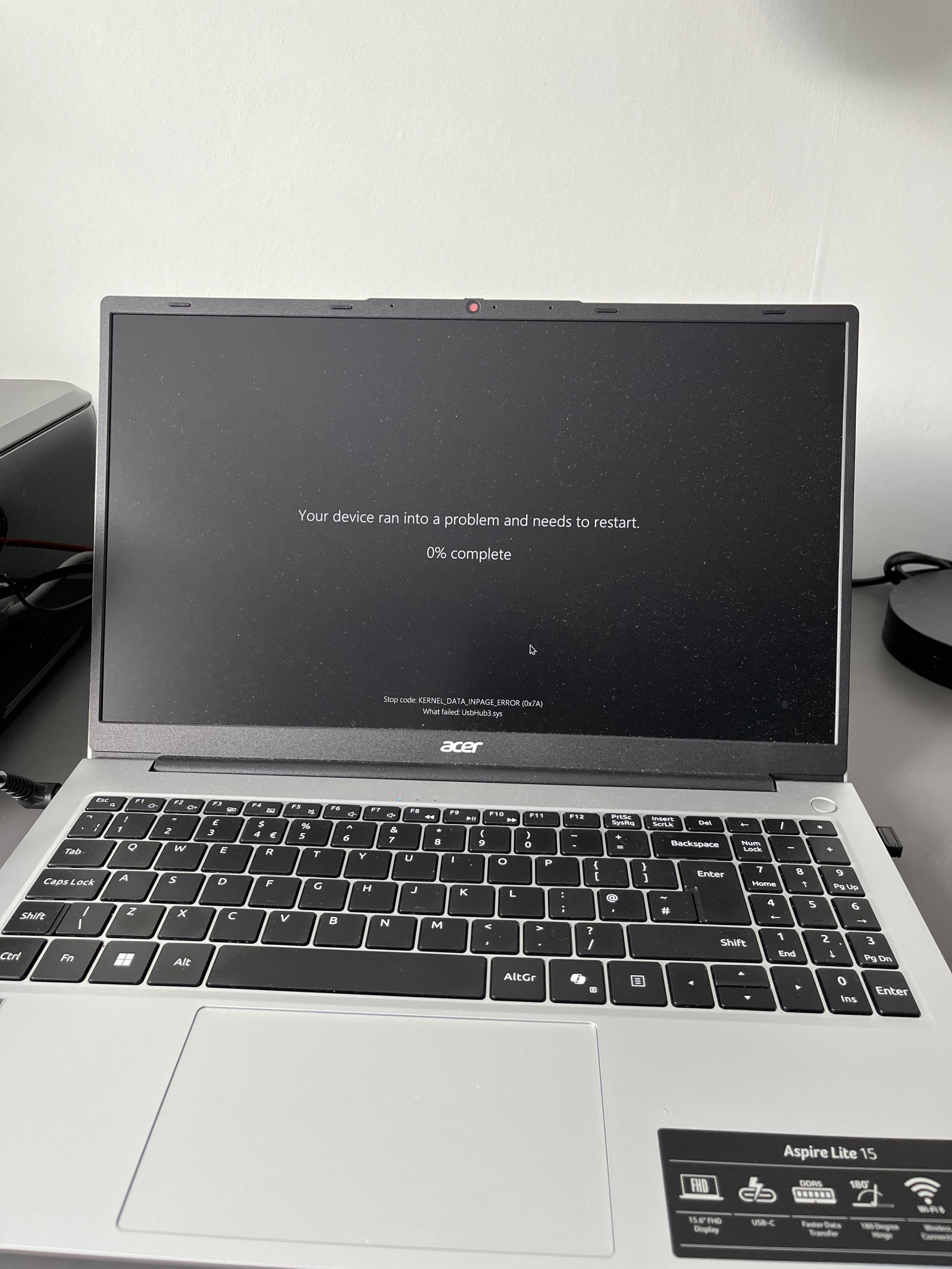
6 month old Acer Aspire Lite 15 laptop Windows 11. Wireless Logitech mouse not working this afternoon so as usual I unplugged USB & plugged it in again. Twice. Then got Black screen with message as in 1st photo. A few minutes later got Aptio Setup - AMI screen as 2nd photo
I don’t have a clue what any of it means or what I’m supposed to do.
Please can someone talk me through this, in very simple language
EDIT I did try a google search, but don’t understand the replies.
Comments
-
Kernel_Data_Inpage_Error is usually data corruption and can be a sign of corrupt memory or a failing hard drive. If it is only six months old it should be covered under warranty if it is a hardware failure. A software issue that's caused this (such as with your mouse dongle) then you're on your own to an extent, but you should be able to reset the laptop if that's the case, though anything data wise on the computer will go bye bye.
If the laptop is on the 2nd photo, press F10 and then save changes. It should reboot and if all's well it should boot up as normal.
1 -
I'd suggest -
- Power off fully (not restart)
- Remove the Logitech USB receiver
- Power back on
Then:
- Does Windows 11 boot normally?
- If yes → likely USB-triggered crash
- If no → more serious (SSD storage/boot issue), warranty repair
1 -
Thank you
Yes the laptop is still as on 2nd photo. If I do as you suggest and it doesn’t reboot as normal, will I have made it any worse?
Do you mean just switch it off with the power button?
(I won’t be doing anything tonight as its been a very long day already)0 -
That's the laptops bios, it's what enables the computer to boot up before starting the actual operating system. It's been awhile since I've been into one but if it is F10 then no, it can't break anything, although I'd hit F4 perhaps myself. Either way it'll be fine.
You can shutdown down fully rather than going into standby by holding down the power button for 10 seconds.
Whilst you're in the bios can you navigate around (both up and down and the different screens) and see if anything is reported as a fault?
1 -
Thank you for this. I used to be reasonably tech savvy but @ 76 my processing powers & confidence are not what they were.
I haven’t done anything yet but yesterday I could move across the top tabs using Left Right arrows. I didn’t try anything else. Not sure I would recognise anything as a fault.0 -
I would try F3 & then F4 to save & exit and see if it reboots then.
1 -
Update
This morning when I tried to turn laptop on, power light came on briefly then went off again. Battery had been around 60% when problem started just after 16.00. As a precaution I left laptop plugged in via TAPO, set on ‘Away’ schedule which is enough to keep it & old iPhone charged to about 75% when we’re away from home.
Anyhow, once plugged in, laptop restarted itself and after recovering docs which were open when it threw up the Error message, all seems to be working as before, even the mouse in the same USB port. Battery was extremely low so something must have happened overnight to drain it We also lost internet around 23.00. No idea when it came back on but it probably didn’t help.
I’ve copied all vital docs to external hard drive & old laptop but next task is to get to grips with Cloud storage. I want keep docs on laptop but appreciate the value of an offline backup.Thanks again to everyone who helped. I will keep this thread in case it happens again.
1



Confirm your email address to Create Threads and Reply

Categories
- All Categories
- 355.8K Banking & Borrowing
- 254.9K Reduce Debt & Boost Income
- 456.2K Spending & Discounts
- 248.3K Work, Benefits & Business
- 605.9K Mortgages, Homes & Bills
- 179K Life & Family
- 263.8K Travel & Transport
- 1.5M Hobbies & Leisure
- 16.2K Discuss & Feedback
- 37.7K Read-Only Boards