We’d like to remind Forumites to please avoid political debate on the Forum.
This is to keep it a safe and useful space for MoneySaving discussions. Threads that are – or become – political in nature may be removed in line with the Forum’s rules. Thank you for your understanding.
📨 Have you signed up to the Forum's new Email Digest yet? Get a selection of trending threads sent straight to your inbox daily, weekly or monthly!
Is there a way to try & repair corrupt images?




Having a sort out of my PC which is going to be a long process. Got to 1 folder & there's 2 images I have in a folder which are corrupt. I don't remember this always being the case.
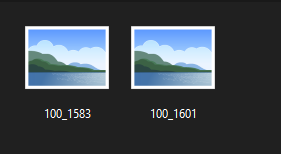
The date stamps on them are accurate, the file sizes are what I would expect (700kb & 1mb) but the thumbnails show nothing & when clicking they show nothing.
Is there some software wizardry that can help rectify this?
🤐🤐🤐
Comments
-
I thought I'd go for the simple option first.
Can you right click on them and select properties, if so what program are they set to open with and have you still got that program on the computer?
You dont say what the OS is. If its a windows pc setting them to open with photos should be OK it should have come as standard in windows 10 or maybe a bit further back.
1 -
Windows 10.
All these files came from my old Kodak digi cam. There's say 30 images in the folder, 28 are perfectly fine but then there's these 2.
I use Windows Photo Viewer (if that's what the Windows 7 app was called) to open images. I remember when setting W10 up I didn't like the default image viewer so had the W7 one installed which is what I use & have used since I moved to W10 6yrs ago.
I'm at work right now so some stuff I can't answer.
🤐🤐🤐
0 -
Do you know for sure that these two images were ever correctly stored on your windows PC? Did you open them all after they were transferred from the digi cam?
If they were not correctly transferred across, there may not be any information there to restore.
Do yo know the file sizes for these two files, and how do they compare to the files you can see?
No reliance should be placed on the above! Absolutely none, do you hear?0 -
No guarantees, but try this:
Irfanview can often open 'damaged' images that other viewers can't/won't open.
If it can open them, then saving them from Irfanview will 'repair' them so that other viewers will then be able to open them too.https://www.irfanview.com/
1 -
First of all. What file type are they?
Control Panel / File Explorer options / View
Scroll down and untick the box 'Hide file extensions for known file types'This should give you a suffix .PNG .JPG etc.
If there isn't one, then you'll need to attach a suffix.1 -
Nope I can't say for 100% sure that they were ever correctly stored on the PC & it's been that long I don't know if I ever opened them or whether I just marked it as - ok those 2 aren't working I'll look in to trying to sort that at a later date & now is that later date (for most people later date is in a day or week or two. For me it's years later).
*583 is 791kb, *601 is 1.07mb. These file sizes are in & about all the other files in the folder that came from the camera.
Difference is, looking at the info in the right pane, all the other photos have the camera info listed whereas these two don't.
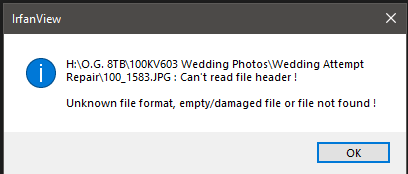
File type in the above screenshot
🤐🤐🤐
0 -
have you tried scanning drive h: for errors?
0 -
@Newcad thanks for reminding me about irfanview. I had it on the old computer and had forgotten about it. Just contemplating whether to go for exe or app, leaning towards the exe as its usually fuller featured?
0 -
A paid for recovery program called Stellar seems to top several of the best of lists. Note its not something I tried so at your own risk obviously. Its whether its worth it for 2 pictures, hopefully some of the others in the folder provide an overlap?
Back in the XP days I had a go to program for recovery I think it was spinright ??
0 -
No.
The last time I had a drive involved with scanning I ended up LOSING a lot of files.
Could this be set to folder recovery or is it for whole hard drive only?
🤐🤐🤐
0







Confirm your email address to Create Threads and Reply

Categories
- All Categories
- 355.8K Banking & Borrowing
- 254.9K Reduce Debt & Boost Income
- 456.2K Spending & Discounts
- 248.3K Work, Benefits & Business
- 605.9K Mortgages, Homes & Bills
- 179K Life & Family
- 263.8K Travel & Transport
- 1.5M Hobbies & Leisure
- 16.2K Discuss & Feedback
- 37.7K Read-Only Boards