We’d like to remind Forumites to please avoid political debate on the Forum.
This is to keep it a safe and useful space for MoneySaving discussions. Threads that are – or become – political in nature may be removed in line with the Forum’s rules. Thank you for your understanding.
Text Editor: URLs not automatically clickable




What I did:
Pasted a URL in a post.
What Should happen:
The URL should automatically become a live clickable link without any further interaction.
What happened:
The URL just pasted as un-clickable plain text
Why it matters:
I realise there is a button to make a link clickable but we shouldn’t have to do this. It’s extra steps for no reason. It’s also not intuitive. A casual user with little forum knowledge shouldn’t have to read instructions.
Device/Browser:
iPhone/Safari
Comments
-
You just need to press Enter or Space after pasting to trigger it being converted to a link. This helps avoid the issue of punctuation being captured as part of the link (Such as http://www.example.com)
0 -
test…
Ok, that sort of works, apart from it processing the link into a button as above (I typed https:// www.example.co.uk without the space and then pressed return). So extra steps are still needed if I want it to show the text of the link. I think someone else may have already pointed this out?
1 -
How strange! I’ve come back and the button is gone, my URL is now text. 🤷♂️
0 -
Now I'm looking on a PC it is showing as a button again! Very inconsistent behaviour.
0 -
I can't reproduce that, but I have an observation: the example.co.uk domain isn't actually registered, so it is redirecting to theukdomain.uk
I wonder if this is the origin of the strangeness, since the editor seems to follow the link to get the favicon and site title when rendering the link.
Whereas is a real website used for testing.
0 -
On PC/Google Chrome, the link I posted above is always a button. On my phone/Safari, it is sometimes a button, sometimes just text so there appears to be an intermittent bug on Safari.
I would prefer to not have the button rendered by default but I guess that's as per design so I'll have to live with it.
0 -
If you want a workaround (and can be bothered), you can attach the link to some text in your post, including the url without the https:// for example www.example.com
0 -
Yes, I realise there is an option to do that, I just think it should be text by default and the option should be to include a button if wanted.
1 -
Alternatively include a space at the beginning of the text you wish to hyperlinking. E.g if I entered the link below
https://forums.moneysavingexpert.com/discussion/6652858/the-top-regular-savers-discussion-thread/p1
To avoid it becoming a button I just highlight it as soon as I've finished typing it then add a space at the beginning or end of the text to display box. This allows you to get a link that's hyperlinked but doesn't become a button (as seen above).
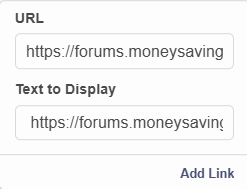
I've done this quite a few times.
1 -
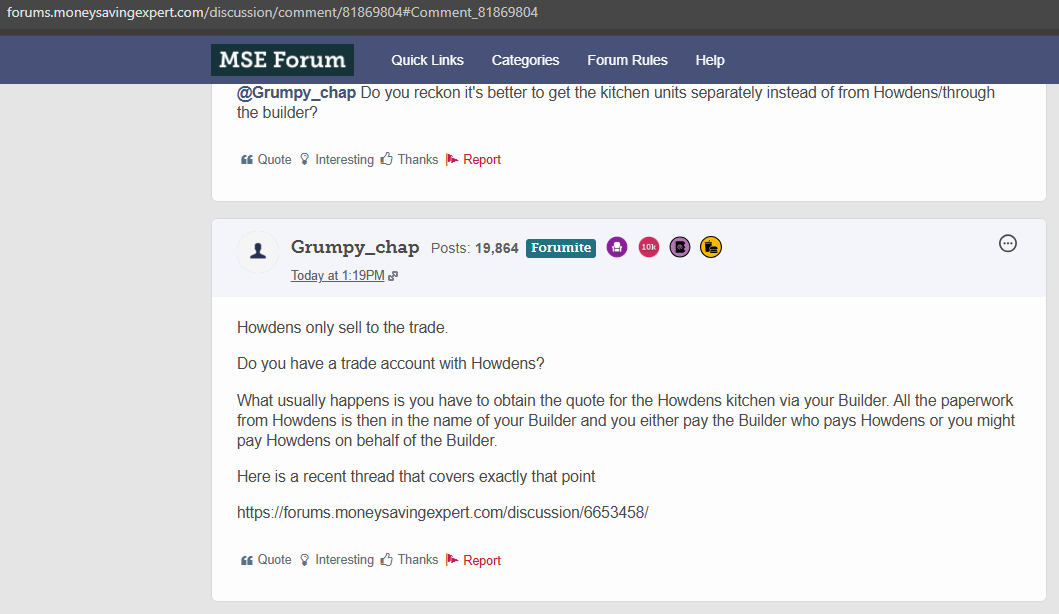
Here is an example of a link to another thread in the forum where the link does not work. A reader would need to copy the link to their address bar:
 0
0




Confirm your email address to Create Threads and Reply

Categories
- All Categories
- 355.7K Banking & Borrowing
- 254.9K Reduce Debt & Boost Income
- 456.1K Spending & Discounts
- 248.3K Work, Benefits & Business
- 605.8K Mortgages, Homes & Bills
- 179K Life & Family
- 263.6K Travel & Transport
- 1.5M Hobbies & Leisure
- 16.2K Discuss & Feedback
- 37.7K Read-Only Boards