We’d like to remind Forumites to please avoid political debate on the Forum.
This is to keep it a safe and useful space for MoneySaving discussions. Threads that are – or become – political in nature may be removed in line with the Forum’s rules. Thank you for your understanding.
📨 Have you signed up to the Forum's new Email Digest yet? Get a selection of trending threads sent straight to your inbox daily, weekly or monthly!
Problem With New rinter

laserbeam
Posts: 184

 Forumite
in Techie Stuff
I have just bought a new printer which is a canon model number TS3750i the problemis it came with no Setup or Installation instructions and I wondered if someone on could maybe loate info and forward it to me otherwise willhave to return the printer.Thanks for reading this
0
Comments
-
I think you need a new keyboard too

Manual can be found here: https://www.canon.co.uk/support/consumer/products/printers/pixma/ts-series/pixma-ts3750i.html?type=drivers5 -
Surely there was a link in the documentation pointing to the setup instructions?
Where did you buy it and was the box sealed?0 -
I find a google search for a Youtube or other video to be helpful, there seems to be plenty. Perhaps it's because I am more a visual learner but watching and pausing someone install or fix something is to me, easy to follow.laserbeam said:I have just bought a new printer which is a canon model number TS3750i the problemis it came with no Setup or Installation instructions and I wondered if someone on could maybe loate info and forward it to me otherwise willhave to return the printer.Thanks for reading this
I’m a Forum Ambassador and I support the Forum Team on the eBay, Auctions, Car Boot & Jumble Sales, Boost Your Income, Praise, Vents & Warnings, Overseas Holidays & Travel Planning , UK Holidays, Days Out & Entertainments boards. If you need any help on these boards, do let me know.. Please note that Ambassadors are not moderators. Any posts you spot in breach of the Forum Rules should be reported via the report button, or by emailing forumteam@moneysavingexpert.com.All views are my own and not the official line of MoneySavingExpert.0 -
I've got that model and from what I remember I don't think there is much (anything?) in the way of paper instructions - there is a url somewhere in/or the box that you get up on a computer/device and then you follow the instructions on the link in combination with the display on the printer itself.1
-
Cannon seem to think its just plug in & play.
Do these help you?
https://www.canon.co.uk/printers/pixma-ts3750i-series/
https://ij.manual.canon/ij/webmanual/WebGS/WGS2/wgs_select_sg.html?lng=en&type=setup&area=eu&mdl=TS3750i&os=w&osver=10.0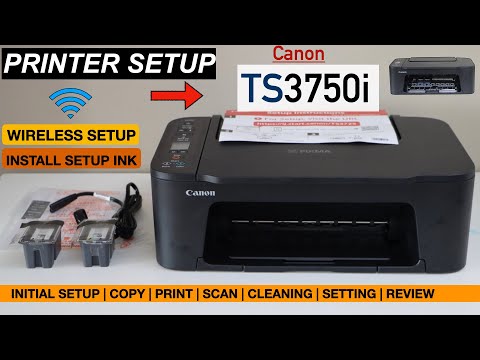 https://www.youtube.com/watch?v=uHwdUcCm4_w 1
 -
Someone's already taken the PMeteredOut said:I think you need a new keyboard too
Let's Be Careful Out There4 -
I have an earlier model, they are very easy to set up. Unpack it carefully and switch it on. Using the panel on the front of the printer locate the settings page and join it to your WiFi network. All your devices (phones/tablets/PC/laptop/macbooks) will locate it. You can also download software from the website to enable scanning and so on.
Kind Regards,
Bill1









Confirm your email address to Create Threads and Reply

Categories
- All Categories
- 355.8K Banking & Borrowing
- 254.9K Reduce Debt & Boost Income
- 456.2K Spending & Discounts
- 248.3K Work, Benefits & Business
- 605.9K Mortgages, Homes & Bills
- 179K Life & Family
- 263.8K Travel & Transport
- 1.5M Hobbies & Leisure
- 16.2K Discuss & Feedback
- 37.7K Read-Only Boards