We’d like to remind Forumites to please avoid political debate on the Forum.
This is to keep it a safe and useful space for MoneySaving discussions. Threads that are – or become – political in nature may be removed in line with the Forum’s rules. Thank you for your understanding.
📨 Have you signed up to the Forum's new Email Digest yet? Get a selection of trending threads sent straight to your inbox daily, weekly or monthly!
WIRED Keyboard applying spaces without space being touched!
Comments
-
I do have a TV with a USB port yes, no other computer though. Well, I have an old laptop I use for when needing to plug diagnostics in to the car.sausage_time said:Do you have another computer you can try it on? Maybe your TV has a USB port so you could even try that perhaps?
It's erratic though. I haven't clocked a wrong space since this morning but then I could just as easily get a couple in a short timeframe.
Point being, I could be sat there for ages just typing away waiting on it happening & it doesn't happen.
Then it'd be a case of is it not happening because it's my PC & not the keyboard or is it just not happening....yet?
With the space bar yes, 100%.born_again said:You 100% sure you are not catching the space bar while typing?
With the o situation, no, 50%.
Was the first thing I did after plugging it in.Lorian said:Don't know much about this model - have you tried installing ghub and check it's firmware is up to date?🤐🤐🤐
0 -
Random and double-keystrokes are a known issue with various USB keyboards.A common reason for it is simply a low battery level, so the first step would be to try puting known good new batteries in the keyboard to see if that stops the problem.Not quite the same model as yours, but:
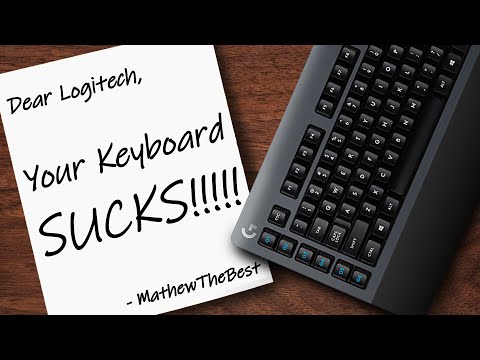 https://www.youtube.com/watch?v=rN2QS9n0T20If it's not just the batteries then I'd return it to for replacement or refund.Of course you could take it apart to try and spot any dust or other problems, but that would invalidate the warranty:
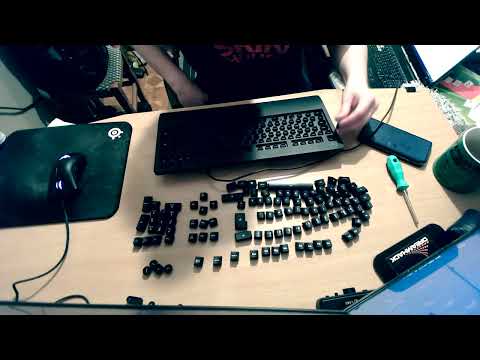 https://www.youtube.com/watch?v=VWTo396Bfy8
0 -
Have you tried the keyboard key repeat settings in the control panel ( if it is still there!! ) to slow it down a bit?Only suggest this because you mention an earlier keyboard with a similar problem.....1
-
It's wired. Not wireless.Newcad said:Random and double-keystrokes are a known issue with various USB keyboards.A common reason for it is simply a low battery level, so the first step would be to try puting known good new batteries in the keyboard to see if that stops the problem.Not quite the same model as yours, but:https://www.youtube.com/watch?v=rN2QS9n0T20If it's not just the batteries then I'd return it to for replacement or refund.Of course you could take it apart to try and spot any dust or other problems, but that would invalidate the warranty:https://www.youtube.com/watch?v=VWTo396Bfy8
I'll take a look at this. It's not a setting I've tweaked but if it's tweakable then I could try slowing it down.Heedtheadvice said:Have you tried the keyboard key repeat settings in the control panel ( if it is still there!! ) to slow it down a bit?Only suggest this because you mention an earlier keyboard with a similar problem.....🤐🤐🤐
0 -
Just had a look now - the repeat rate was up at the highest setting. No idea why. I certainly don't remember putting it there.Heedtheadvice said:Have you tried the keyboard key repeat settings in the control panel ( if it is still there!! ) to slow it down a bit?Only suggest this because you mention an earlier keyboard with a similar problem.....
I've also knocked the other setting back one too.
Although another issue I was experiencing was it putting in spaces when I didn't hit space.
For example it wouldn't always be like....
the cat sat on the mat ... where there's 2 spaces between sat & on. I was sometimes getting
the cat sa t on the mat.
But we'll see how we get on. Thanks.🤐🤐🤐
0 -
I had a laptop with this problem. The double letters etc. became ever more frequent until a tap on any key resulted in unstoppable automatic typing. I disabled the keypad and used a usb keyboard which helped, but never resolved the issue completely. At the time there were a few users online who reported the same fault but I never found a fix. I assumed it was a laptop hardware fault.0





Confirm your email address to Create Threads and Reply

Categories
- All Categories
- 355.8K Banking & Borrowing
- 254.9K Reduce Debt & Boost Income
- 456.2K Spending & Discounts
- 248.3K Work, Benefits & Business
- 605.9K Mortgages, Homes & Bills
- 179K Life & Family
- 263.8K Travel & Transport
- 1.5M Hobbies & Leisure
- 16.2K Discuss & Feedback
- 37.7K Read-Only Boards