We’d like to remind Forumites to please avoid political debate on the Forum.
This is to keep it a safe and useful space for MoneySaving discussions. Threads that are – or become – political in nature may be removed in line with the Forum’s rules. Thank you for your understanding.
📨 Have you signed up to the Forum's new Email Digest yet? Get a selection of trending threads sent straight to your inbox daily, weekly or monthly!
The Forum now has a brand new text editor, adding a bunch of handy features to use when creating posts. Read more in our how-to guide
Remembering the pass code

fly-catchers
Posts: 784 Forumite




I have a number of banking apps with the like of Chip and Tandem etc. I access them using the biometrics on my iPad. But can’t for the life of me remember what the pass codes might be if the biometrics fails! Currently I can’t access the Tandem app where I just get a rolling circle and it doesn’t open the app. Rebooting the iPad hasn’t made any difference. And in the passwords stored on the iPad it only shows any for web sites not any of the apps set up. Is it possible to view these pass codes? And ideas of what I might try to access the Tandem app to get it to work!? The support number isn’t open till tomorrow now.
0
Comments
-
With Tandem they will text you a code to your registered number to get back up and running. With regards to your app, if you’ve tried a full iPad reboot, delete the app (hold finger down on the icon for a few seconds to get the option), ensuring you also delete the associated data and then reinstall. You can then reregister requesting a code.fly-catchers said:I have a number of banking apps with the like of Chip and Tandem etc. I access them using the biometrics on my iPad. But can’t for the life of me remember what the pass codes might be if the biometrics fails! Currently I can’t access the Tandem app where I just get a rolling circle and it doesn’t open the app. Rebooting the iPad hasn’t made any difference. And in the passwords stored on the iPad it only shows any for web sites not any of the apps set up. Is it possible to view these pass codes? And ideas of what I might try to access the Tandem app to get it to work!? The support number isn’t open till tomorrow now.2 -
I've had a problem with Tandem this week where there has been an update to their app and it seems to lose the credentials so I've had to reset the passcode. It's an easy process but a but frustrating when the biometrics and passcode were not accepting they were valid. It's now the second time this has happened so I'm not sure if there is something flaky in their app as it's never happened to any of my other banking apps. In terms of remembering the passcode I use an old phone number, maybe not the most secure to use for different apps but makes it easy to remember.fly-catchers said:I have a number of banking apps with the like of Chip and Tandem etc. I access them using the biometrics on my iPad. But can’t for the life of me remember what the pass codes might be if the biometrics fails! Currently I can’t access the Tandem app where I just get a rolling circle and it doesn’t open the app. Rebooting the iPad hasn’t made any difference. And in the passwords stored on the iPad it only shows any for web sites not any of the apps set up. Is it possible to view these pass codes? And ideas of what I might try to access the Tandem app to get it to work!? The support number isn’t open till tomorrow now.Remember the saying: if it looks too good to be true it almost certainly is.1 -
Just checked mine (iOS) as haven’t logged on of late. All working ok so no issues……did a check and there was an update to the app on 10th Aug which my phone auto-installed.jimjames said:
I've had a problem with Tandem this week where there has been an update to their app and it seems to lose the credentials so I've had to reset the passcode. It's an easy process but a but frustrating when the biometrics and passcode were not accepting they were valid. It's now the second time this has happened so I'm not sure if there is something flaky in their app as it's never happened to any of my other banking apps. In terms of remembering the passcode I use an old phone number, maybe not the most secure to use for different apps but makes it easy to remember.fly-catchers said:I have a number of banking apps with the like of Chip and Tandem etc. I access them using the biometrics on my iPad. But can’t for the life of me remember what the pass codes might be if the biometrics fails! Currently I can’t access the Tandem app where I just get a rolling circle and it doesn’t open the app. Rebooting the iPad hasn’t made any difference. And in the passwords stored on the iPad it only shows any for web sites not any of the apps set up. Is it possible to view these pass codes? And ideas of what I might try to access the Tandem app to get it to work!? The support number isn’t open till tomorrow now.1 -
Any password manager program I've used (if you don't, you should) will have space to store narrative information against each entry. Good place for app passcodes, PINS, mothers' maiden names etc.fly-catchers said:I have a number of banking apps with the like of Chip and Tandem etc. I access them using the biometrics on my iPad. But can’t for the life of me remember what the pass codes might be if the biometrics fails!3 -
Uninstalled app completely and reinstalled from App Store. It did say something has gone wrong but allowed a new passcode to be texted. Set up my own and got in. Showed my savings account but when I went to my profile and back it said opps something has gone wrong! Now it needs to text me another passcode! So that new update has certainly made it glitchy for me! Will try again later!1
-
Same, had to select the forgotten option (even though I hadn't) to get around it, so go through the hassle of getting a text sent to me, enter the code, choose a new passcode (obviously I chose the same one as before), wouldn't mind so much but Tandem made a thing of not needing to get codes to login & here I am having to do that again because their update system is fooked up & isn't clear what to do to rectify.jimjames said:
I've had a problem with Tandem this week where there has been an update to their app and it seems to lose the credentials so I've had to reset the passcode. It's an easy process but a but frustrating when the biometrics and passcode were not accepting they were valid. It's now the second time this has happened so I'm not sure if there is something flaky in their app as it's never happened to any of my other banking apps. In terms of remembering the passcode I use an old phone number, maybe not the most secure to use for different apps but makes it easy to remember.fly-catchers said:I have a number of banking apps with the like of Chip and Tandem etc. I access them using the biometrics on my iPad. But can’t for the life of me remember what the pass codes might be if the biometrics fails! Currently I can’t access the Tandem app where I just get a rolling circle and it doesn’t open the app. Rebooting the iPad hasn’t made any difference. And in the passwords stored on the iPad it only shows any for web sites not any of the apps set up. Is it possible to view these pass codes? And ideas of what I might try to access the Tandem app to get it to work!? The support number isn’t open till tomorrow now.
Thankfully someone on MSE helped.
See what Tandem could have done is have a message saying welcome back to the app, you'll need to reset your details to get back in, but no so they got a poopy Google Play review from me and they haven't replied, that's great service, thankfully they only have £1 of my money.0 -
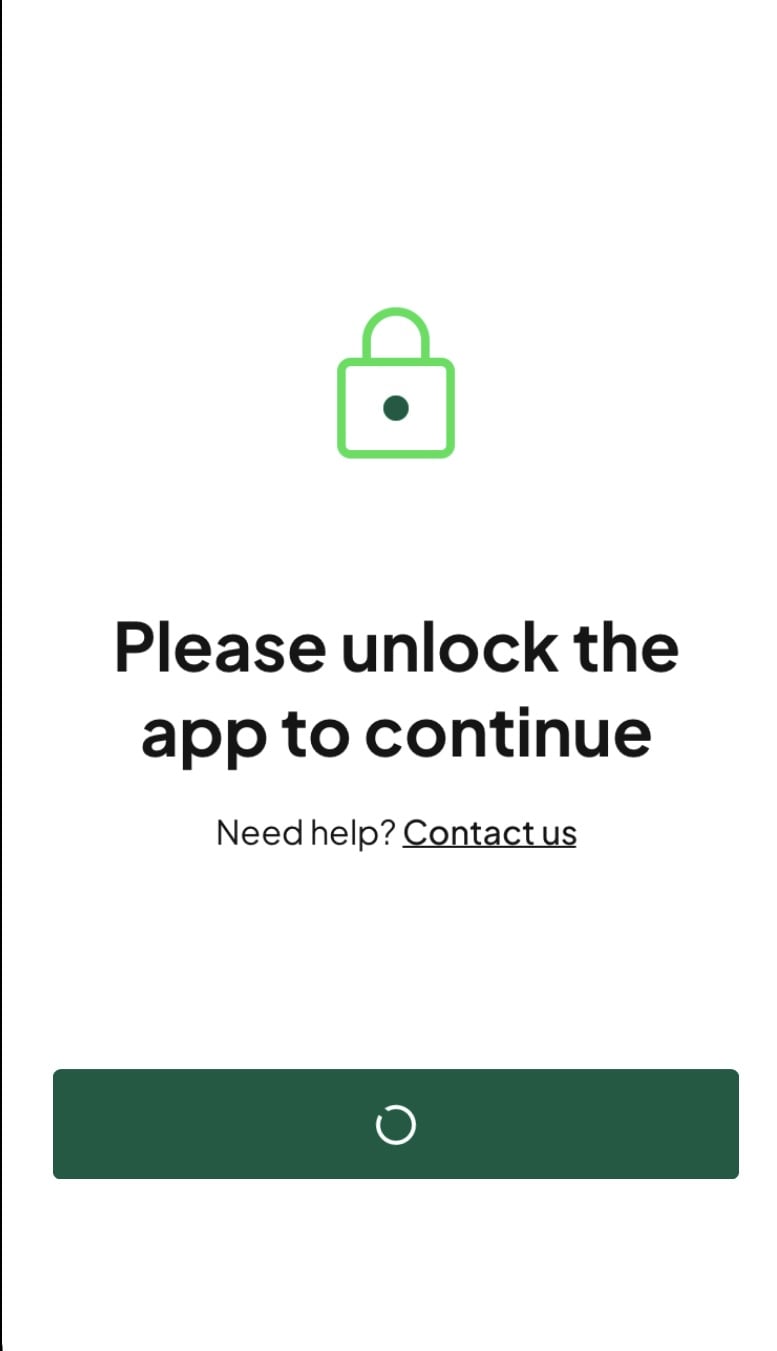
Reinstalled and set up again. This time no error messages and went through several sections. Just tried again and now get this! They really have messed up the app! At least for iPad users!
 0
0








Confirm your email address to Create Threads and Reply

Categories
- All Categories
- 354.3K Banking & Borrowing
- 254.4K Reduce Debt & Boost Income
- 455.4K Spending & Discounts
- 247.3K Work, Benefits & Business
- 604K Mortgages, Homes & Bills
- 178.4K Life & Family
- 261.5K Travel & Transport
- 1.5M Hobbies & Leisure
- 16K Discuss & Feedback
- 37.7K Read-Only Boards