We’d like to remind Forumites to please avoid political debate on the Forum.
This is to keep it a safe and useful space for MoneySaving discussions. Threads that are – or become – political in nature may be removed in line with the Forum’s rules. Thank you for your understanding.
📨 Have you signed up to the Forum's new Email Digest yet? Get a selection of trending threads sent straight to your inbox daily, weekly or monthly!
The Forum now has a brand new text editor, adding a bunch of handy features to use when creating posts. Read more in our how-to guide
3rd party PDF file not searchable

Band7
Posts: 2,285 Forumite


in Techie Stuff
I need a searchable version of this PDF document. It's not my file so I cannot change the source document.
None of the suggested solutions I found on Google will work for me as I don't have any of the subscriptions which seem to be needed. Can anyone help please?
None of the suggested solutions I found on Google will work for me as I don't have any of the subscriptions which seem to be needed. Can anyone help please?
0
Comments
-
Clumsy way to do it but you can save the page as a pdf which then becomes searchable.
Things that are differerent: draw & drawer, brought & bought, loose & lose, dose & does, payed & paid1 -
You can open the file in the free Adobe Acrobat reader and search it there (or have I missed some requirement?).0
-
Open it with Word , it should convert it ....It did for me
4.8kWp 12x400W Longhi 9.6 kWh battery Giv-hy 5.0 Inverter, WSW facing Essex . Aint no sunshine ☀️ Octopus gas fixed dec 24 @ 5.74 tracker again+ Octopus Intelligent Flux leccy
CEC Email energyclub@moneysavingexpert.com0 -
Tried that, still won't let me search. I tried in Chrome, Edge and native Acrobat Reader.oldernonethewiser said:Clumsy way to do it but you can save the page as a pdf which then becomes searchable.
I don't have Word....uploaded it to Google Drive instead and tried with GoogleDocs. No joy.debitcardmayhem said:Open it with Word , it should convert it ....It did for me
Nope, it finds nothing.flaneurs_lobster said:You can open the file in the free Adobe Acrobat reader and search it there (or have I missed some requirement?).
I have in the meantime found an HTML version of the document. It's in a readable format and I can search it, so problem solved for now. Thanks all for your suggestions.0 -
Well I just opened it in Adobe Reader and I can search in it so I don't know what you're doing...
 1
1 -
Is searchable without doing anything just using Safari0
-
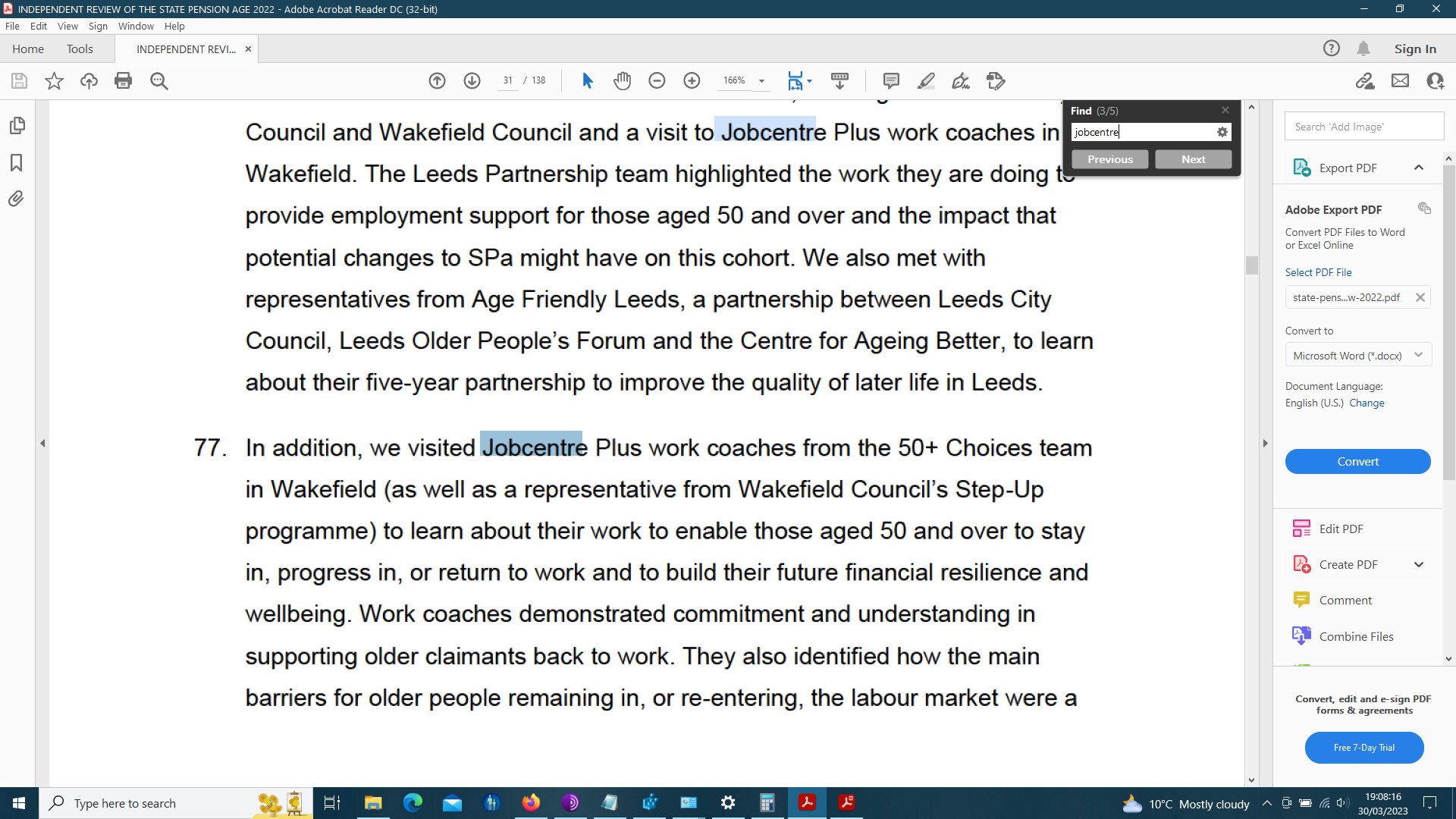
How odd, I can highlight text so it isn't a picture, but not find anything in a search.The reason seems to be if I paste what I copy it is full of random spacese.g. from page 1What appears onscreen as Baroness Nevill -Rolfecopies and pastes into notepad asB ar o n e s s N e vill e -R olf eThere is talk that these documents are created with something called TeX, or OCR'd with something called LaTeX.EDIT:Hah!If I copy the word and then paste it into the search box, I can find more instances of it- as you would expect.e.g. I copy "employment"And paste into the search box, it appears as "e m pl o y m e nt r" (why the extra r?)And I can find more instances.If I delete the nasty r from the search box the highlight only extends over "employmen"
I want to go back to The Olden Days, when every single thing that I can think of was better.....
(except air quality and Medical Science )0
)0 -
It looks like whoever created the pdf did not follow proper accessibility guidelines. It's not a properly searchable pdf, peoples browsers and pdf viewers are having to do optical character recognition to select text and search.That's inexcusable for a public facing government document.2









Confirm your email address to Create Threads and Reply

Categories
- All Categories
- 353.6K Banking & Borrowing
- 254.2K Reduce Debt & Boost Income
- 455.1K Spending & Discounts
- 246.7K Work, Benefits & Business
- 603K Mortgages, Homes & Bills
- 178.1K Life & Family
- 260.7K Travel & Transport
- 1.5M Hobbies & Leisure
- 16K Discuss & Feedback
- 37.7K Read-Only Boards