We’d like to remind Forumites to please avoid political debate on the Forum.
This is to keep it a safe and useful space for MoneySaving discussions. Threads that are – or become – political in nature may be removed in line with the Forum’s rules. Thank you for your understanding.
📨 Have you signed up to the Forum's new Email Digest yet? Get a selection of trending threads sent straight to your inbox daily, weekly or monthly!
The Forum now has a brand new text editor, adding a bunch of handy features to use when creating posts. Read more in our how-to guide
Sony Xperia xa2 problem

Fortyfoot
Posts: 1,961 Forumite


in Techie Stuff
When I logged in to my phone this afternoon the screen had changed, it had been ok this morning. I have since played with it and have found that if I click on an option, eg Enter Postcode, it is surrounded by a green box. Tapping the box has no effect however tapping it twice activates the option whereas previously it took only one tap and there was not a green box round the option. Below is a photo of the screen. I would like to revert it to how it was this this morning.
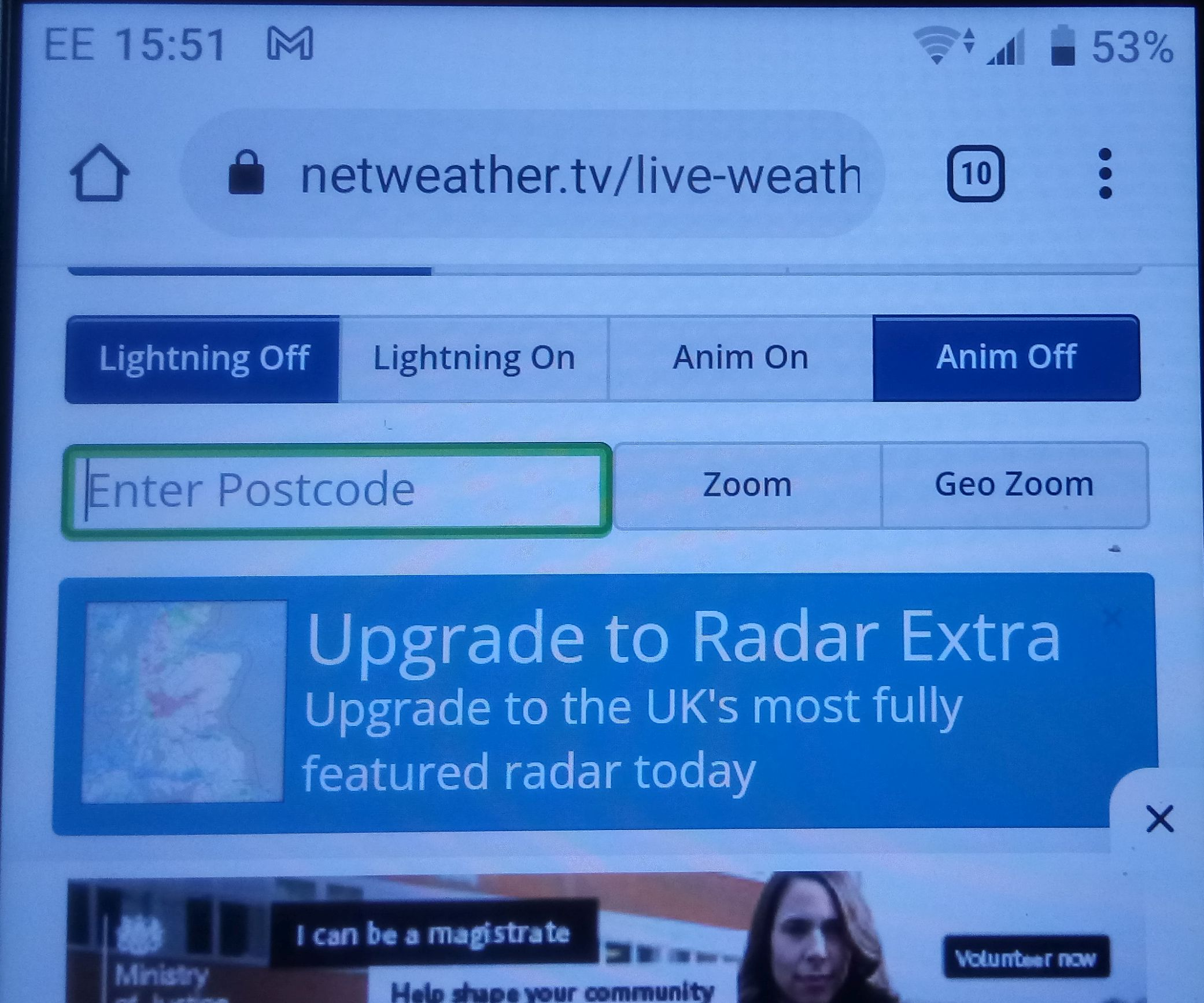
I have no idea how this has come about. Any help will be appreciated.
Thanks,
Fortyfoot
I have no idea how this has come about. Any help will be appreciated.
Thanks,
Fortyfoot
0
Comments
-
Well as you have ten tabs open that implies you ended up on it before you put the phone last time.So close all the tabs, which should get rid of this and return to the home page/.1
-
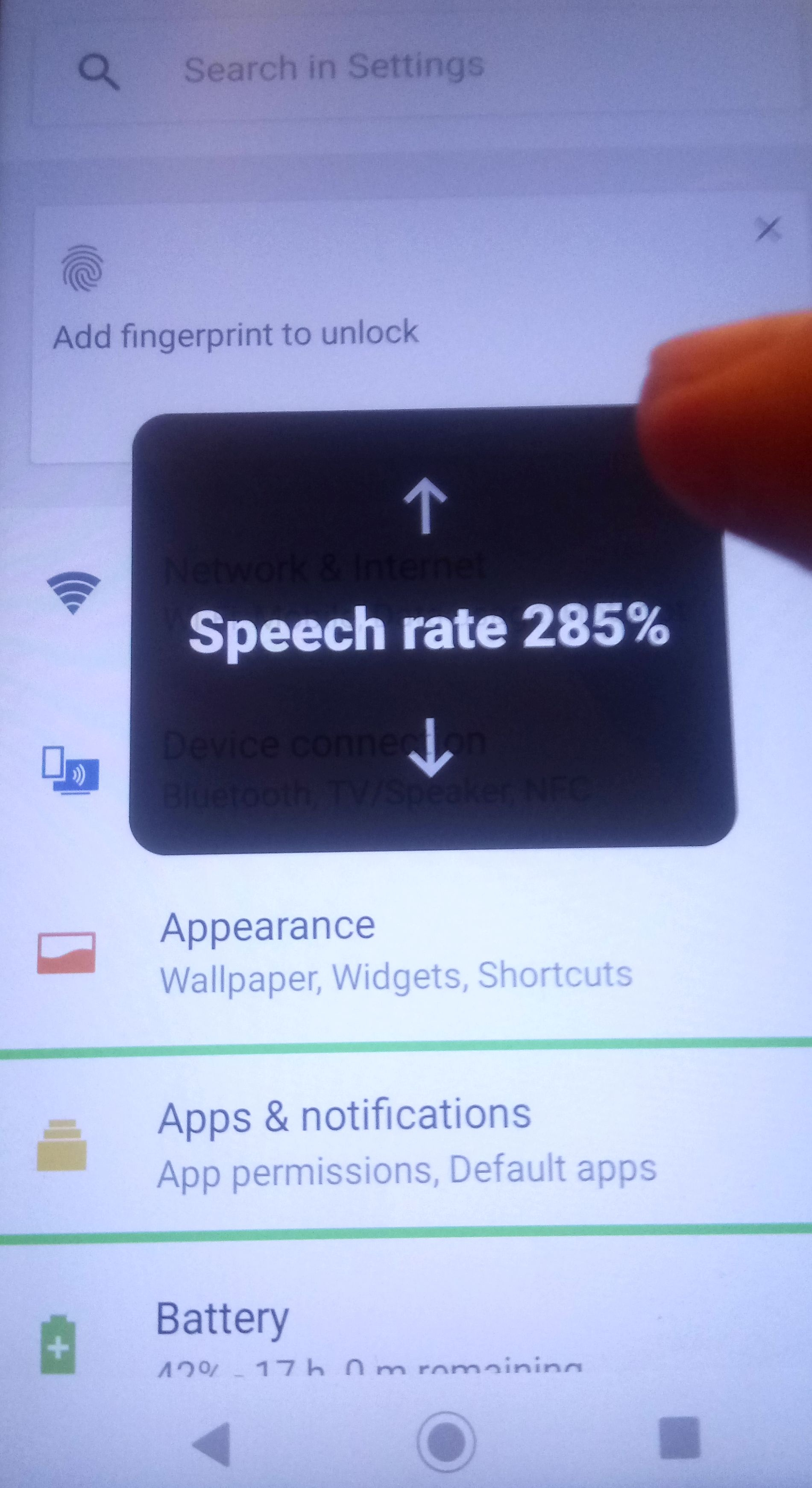
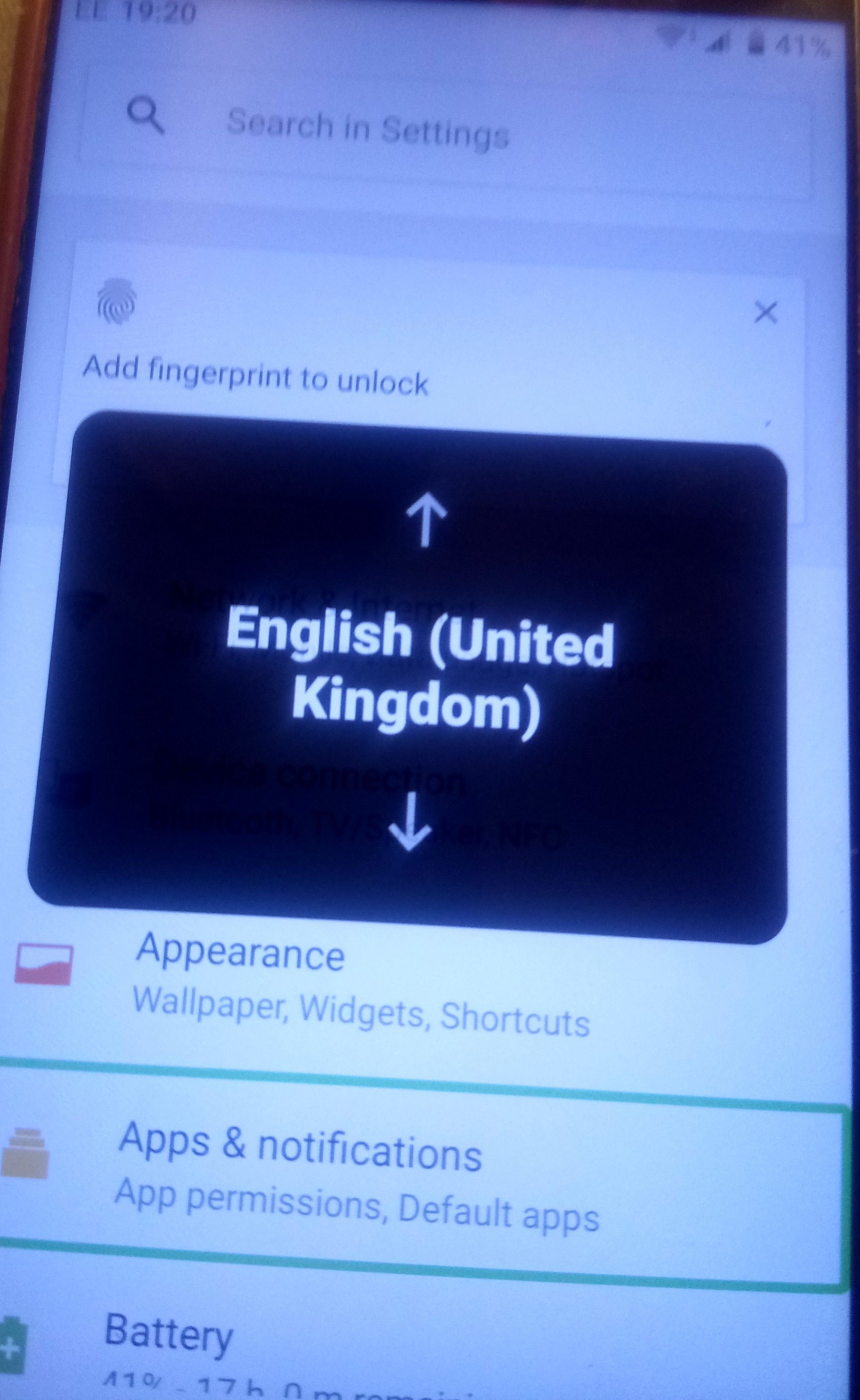
Thanks for your comment Neil_Jones. I have done that, see pics below. When I went into settings I tried to scroll down and these other features appeared. I had restarted the phone.
0 -
I have tried to do a factory reset but it will not do it!
Fortyfoot0 -
@Fortyfoot You have enabled an accessibility option called TalkBack mode, it explains the green box around certain items that have been highlighted to be read aloud and the pop ups on the screen that select the options for the read aloud such as speech rate and language.
Just disable the the TalkBack - basically the reverse of what you did to enable it in the first place. Instructions on the link below:
https://www.sony.co.uk/electronics/support/articles/SX387601
1 -
Some reset methods to try here https://www.hardreset.info/devices/sony/sony-xperia-xa2/1
-
I am back, it's working again. The double finger was the important one as one would not scroll.This was my last screen!
Thanks again all of you for helping a golden oldie!!!!!!!!!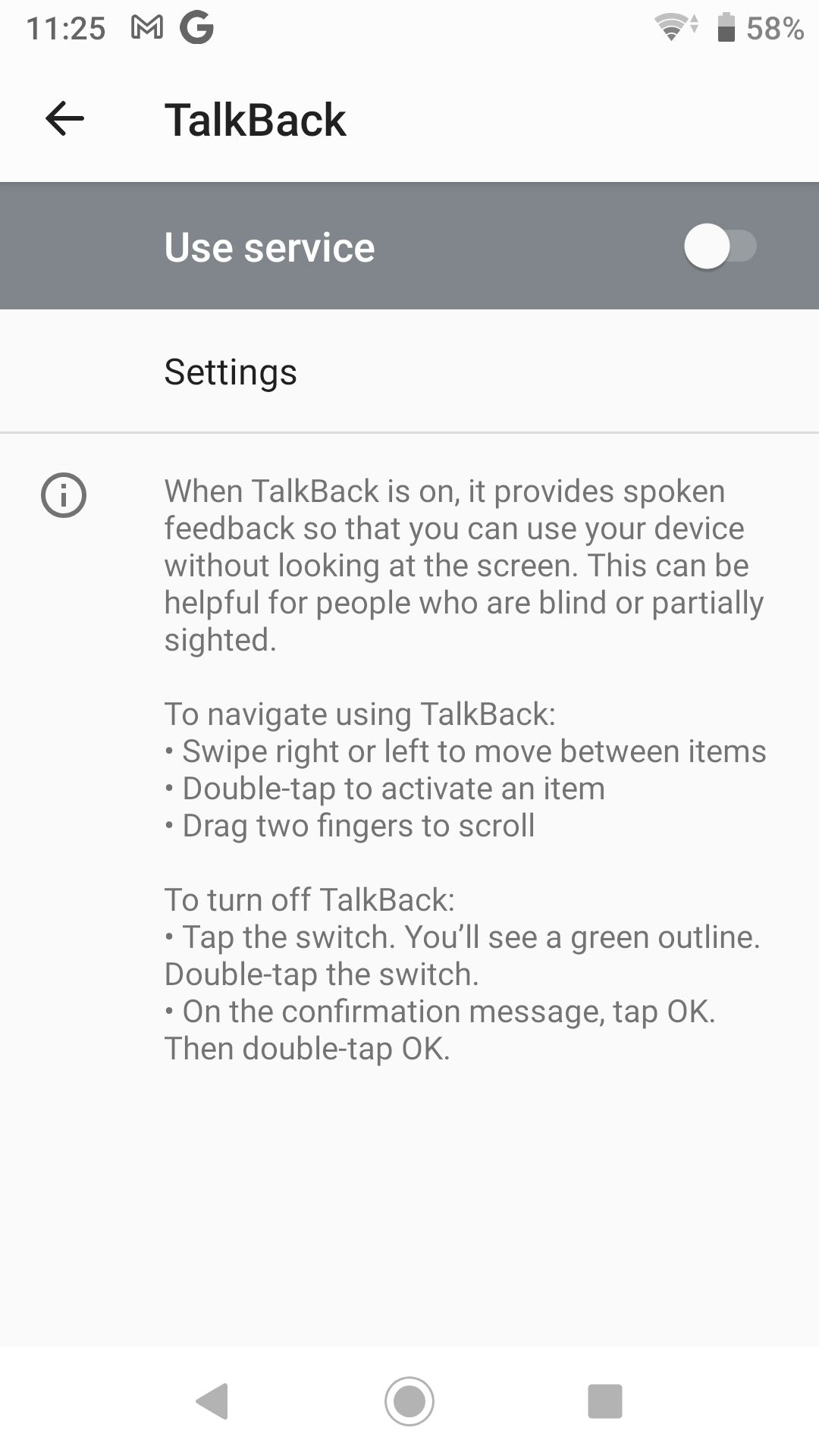
0




Confirm your email address to Create Threads and Reply

Categories
- All Categories
- 353.5K Banking & Borrowing
- 254.1K Reduce Debt & Boost Income
- 455K Spending & Discounts
- 246.6K Work, Benefits & Business
- 602.9K Mortgages, Homes & Bills
- 178.1K Life & Family
- 260.6K Travel & Transport
- 1.5M Hobbies & Leisure
- 16K Discuss & Feedback
- 37.7K Read-Only Boards