We’d like to remind Forumites to please avoid political debate on the Forum.
This is to keep it a safe and useful space for MoneySaving discussions. Threads that are – or become – political in nature may be removed in line with the Forum’s rules. Thank you for your understanding.
📨 Have you signed up to the Forum's new Email Digest yet? Get a selection of trending threads sent straight to your inbox daily, weekly or monthly!
The Forum now has a brand new text editor, adding a bunch of handy features to use when creating posts. Read more in our how-to guide
Strange screen on laptop at start up

pampam
Posts: 435 Forumite



in Techie Stuff
For the last few days I get the screen in the photo when I turn on my laptop.
I have to turn off and on again to get rid of it.
Does anyone know what it means please?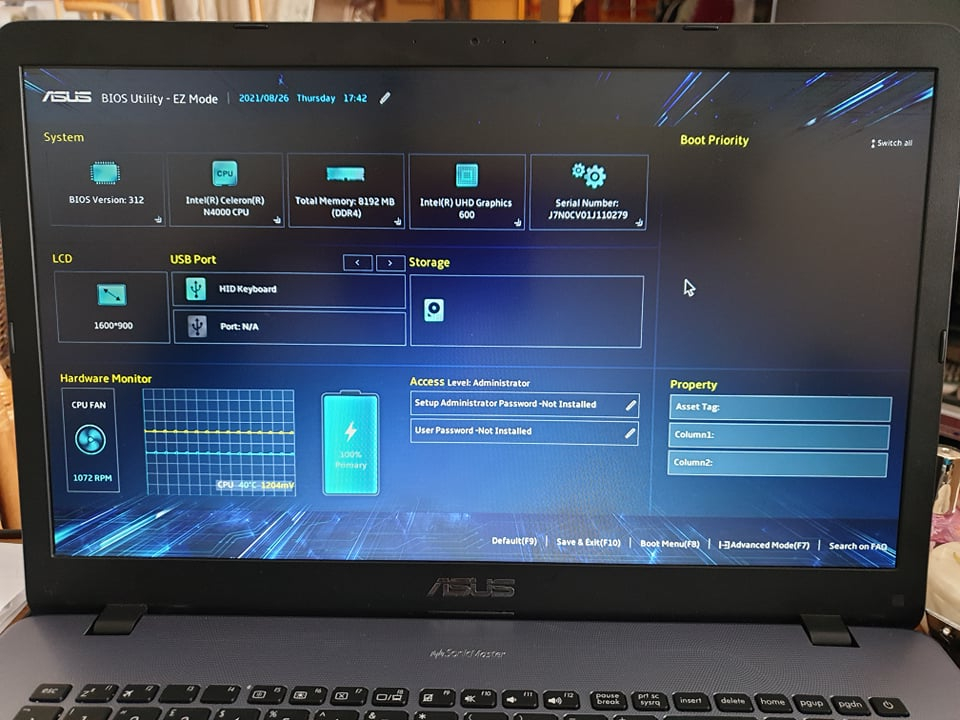
I have to turn off and on again to get rid of it.
Does anyone know what it means please?
0
Comments
-
Lots of options here https://www.google.com/search?client=firefox-b-d&q=how+to+turn+off+asus+bios+utility+ez+mode
4.8kWp 12x400W Longhi 9.6 kWh battery Giv-hy 5.0 Inverter, WSW facing Essex . Aint no sunshine ☀️ Octopus gas fixed dec 24 @ 5.74 tracker again+ Octopus Intelligent Flux leccy
CEC Email energyclub@moneysavingexpert.com0 -
Curiously, no storage devices are listed.Could the system disk be dying or have come loose from its connector?1
-
Further to what AstonSmith has suggested, it is a good time to swap the old and slow spinning disc magnetic storage to a fast and efficient solid state drive. Cost from under £20.
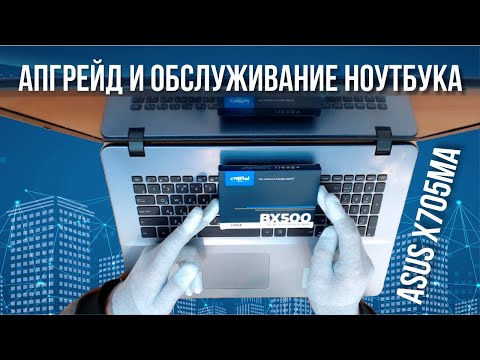 https://www.youtube.com/watch?v=lAG0bwg-QAs
You only need to follow the video up to 6:20; as he is doing other tasks such as cleaning the device and replacing thermal grease. So you won't need to take the whole thing apart as he does.
You can view 13:30 to 16:30 to see how to remove the old HDD from the case, replacing it with an SSD.
Once completed, you will be a very happy bunny; finally being able to appreciate your laptop at it's best. That slow spinning disc is holding it back.0 -
Instead of restarting the laptop, press the F10 key.This is a wake up call. Make sure you back up anything you really need.
Under storage, there’s a picture of a hard disk but no details. That’s really odd, as Aston says.No reliance should be placed on the above! Absolutely none, do you hear?0







Confirm your email address to Create Threads and Reply

Categories
- All Categories
- 353.8K Banking & Borrowing
- 254.2K Reduce Debt & Boost Income
- 455.2K Spending & Discounts
- 246.9K Work, Benefits & Business
- 603.4K Mortgages, Homes & Bills
- 178.2K Life & Family
- 260.9K Travel & Transport
- 1.5M Hobbies & Leisure
- 16K Discuss & Feedback
- 37.7K Read-Only Boards