We’d like to remind Forumites to please avoid political debate on the Forum.
This is to keep it a safe and useful space for MoneySaving discussions. Threads that are – or become – political in nature may be removed in line with the Forum’s rules. Thank you for your understanding.
📨 Have you signed up to the Forum's new Email Digest yet? Get a selection of trending threads sent straight to your inbox daily, weekly or monthly!
The Forum now has a brand new text editor, adding a bunch of handy features to use when creating posts. Read more in our how-to guide
Security Updates problem - help !
![[Deleted User]](https://us-noi.v-cdn.net/6031891/uploads/defaultavatar/nFA7H6UNOO0N5.jpg)
[Deleted User]
Posts: 0 Newbie



in Techie Stuff
Hi:
I run Windows 7 Pro which is nearer the end of its life.It's unpredictable - sometimes running perfectly and then slowing down and not responding at other times.
More importantly it is now unable to import security updates.
I have downloaded and run a Windows Update Troubleshooter pack and received the following message.
" Service registration is missing or corrupt "
Error codes: 80070490
8004FF84
I have also downloaded and run Windows 7 Upgrade Advisor and received the following message
" unable to reach the Microsoft Server for compatability information "
I'm trying to prolong the life of this a little longer until I close my business and move back to the UK next year when I'll then invest in something newer.
But does anyone have any suggestion of what I could do to repair this.
I'm no software expert but can follow basic instructions.
Any help much appreciated.
Thanks.
I run Windows 7 Pro which is nearer the end of its life.It's unpredictable - sometimes running perfectly and then slowing down and not responding at other times.
More importantly it is now unable to import security updates.
I have downloaded and run a Windows Update Troubleshooter pack and received the following message.
" Service registration is missing or corrupt "
Error codes: 80070490
8004FF84
I have also downloaded and run Windows 7 Upgrade Advisor and received the following message
" unable to reach the Microsoft Server for compatability information "
I'm trying to prolong the life of this a little longer until I close my business and move back to the UK next year when I'll then invest in something newer.
But does anyone have any suggestion of what I could do to repair this.
I'm no software expert but can follow basic instructions.
Any help much appreciated.
Thanks.
0
Comments
-
Here's a few things to try:
https://support.microsoft.com/en-us/help/10164/fix-windows-update-errors
The other thing to try:
Open a command prompt (administrative): Type in cmd into the Start Menu to search for Command Prompt. Press ctrl + shift + enter to launch Command Prompt as administrator.
Then type "sfc /scannow" (no quotes) and let it run for a bit until complete. Restart the computer.0 -
Deleted_User wrote: »Hi:
I run Windows 7 Pro which is nearer the end of its life.It's unpredictable - sometimes running perfectly and then slowing down and not responding at other times.
More importantly it is now unable to import security updates.
I have downloaded and run a Windows Update Troubleshooter pack and received the following message.
" Service registration is missing or corrupt "
Error codes: 80070490
8004FF84
I have also downloaded and run Windows 7 Upgrade Advisor and received the following message
" unable to reach the Microsoft Server for compatability information "
I'm trying to prolong the life of this a little longer until I close my business and move back to the UK next year when I'll then invest in something newer.
But does anyone have any suggestion of what I could do to repair this.
I'm no software expert but can follow basic instructions.
Any help much appreciated.
Thanks.
Have you checked the integrity of your hard drive?
If you are sure the problem is with Windows, you can attempt a Repair Install with Professional image from here, choosing en_windows_7_professional_with_sp1_x64_dvd_u_676939.iso
Then burn image to DVD or create bootable USB Flash media.
But before you do anything, what brand name and model number has it exactly?0 -
Well I'm in trouble now.
Tried the sfc / scannow and between the jigs and the reels I'm now unable to log on even in Safe Mode.
It automatically goes to Start Up repair with whatever option I choose and start up repair says it can't fix the problem and can't start.
Even tried System Restore and it goes straight to Start Up repair with the same problem.
So I appear to be locked out.
HELP !!!!0 -
Deleted_User wrote: »Well I'm in trouble now.
Tried the sfc / scannow and between the jigs and the reels I'm now unable to log on even in Safe Mode.
It automatically goes to Start Up repair with whatever option I choose and start up repair says it can't fix the problem and can't start.
Even tried System Restore and it goes straight to Start Up repair with the same problem.
So I appear to be locked out.
HELP !!!!
You should have followed my instructions and created the image... Plus you still haven't told us anything about the device.0 -
Deleted_User wrote: »Well I'm in trouble now.
Tried the sfc / scannow and between the jigs and the reels I'm now unable to log on even in Safe Mode.
It automatically goes to Start Up repair with whatever option I choose and start up repair says it can't fix the problem and can't start.
Even tried System Restore and it goes straight to Start Up repair with the same problem.
So I appear to be locked out.
HELP !!!!
I had this on a friend's desktop with W10.
Had to remove the drive, extract all the data and then format/reinstall W10
I'm sure E/W will get you sorted ... 0
0 -
EveryWhere wrote: »You should have followed my instructions and created the image... Plus you still haven't told us anything about the device.
Apologies.
Not computer literate.
Anyway,my HP has promoted me to back up to a DVD+R which I,m doing now.0 -
running SFC doesn't affect anything on its own. The fact running this (verification) tool has been the straw that broke the camel's back so to speak suggests there is a serious issue with either the hardware or the configuration.
It may be that the hard drive is beginning to go, how old is the computer and what is its model number? Any hardware changed since you had it?0 -
Neil_Jones wrote: »running SFC doesn't affect anything on its own. The fact running this (verification) tool has been the straw that broke the camel's back so to speak suggests there is a serious issue with either the hardware or the configuration.
It may be that the hard drive is beginning to go, how old is the computer and what is its model number? Any hardware changed since you had it?
hP 3125 MX 250
About 8 years old0 -
Deleted_User wrote: »hP 3125 MX 250
About 8 years old
This one? https://support.hp.com/gb-en/document/c03624610
Did you buy it pre-installed with Windows 7 orWindows 8?
Or with FreeDOS with Windows 7 installed separately ?0 -
It's worth mentioning that there is no impediment to installing Windows 10 on that device.
But forget about upgrading over the top of Windows 7. You will need to run a clean install of Windows 10.
The problem you have with it, if you don't swap the current HDD for an SSD, is poor performance. The CPU isn't great and coupled with the slow and now, possibly failing HDD, the experience won't be inspiring.
The good news is that, if you fit an inexpensive solid state drive to the laptop(as little as £17) and clean install Windows 10 to it, the performance will be quite good. Will start up and shut down in seconds.
Further to that, it is actually very easy to swap from a HDD to an SSD on that device. You can do it yourself in perhaps ten minutes.
https://www.youtube.com/watch?v=8tlzf6rfcIw
Video guide concerns something else, but you can see and access the hard drive as soon as you remove the back cover.
In which country are you located? For the purpose of purchasing an inexpensive solid state drive.
Typical SSD prices in the UK;
https://www.mymemory.co.uk/integral-120gb-p-series-5-sata-iii-ssd-drive-560mb-s.html
https://www.mymemory.co.uk/integral-240gb-p-series-5-sata-iii-ssd-drive-560mb-s.html0




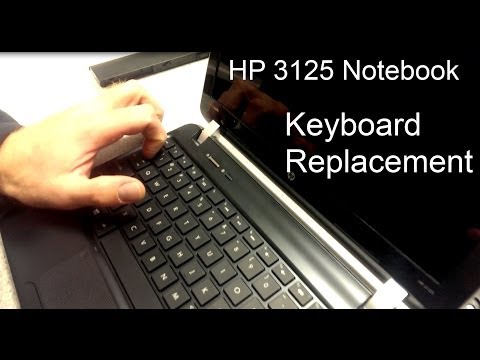 https://www.youtube.com/watch?v=8tlzf6rfcIw
This discussion has been closed.
Confirm your email address to Create Threads and Reply

Categories
- All Categories
- 354.3K Banking & Borrowing
- 254.4K Reduce Debt & Boost Income
- 455.4K Spending & Discounts
- 247.3K Work, Benefits & Business
- 604K Mortgages, Homes & Bills
- 178.4K Life & Family
- 261.5K Travel & Transport
- 1.5M Hobbies & Leisure
- 16K Discuss & Feedback
- 37.7K Read-Only Boards