We’d like to remind Forumites to please avoid political debate on the Forum.
This is to keep it a safe and useful space for MoneySaving discussions. Threads that are – or become – political in nature may be removed in line with the Forum’s rules. Thank you for your understanding.
📨 Have you signed up to the Forum's new Email Digest yet? Get a selection of trending threads sent straight to your inbox daily, weekly or monthly!
The Forum now has a brand new text editor, adding a bunch of handy features to use when creating posts. Read more in our how-to guide
Re-formatting paragraph

Robm1955
Posts: 553 Forumite



I've been asked to convert a pdf document to word, which I have done, but as you can imagine, it doesn't convert exactly. The formatting of the paragraphs needs re-doing, but I'm having trouble.
The original was something like:-
1. (a) lkjlkjlkjjjjjjjjjjjjjjjjjjjjjjjlskjlkjl;kjlkjlkjlkjl
;;lk;lk;lk;lk;lk;lk;lks'osispoiepoirpoip
lskjdflksjdlfkjsldfkjlskdjflksjdflkjsdlfs
lskjdflskjdlfkjsdlkfjlsslkdjflsjdflksjdlfd
2. (a) lkjlkjlkjjjjjjjjjjjjjjjjjjjjjjjlskjlkjl;kjlkjlkjlkjl
;;lk;lk;lk;lk;lk;lk;lks'osispoiepoirpoip
lskjdflksjdlfkjsldfkjlskdjflksjdflkjsdlfs
lskjdflskjdlfkjsdlkfjlsslkdjflsjdflksjdlfd
The converted document is like:-
1. (a) lkjlkjlkjjjjjjjjjjjjjjjjjjjjjjjlskjlkjl;kjlkjlkjlkjl
;;lk;lk;lk;lk;lk;lk;lks'osispoiepoirpoip
lskjdflksjdlfkjsldfkjlskdjflksjdflkjsdlfs
lskjdflskjdlfkjsdlkfjlsslkdjflsjdflksjdlfd
2. (a) lkjlkjlkjjjjjjjjjjjjjjjjjjjjjjjlskjlkjl;kjlkjlkjlkjl
;;lk;lk;lk;lk;lk;lk;lks'osispoiepoirpoip
lskjdflksjdlfkjsldfkjlskdjflksjdflkjsdlfs
lskjdflskjdlfkjsdlkfjlsslkdjflsjdflksjdlfd
I've tried select all the text, and selecting numbering on the menu bar, but it re-numbers every paragraph. I've even tried pushing the 1. back, but it won't go. Hard to explain really, as I can't attach the document, because the content is private. I did notice when I select lines of text, there were trailing spaces, but when I tried to delete these, it also threw everything out.
Any help would be appreciated. I'm using Word 2003.
I can't actually replicate how it looks. When I post, it just goes back to normal.
The original was something like:-
1. (a) lkjlkjlkjjjjjjjjjjjjjjjjjjjjjjjlskjlkjl;kjlkjlkjlkjl
;;lk;lk;lk;lk;lk;lk;lks'osispoiepoirpoip
lskjdflksjdlfkjsldfkjlskdjflksjdflkjsdlfs
lskjdflskjdlfkjsdlkfjlsslkdjflsjdflksjdlfd
2. (a) lkjlkjlkjjjjjjjjjjjjjjjjjjjjjjjlskjlkjl;kjlkjlkjlkjl
;;lk;lk;lk;lk;lk;lk;lks'osispoiepoirpoip
lskjdflksjdlfkjsldfkjlskdjflksjdflkjsdlfs
lskjdflskjdlfkjsdlkfjlsslkdjflsjdflksjdlfd
The converted document is like:-
1. (a) lkjlkjlkjjjjjjjjjjjjjjjjjjjjjjjlskjlkjl;kjlkjlkjlkjl
;;lk;lk;lk;lk;lk;lk;lks'osispoiepoirpoip
lskjdflksjdlfkjsldfkjlskdjflksjdflkjsdlfs
lskjdflskjdlfkjsdlkfjlsslkdjflsjdflksjdlfd
2. (a) lkjlkjlkjjjjjjjjjjjjjjjjjjjjjjjlskjlkjl;kjlkjlkjlkjl
;;lk;lk;lk;lk;lk;lk;lks'osispoiepoirpoip
lskjdflksjdlfkjsldfkjlskdjflksjdflkjsdlfs
lskjdflskjdlfkjsdlkfjlsslkdjflsjdflksjdlfd
I've tried select all the text, and selecting numbering on the menu bar, but it re-numbers every paragraph. I've even tried pushing the 1. back, but it won't go. Hard to explain really, as I can't attach the document, because the content is private. I did notice when I select lines of text, there were trailing spaces, but when I tried to delete these, it also threw everything out.
Any help would be appreciated. I'm using Word 2003.
I can't actually replicate how it looks. When I post, it just goes back to normal.
0
Comments
-
???????
My eyes hurt . Can you point out the difference between the original and converted as they look the same to me ..
"Pushing the 1 back but it wont go" <- what does that mean ?
"It also threw everything out" <<-- WFT ??
Have you tried a service such as http://pdf2doc.com/ ??0 -
When I typed the post, there was a difference. When I actually submitted it, the both looked the same (see bottom of my post. Pushing the 1) back to the left, throws the remainder of the paragraph out of line.???????
My eyes hurt . Can you point out the difference between the original and converted as they look the same to me ..
"Pushing the 1 back but it wont go" <- what does that mean ?
"It also threw everything out" <<-- WFT ??
Have you tried a service such as http://pdf2doc.com/ ??0 -
Which you edited after my initial comment ..(see bottom of my post. ) .
If we cant see the problem then how can we advise the solution ?
Can you describe the difference between the two,
or perhaps post a sample bit of text outlining the problem
What it does look like, and what it should look like. Dont copy and paste, just write it yourself
Also, try clicking on this botton ..
This will show any formatting characters as my guess is that there is a control character in there somewhere doing something unexpected.
But again , without more info, its impossible to say0 -
I've been asked to convert a pdf document to word, which I have done, but as you can imagine, it doesn't convert exactly. The formatting of the paragraphs needs re-doing, but I'm having trouble.
Paste the text into a plain-text editor such as Notepad, then paste it into Word to edit and reformat0 -
Sorry for the confusion, and my poor explanation of the problem. I've attached 2 screenshots. Capture1 is the original pdf. Capture2 is the word document created from the pdf. Capture1 is how it should look.
Capture1
[IMG][/img]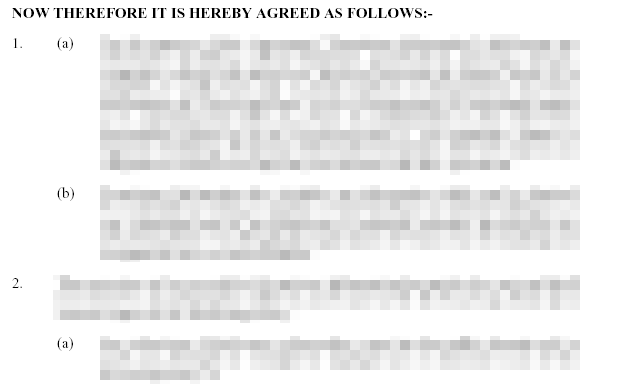
Capture2
[IMG][/img]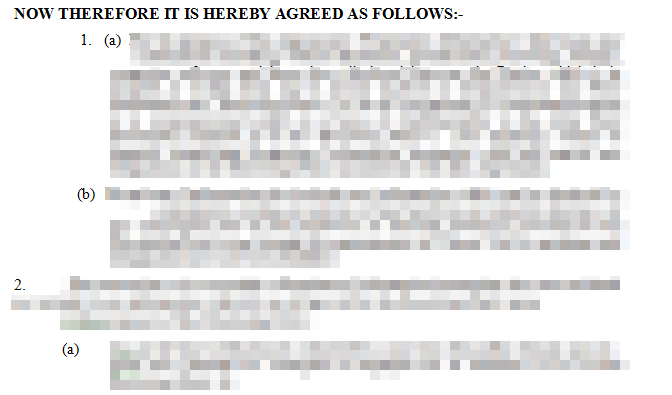 0
0 -
So it does look like there are invisible formatting characters in there ..
Press the button outlined in post #4 to see what they are and remove them0 -
Thanks for your patience AndyPix. Yes there are a lot of them, and deleting some rearranges everything. Think it's going to be trial and error. No easy way.0
-
Have you also tried what was outlined in post #5 ?0
-
Just doing that now. Thanks0
-
You haven't actually said (as asked in post #2) how you are doing the conversion. If you're simply doing copy and paste it will indeed be a lengthy session of trial and error to get it right, far better to use conversion software as suggested in that same post.0







This discussion has been closed.
Confirm your email address to Create Threads and Reply

Categories
- All Categories
- 353.5K Banking & Borrowing
- 254.1K Reduce Debt & Boost Income
- 455K Spending & Discounts
- 246.6K Work, Benefits & Business
- 602.9K Mortgages, Homes & Bills
- 178.1K Life & Family
- 260.6K Travel & Transport
- 1.5M Hobbies & Leisure
- 16K Discuss & Feedback
- 37.7K Read-Only Boards