We’d like to remind Forumites to please avoid political debate on the Forum.
This is to keep it a safe and useful space for MoneySaving discussions. Threads that are – or become – political in nature may be removed in line with the Forum’s rules. Thank you for your understanding.
📨 Have you signed up to the Forum's new Email Digest yet? Get a selection of trending threads sent straight to your inbox daily, weekly or monthly!
The Forum now has a brand new text editor, adding a bunch of handy features to use when creating posts. Read more in our how-to guide
Monitor or settings?

jaxxy00
Posts: 1,010 Forumite
in Techie Stuff
Hubby has been on the desktop computer and settings went large after he had done something so he changed them back to what he thought.
Now the whole screen has an image what looks something like youre looking at the fibres on a piece of paper or somthing weird, im assuming the screen has been set very very close up if that makes sense, although when windows loads (Vista) the little scolling bar at the bottom when loading is the proper size and looks fine Its when the normal windows page is supposed to come up that it goes all weird looking.
The problem i have now though is that as we cant see anything at all on the screen other than a sort of blur how can we get into any settings to change them? Im assuming thats all it is as if it was the monitor then the scrolling windows laoding bar wouldnt show up correctly. Any ideas ?
Now the whole screen has an image what looks something like youre looking at the fibres on a piece of paper or somthing weird, im assuming the screen has been set very very close up if that makes sense, although when windows loads (Vista) the little scolling bar at the bottom when loading is the proper size and looks fine
Its when the normal windows page is supposed to come up that it goes all weird looking.The problem i have now though is that as we cant see anything at all on the screen other than a sort of blur how can we get into any settings to change them? Im assuming thats all it is as if it was the monitor then the scrolling windows laoding bar wouldnt show up correctly. Any ideas ?
0
Comments
-
I think he must have changed the refresh rate on your monitor to something that it can't handle. Thats my initial suspicion. Unfortunately, i dont' have any experience with Vista so i can't really tell you the keyboard shortcuts or sequence to change it back. But i think i've identified the problem for you. Try loading it up in safe mode, does that work? (Does vista have a safe mode?)0
-
Thanks, yes Vista does have a safe mode and it allows me to boot up in safe mode and change the settings to what they should be. So ive just restarted it thinking it would start up properly but its still got the same problem.
When windows is in safe mode does it just use the most basic of options, as what im wondering is if the graphics cards has gone wrong, would that be a possibitly or not given the symptoms? I will take pic so you can see the screen. 0 -
 0
0 -
sorry im not quite sure what im doing wrong but normally i can add pics within a reply and write too but its not letting me today. SO the above pic is the whole of my monitor screen, which by the way is a 17" LCD.
I do have other pics what i want to post but dont want to have to keep posting a new post for each pic in case youre not supposed to do that
THe other pics i have are of a different image that shows on the screen (its either the above image or a striped effect) . I have noiced that there is no graphics adaptor details showing and also it has some conflicts in the bottom box on the graphics tab but is that because its in safe mode?
I have also took pics of those images showing the detail. Do you think it will hurt if i put pics on by using a new post for each one then i can do it? DOnt know why its not letting me do it how i normally do.0 -
Just found how to resize on photobucket so going to post other pics.
This is the other image on the screen.

This is the normal windows loading screen.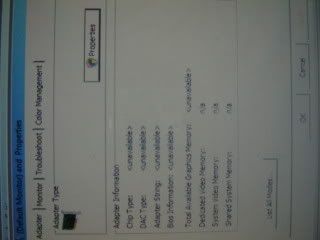
This is the screen which has no details of any graphics adaptor.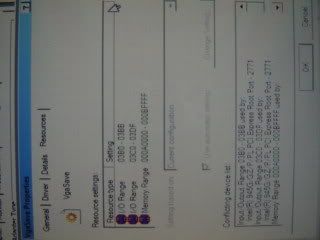
This shows the conflicting section.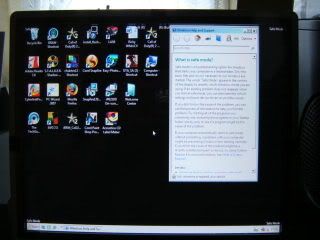
This is the normal screen which comes up in safe mode.
So everythings ok (but limited of course) in safe mode but when started normally you just get the screen at the top. So any suggestions with this info? 0 -
Me adding more again!!!
Just thought i would add that its all back to normal now. For some that would probably be good enough but me being me i would like to know why. How i got it back to normal was system restore while in safe mode and that done the trick. I have to say if i had realised it was turned on i would have turned it off, as ive found in the past on other systems that it slows things down.
With it being a new system (couple of months old) then perhaps systme restore does not have that much effect as everything works really quick and there no problems, so i think restore should be allowed to stay then. :T0


This discussion has been closed.
Confirm your email address to Create Threads and Reply

Categories
- All Categories
- 353.5K Banking & Borrowing
- 254.2K Reduce Debt & Boost Income
- 455K Spending & Discounts
- 246.6K Work, Benefits & Business
- 602.9K Mortgages, Homes & Bills
- 178.1K Life & Family
- 260.6K Travel & Transport
- 1.5M Hobbies & Leisure
- 16K Discuss & Feedback
- 37.7K Read-Only Boards