We’d like to remind Forumites to please avoid political debate on the Forum.
This is to keep it a safe and useful space for MoneySaving discussions. Threads that are – or become – political in nature may be removed in line with the Forum’s rules. Thank you for your understanding.
📨 Have you signed up to the Forum's new Email Digest yet? Get a selection of trending threads sent straight to your inbox daily, weekly or monthly!
The Forum now has a brand new text editor, adding a bunch of handy features to use when creating posts. Read more in our how-to guide
Poor Wireless connection - Have I bought the right thing?

emeraldbugle
Posts: 1,063 Forumite



in Techie Stuff
I want to improve the wireless connection in the house.
I have just bought this and I'm wondering if it is the right thing.
Basically we have a a computer downstairs and we have phones/ipad/ipod too. I wanted to improve the signal upstairs for our phones etc.
Any help/advice would be appreciated
Thanks
I have just bought this and I'm wondering if it is the right thing.
Basically we have a a computer downstairs and we have phones/ipad/ipod too. I wanted to improve the signal upstairs for our phones etc.
Any help/advice would be appreciated
Thanks
0
Comments
-
They will allow you to connect a wired device some distance away from the router ... and they work very well. But they won't do anything for wireless connection to other devices.
Can you move the router ?0 -
Hi, we've tried moving the router, we've also tried various channels.
To save me returning it, would plugging the upstairs one into something like this work?0 -
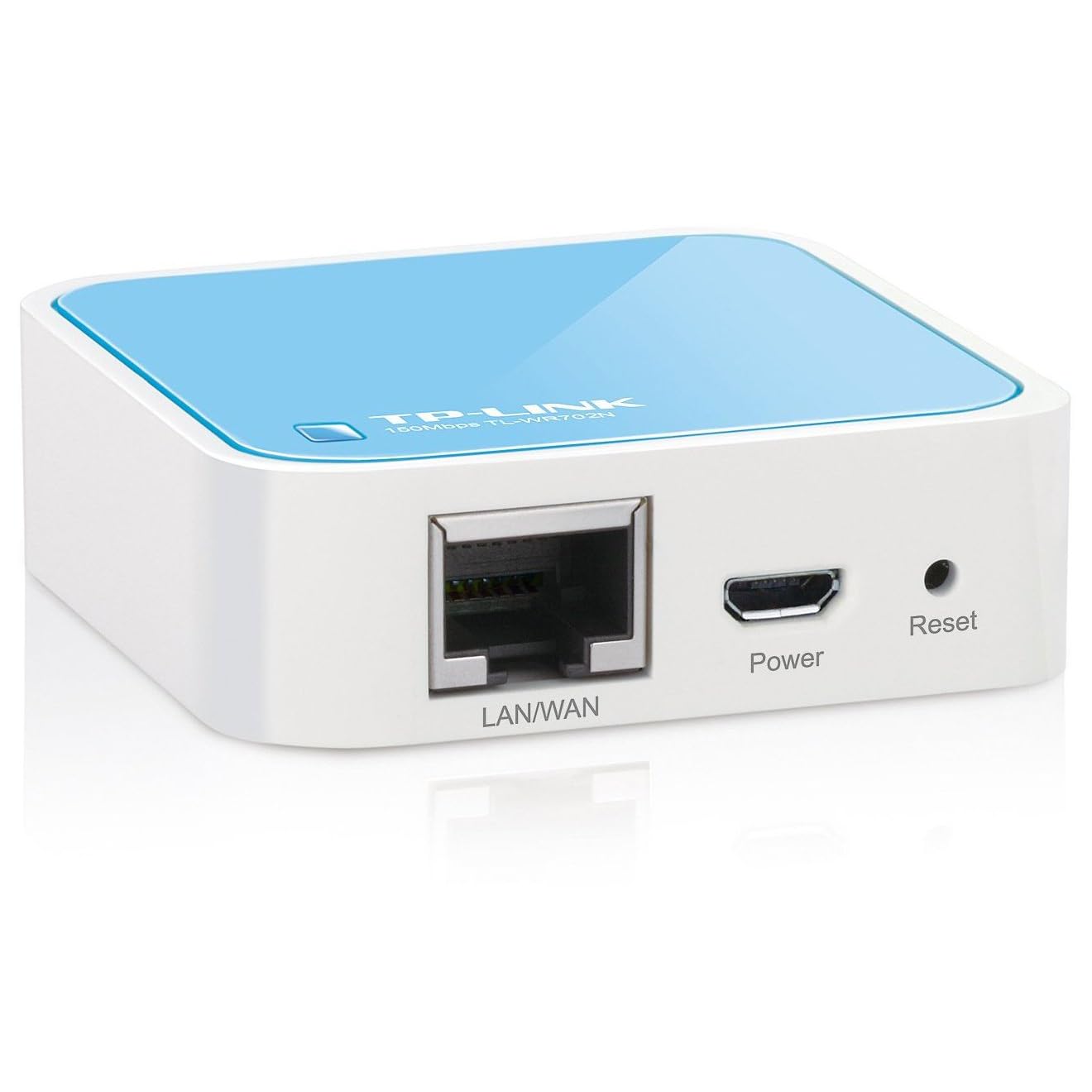
The remarkably tiny "TP Link TL-WR702N 150Mbps Wireless N Nano Router" works quite well as a Wireless Access Point (WAP), and you'd connect the homeplug to the WR702N using an ethernet patch cable.0
-
The remarkably tiny "TP Link TL-WR702N 150Mbps Wireless N Nano Router" works quite well as a Wireless Access Point (WAP), and you'd connect the homeplug to the WR702N using an ethernet patch cable.
Could I send the homeplugs back and just use the TP- Link WR702N? (to save some money ) 0
) 0 -
yes you could, slightly fiddly to set up, but essentially yes ......Gettin' There, Wherever There is......
I have a dodgy "i" key, so ignore spelling errors due to "i" issues, ...I blame Apple 0
0 -
Err, no! You need to feed the WR702N with an ethernet signal when it's acting as a Wireless Access Point...
See the pretty picture.0 -
Err, no! You need to feed the WR702N with an ethernet signal when it's acting as a Wireless Access Point...
See the pretty picture.
Not if you use it in Repeater Mode ... it will work (may be tricky to set up though).0 -
^^^ exactly ......Gettin' There, Wherever There is......
I have a dodgy "i" key, so ignore spelling errors due to "i" issues, ...I blame Apple0




This discussion has been closed.
Confirm your email address to Create Threads and Reply

Categories
- All Categories
- 353.9K Banking & Borrowing
- 254.3K Reduce Debt & Boost Income
- 455.2K Spending & Discounts
- 246.9K Work, Benefits & Business
- 603.5K Mortgages, Homes & Bills
- 178.3K Life & Family
- 261.1K Travel & Transport
- 1.5M Hobbies & Leisure
- 16.1K Discuss & Feedback
- 37.7K Read-Only Boards