We’d like to remind Forumites to please avoid political debate on the Forum.
This is to keep it a safe and useful space for MoneySaving discussions. Threads that are – or become – political in nature may be removed in line with the Forum’s rules. Thank you for your understanding.
📨 Have you signed up to the Forum's new Email Digest yet? Get a selection of trending threads sent straight to your inbox daily, weekly or monthly!
The Forum now has a brand new text editor, adding a bunch of handy features to use when creating posts. Read more in our how-to guide
Toshiba webcam problem

soay_2
Posts: 91 Forumite
in Techie Stuff
I have a Toshiba laptop with integrated webcam but it has always been out of focus whatever I change the settings to.
Under the advanced settings there is a focus heading with 3 option boxes but none are checked & they are shaded grey & you cannot check them.
Has anybody any ideas what I can try ? (In "Windows for Dummies" instructions please!)
Under the advanced settings there is a focus heading with 3 option boxes but none are checked & they are shaded grey & you cannot check them.
Has anybody any ideas what I can try ? (In "Windows for Dummies" instructions please!)
0
Comments
-
I have a Toshiba laptop with integrated webcam but it has always been out of focus whatever I change the settings to.
Under the advanced settings there is a focus heading with 3 option boxes but none are checked & they are shaded grey & you cannot check them.
Has anybody any ideas what I can try ? (In "Windows for Dummies" instructions please!)
Model number? i.e. PS*****?0 -
Thankyou.
Satc660D-152
PSCOUE-02M00KEN0 -
0
-
Thanks for your reply but could you please tell me how to uninstall the Driver. Sorry!0
-
I have visited "here" since posting the above & downloaded some zip file from Toshiba but I dont know what to do with it or even if I'll even be able to find it again.
Can you give me some simple detailed instructions please.0 -
Have a look in your Device Manager and look for a similar entry to this;

Double click on Webcam entry and choose Driver, in order to reach the Uninstall dialogue.
But, before you attempt any of this, perhaps we should check a few things first.
Have you removed the plastic covering from the lens of the webcam?
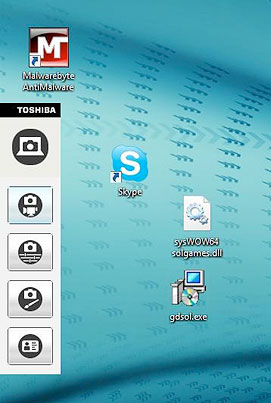
If yes, we may need to check the Video Capture Properties.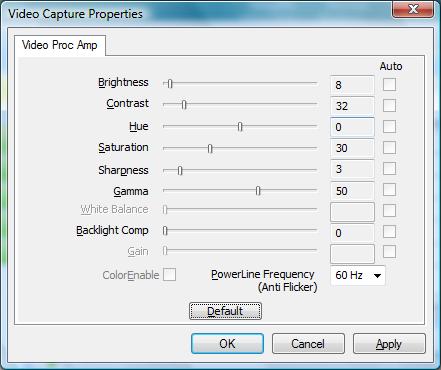
If still no joy, try switching to 'Night Mode' to see if that helps.
We'll leave the Driver change until last.0 -
Thankyou so much for your detailed instructions but I am so embarrassed to say that I didn't realise there was a protective film over the webcam.
Have now removed this & webcam is now in focus!
(I said I needed instructions the same as "Windows for Dummies)
Many thanks again for the trouble you have gone to.0 -
Not a problem. Your thanks is enough.
 0
0
This discussion has been closed.
Confirm your email address to Create Threads and Reply

Categories
- All Categories
- 353.5K Banking & Borrowing
- 254.1K Reduce Debt & Boost Income
- 455K Spending & Discounts
- 246.6K Work, Benefits & Business
- 602.9K Mortgages, Homes & Bills
- 178.1K Life & Family
- 260.6K Travel & Transport
- 1.5M Hobbies & Leisure
- 16K Discuss & Feedback
- 37.7K Read-Only Boards