We’d like to remind Forumites to please avoid political debate on the Forum.
This is to keep it a safe and useful space for MoneySaving discussions. Threads that are – or become – political in nature may be removed in line with the Forum’s rules. Thank you for your understanding.
📨 Have you signed up to the Forum's new Email Digest yet? Get a selection of trending threads sent straight to your inbox daily, weekly or monthly!
The Forum now has a brand new text editor, adding a bunch of handy features to use when creating posts. Read more in our how-to guide
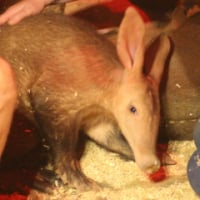
Is this do-able? (Picture related.)

aliasojo
Posts: 23,053 Forumite



in Techie Stuff
I need a big picture roughly a metre square. I obviously cant print that size, there are no funds for professional printing and I can't draw.
If I take a picture of something and put it on my pc, would it be possible to enlarge it, divide it into squares and print out A4 sized squares at a time then join them all together on the metre sized board? If that's do-able, would it be easy or difficult...I've not done anything other than point click and basic print before.
Failing that, any other suggestions?
If I take a picture of something and put it on my pc, would it be possible to enlarge it, divide it into squares and print out A4 sized squares at a time then join them all together on the metre sized board? If that's do-able, would it be easy or difficult...I've not done anything other than point click and basic print before.
Failing that, any other suggestions?
Herman - MP for all! 
0
Comments
-
You can do that, but exactly how depends on which software you have for graphics editing/printing ?
The result isn't going to be great though - the joins are going to be very visible, no matter how carefully you do it.0 -
Have a look at Rasterbator: http://homokaasu.org/rasterbator/
You can try the online version first and create large posters from numerous A4 sheets, depending on how large you want the poster to be just simply select "size" from the top right and drag the slider, at the bottom of the screen you'll see the number of paper sheets required.0 -
I have done this frequently using Micrsoft Publisher - choose blank publications, poster and in page setup set the size to 100cm x 100cm.
Insert your picture and publisher will divide it up and print out in A4 chunks with guidelines for sticking it togetherEverything will be alright in the end so, if it’s not yet alright, it means it’s not yet the endQuidquid Latine dictum sit altum videtur0 -
You could go to a print shop & get them to print it out in one or a online printer who will post the finished print to you0
-
-
The result isn't going to be great though - the joins are going to be very visible, no matter how carefully you do it.
This wouldn't matter, the pic is for a fundraiser and doesn't have to be art gallery quality iyswim, it just needs to be big.
Thanks very much for all the replies and suggestions, will look into the links. :beer:Herman - MP for all!
0 -
Look under 'Properties', 'Options' or similar in your Print confirmation dialogue box, and look for 'Poster Printing'
I've got an HP printer, no specialist software, and the HP printer driver allows me to print on 4 A4 sheets (2x2), 9, 16 or 25 in 3x3, 4x4 or 5x5 configuration. Your printer may do the same.0 -
If it's from a photo you can also try blockposters.com.
I don't know what the quality is like but you can create pictures up to a maximum of 10 x A4 sheets wide/long
HTH0





This discussion has been closed.
Confirm your email address to Create Threads and Reply

Categories
- All Categories
- 353.6K Banking & Borrowing
- 254.2K Reduce Debt & Boost Income
- 455.1K Spending & Discounts
- 246.7K Work, Benefits & Business
- 603.1K Mortgages, Homes & Bills
- 178.1K Life & Family
- 260.7K Travel & Transport
- 1.5M Hobbies & Leisure
- 16K Discuss & Feedback
- 37.7K Read-Only Boards