Ready, steady… save!
You don’t need a chart to join in. Here are 2 ways to record your savings:
1. Cross it off
Pop a chart into your first post. Saved an amount? Cross it out! Read more »
£0.01 £0.02 £0.03
2. Write it down
Skip the chart and add updates to your first post. Read more »
“Another +£3 saved today. Go me!”
Use +£ before each new saving so it counts towards your total.
We’d like to remind Forumites to please avoid political debate on the Forum.
This is to keep it a safe and useful space for MoneySaving discussions. Threads that are – or become – political in nature may be removed in line with the Forum’s rules. Thank you for your understanding.
Which desktop

GT60
Posts: 2,375



 Forumite
in Techie Stuff
Hi after 10 years my Dell desktop is becoming unusable and I think time for a new one.
It freezes, very slow 30 seconds plus at loading photos, emails, word, chrome and sometimes very slow to reboot.
I run cleaner etc and have anti virus software.
Currently doing a clean install of Windows 10 to see if that makes a difference.
What's the difference between these two?
It will be for normal house use and office work.
Could iupgrade components in years to come?
Thanks
https://www.dell.com/en-uk/shop/compare?ocs=cd388105,cd388125
Spending my time reading how to fix PC's,instead of looking at Facebook.
0
Comments
-
They appear to be identical except that the more expensive one has a beefier graphics card. Unless you are a gamer the cheaper one would be ok.
Yes you could upgrade components if you wished.1 -
Could we start by asking what you have at the moment?*Maybe* it could be improved with the addition of an SSD and possibly some more RAM(?) for under £100 rather that 5/6/700 quid for a new box1
-
The second one gives you a decent graphics card: NVIDIA® GeForce® GTX 1650 SUPER™ 4GB GDDR6GT60 said:What's the difference between these two?
https://www.dell.com/en-uk/shop/compare?ocs=cd388105,cd388125For the extra £180 you are getting a graphics card that is selling for around £300 at the moment. The price is inflated as are all graphics cards at the moment but still good value to pay £180 to upgrade to it if you wish. I don't know if it will benefit you though.
The intel 630 UHD in the lower priced one is perfectly suitable for internet / streaming / office work. You will only notice a difference on the higher priced on when using any graphics intensive applications by having the Nvdia 1650 - eg games, video editing, graphical design etc.1 -
I don't really do any of these games, video editing, graphical design but i don't mind paying the extra if i might use it one day or my son might as he has his xbox.
J_B said:
Dell Inspiron 560Could we start by asking what you have at the moment?*Maybe* it could be improved with the addition of an SSD and possibly some more RAM(?) for under £100 rather that 5/6/700 quid for a new box
Thanks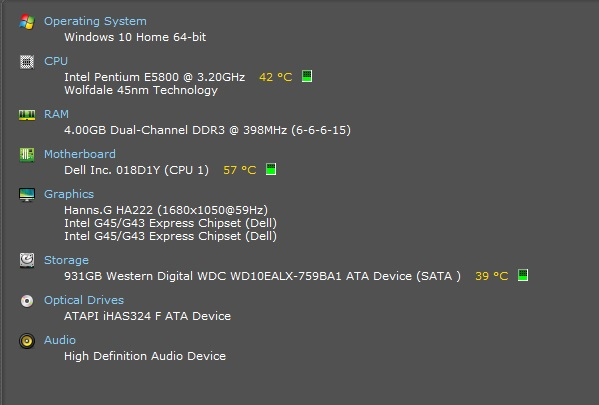
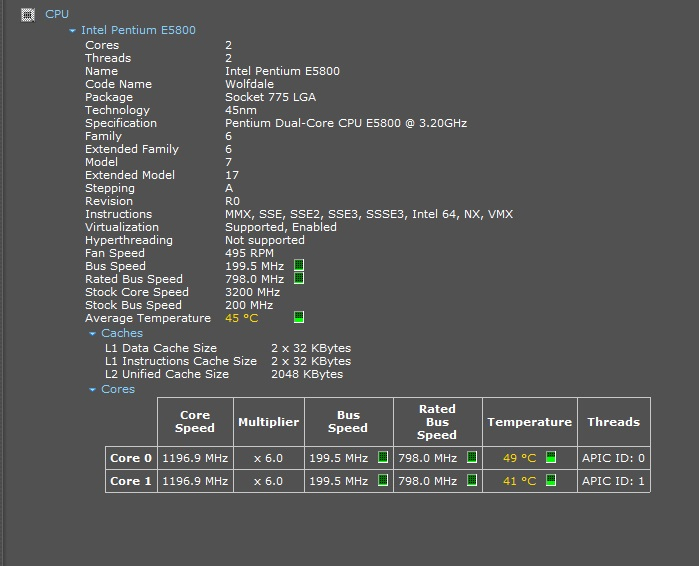
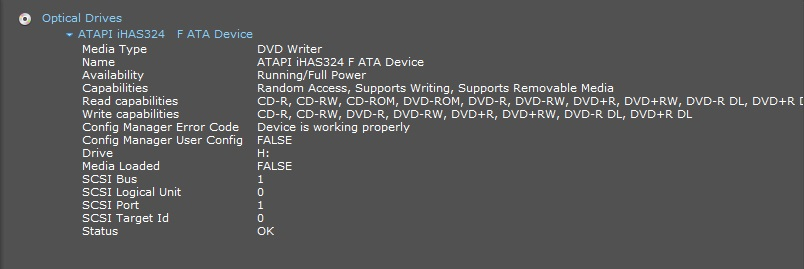
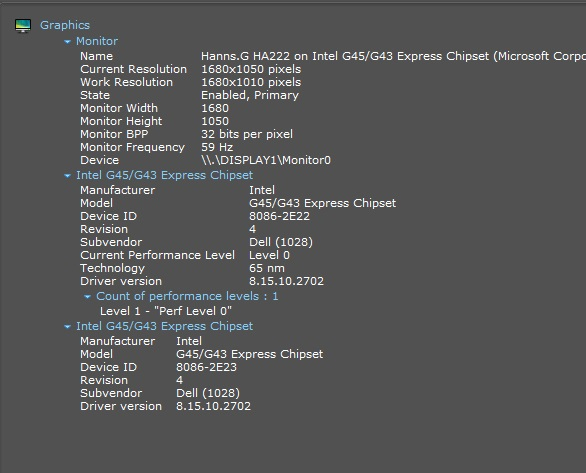
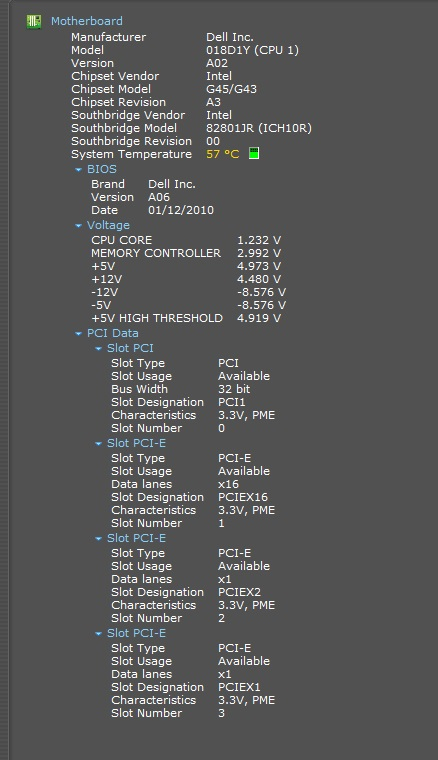
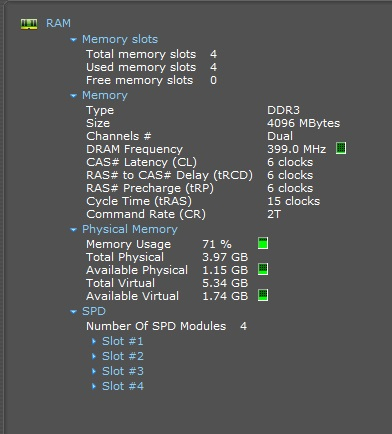
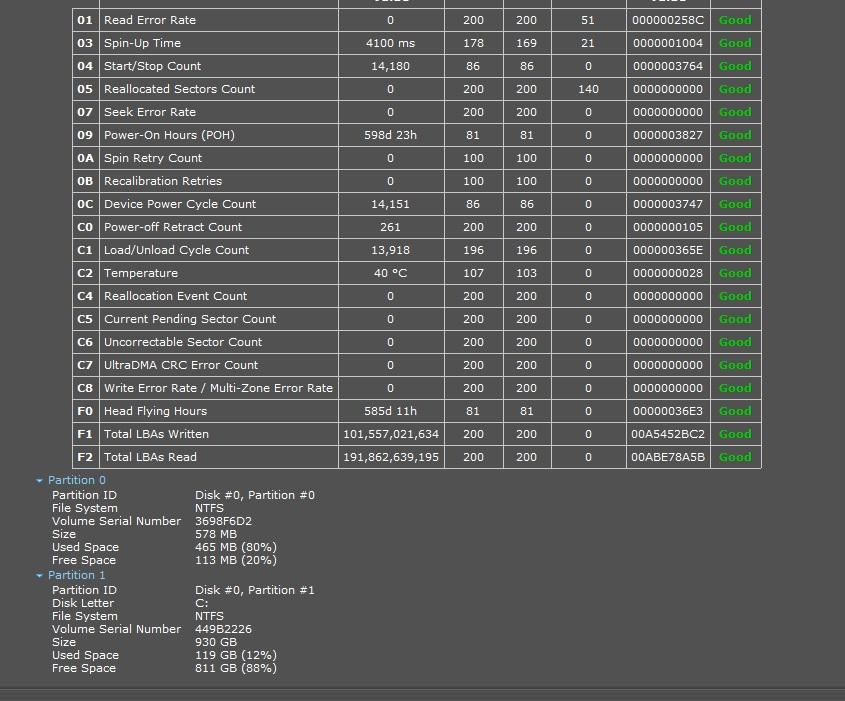
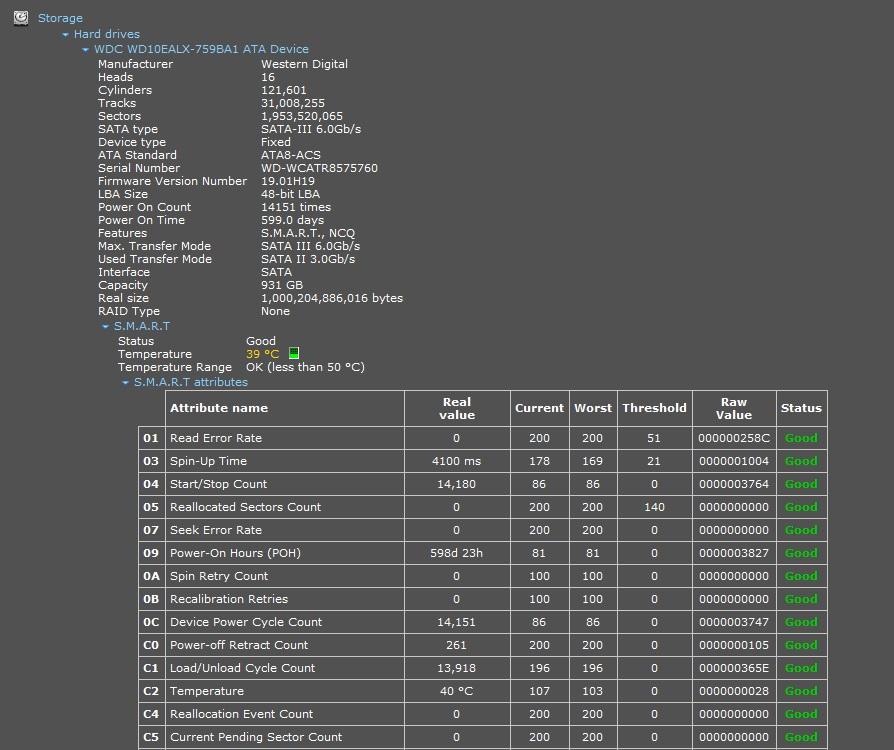
Spending my time reading how to fix PC's,instead of looking at Facebook.0 -
I'm sure @HereToday will advise better than me, but I guess it would take a smaller SSD for the O/S and general stuff and keep the existing HDD for storage
1 -
I agree with J_B. Though of course one cannot guarantee that there is anything else amiss with the PC from afar.
Give the old PC a second chance by simply adding an SSD as the main Boot drive and replacing all of the RAM. You can buy a high quality 250 GB SSD for around £40. Samsung EVO 870 should do it. Then clean install Windows 10 to that. RAM will cost around £18. https://www.ebay.co.uk/itm/223872276673
You are somewhat far behind on BIOS updates.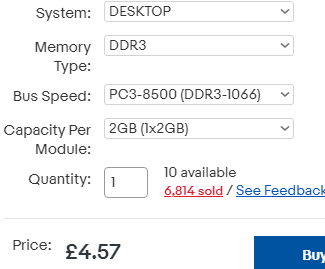
If your signature is anything with which to go by, you could even upgrade your CPU: https://www.ebay.co.uk/p/1404727442?iid=164828578287 Intel® Core™2 Quad Processor Q9400
But fitting an SSD and RAM alone should do the trick if nothing else.2 -
Of course if you are considering streaming and playing 4k video in the near future; then you should consider a newer PC.0
-
Thank you for all your advice.
Not sure on how to fit an SSD and CPUUnless the CPU is a simple case of unplugging and plugging back in like the ram.
I will check Dell web site for the bios updates along with any other hard ware updates.
I was told that even though I had done clean installs in the past I don't need to redo hard ware updates including bios.
Dell told me this year's ago so never bother checking again.
Thanks againSpending my time reading how to fix PC's,instead of looking at Facebook.0 -
It's also worth keeping an eye out here too:
Refurbished Cheap Laptops and 2-in-1 PCs: Dell Outlet | Dell UK in addition to eBay if you decide not to go down the route of upgrading your RAM/SSD/CPU.
Last year I managed to get a Dell Inspiron 3670 from eBay. Was listed as Scratch and Dent but my eyes must be terrible as it looked 'brand new' when I received it.
Have stuck a nVME SSD card into it and found a second hand graphics card in it and it works a treat.It's not your credit score that counts, it's your credit history. Any replies are my own personal opinion and not a representation of my employer.1 -
https://downloads.dell.com/manuals/all-products/esuprt_desktop/esuprt_inspiron_desktop/inspiron-560_service manual_en-us.pdfGT60 said:Thank you for all your advice.
Not sure on how to fit an SSD and CPUUnless the CPU is a simple case of unplugging and plugging back in like the ram.
I will check Dell web site for the bios updates along with any other hard ware updates.
I was told that even though I had done clean installs in the past I don't need to redo hard ware updates including bios.
Dell told me this year's ago so never bother checking again.
Thanks again
Page 17 of 44. Though you don't need to remove the HDD as illustrated there, but only unplug the cables from the HDD and plug them into the corresponding connectors on the SSD. That's it! The SSD itself does not need to be fixed anywhere.
Fitting an SSD is ridiculously easy. It's just as easy as fitting RAM. CPU is another matter, so don't bother with that.
.
Then run a clean install of Windows 10 to the SSD. Once complete, you may need to buy an extra SATA cable for a couple of £s in order to reconnect your old HDD as an extra storage drive. Again should be relatively straightforward.
Examples:
https://www.ebay.co.uk/itm/154140625050
https://www.ebay.co.uk/itm/SATA-Cable-TWIN-PACK-/154140625002
2








Categories
- All Categories
- 356K Banking & Borrowing
- 255K Reduce Debt & Boost Income
- 456.3K Spending & Discounts
- 248.5K Work, Benefits & Business
- 606.3K Mortgages, Homes & Bills
- 179.1K Life & Family
- 264.1K Travel & Transport
- 1.6M Hobbies & Leisure
- 16.2K Discuss & Feedback
- 37.7K Read-Only Boards