We’d like to remind Forumites to please avoid political debate on the Forum.
This is to keep it a safe and useful space for MoneySaving discussions. Threads that are – or become – political in nature may be removed in line with the Forum’s rules. Thank you for your understanding.
📨 Have you signed up to the Forum's new Email Digest yet? Get a selection of trending threads sent straight to your inbox daily, weekly or monthly!
The Forum now has a brand new text editor, adding a bunch of handy features to use when creating posts. Read more in our how-to guide
Win an Ipad mini with Sainsburys

beerow
Posts: 51 Forumite
link on Facebook. Sorry couldnt attach it
0
Comments
-
To enter, email your full name to prizedraws@sainsburys.co.uk
T&Cs:
http://www.sainsburys-live-well-for-less.co.uk/terms-and-conditions/facebook-ipad-mini-prize-draw
1. The prize draw opens on Sunday 19 May and will close midnight on Monday 20 May.
Retitle: to E: 20/05 Win a iPad Mini (Sainsburys Facebook/Email)0 -
Thanks for the comp.
Would you be ok just to edit the title for indexing by date/clarity please eg:
E: 20/05 Win an Ipad mini with Sainsburys
rather than:
Win an Ipad mini with Sainsburys
Just click edit & advanced
If left as is it will be indexed wrong so you end up with the issue that can be seen on page 1 of this view of the board.Plus we may lose it to Game Over.
7 How can I amend my thread title if I need to?
To edit the thread title you can click 'Edit' then select 'Go Advanced'.
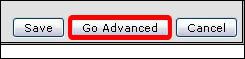
The next screen will show your post & above it you will see 2 boxes 'Reason for Editing', which you don't have to complete & also 'Title' which has your thread title info in it.
Simply click into the Title box & amend your text as necessary0 -
from the T&C:
"2. To enter the draw, entrants must submit their full name by email to prizedraws@sainsburys.co.uk. Emails sent to the incorrect email address will not be entered."
The bit '@sainsburys.co.uk' is a link, if I click on it, it pops open gmail and the To: address is filled in as 'competitions@sainsburys.co.uk'.
So which is the right email address?Only in our dreams are we free.
The rest of the time we need wages.
- Sir Terry Pratchett0 -
happybunny199 wrote: »from the T&C:
"2. To enter the draw, entrants must submit their full name by email to prizedraws@sainsburys.co.uk. Emails sent to the incorrect email address will not be entered."
The bit '@sainsburys.co.uk' is a link, if I click on it, it pops open gmail and the To: address is filled in as 'competitions@sainsburys.co.uk'.
So which is the right email address?
FB post states send your name to prizedraws@sainsburys.co.uk so I'm going with that0 -
happybunny199 wrote: »from the T&C:
"2. To enter the draw, entrants must submit their full name by email to prizedraws@sainsburys.co.uk. Emails sent to the incorrect email address will not be entered."
The bit '@sainsburys.co.uk' is a link, if I click on it, it pops open gmail and the To: address is filled in as 'competitions@sainsburys.co.uk'.
So which is the right email address?
It does state that you should email it to prizedraws@sainsburys.co.uk, so if I was to advice anyone ONLY email to prizedraws email address not competitions, in theory they maybe/could reply back to the winner with using competitions@sainsburys.co.uk
Very odd, thank you for sharing that Happybunny199 0
0 -
when i click on it says prizedraws addressWhat goes around-comes around0









This discussion has been closed.
Confirm your email address to Create Threads and Reply

Categories
- All Categories
- 353.7K Banking & Borrowing
- 254.2K Reduce Debt & Boost Income
- 455.1K Spending & Discounts
- 246.8K Work, Benefits & Business
- 603.3K Mortgages, Homes & Bills
- 178.2K Life & Family
- 260.8K Travel & Transport
- 1.5M Hobbies & Leisure
- 16K Discuss & Feedback
- 37.7K Read-Only Boards